Set stratification factors for uploaded randomization scheme
Stratification factors are the variables that are used to divide a group of subjects into subgroups according to certain criteria. You can add stratified factors for a randomization scheme of the Manual Upload type.
-
In the IWRS application header, select the TREATMENT DESIGN tab.
-
On the page that opens, in the left pane, select the Period subtab.
-
In the Period List table that appears, locate the period of your interest. Then in the Period Name column, select the value to open the period configurator.
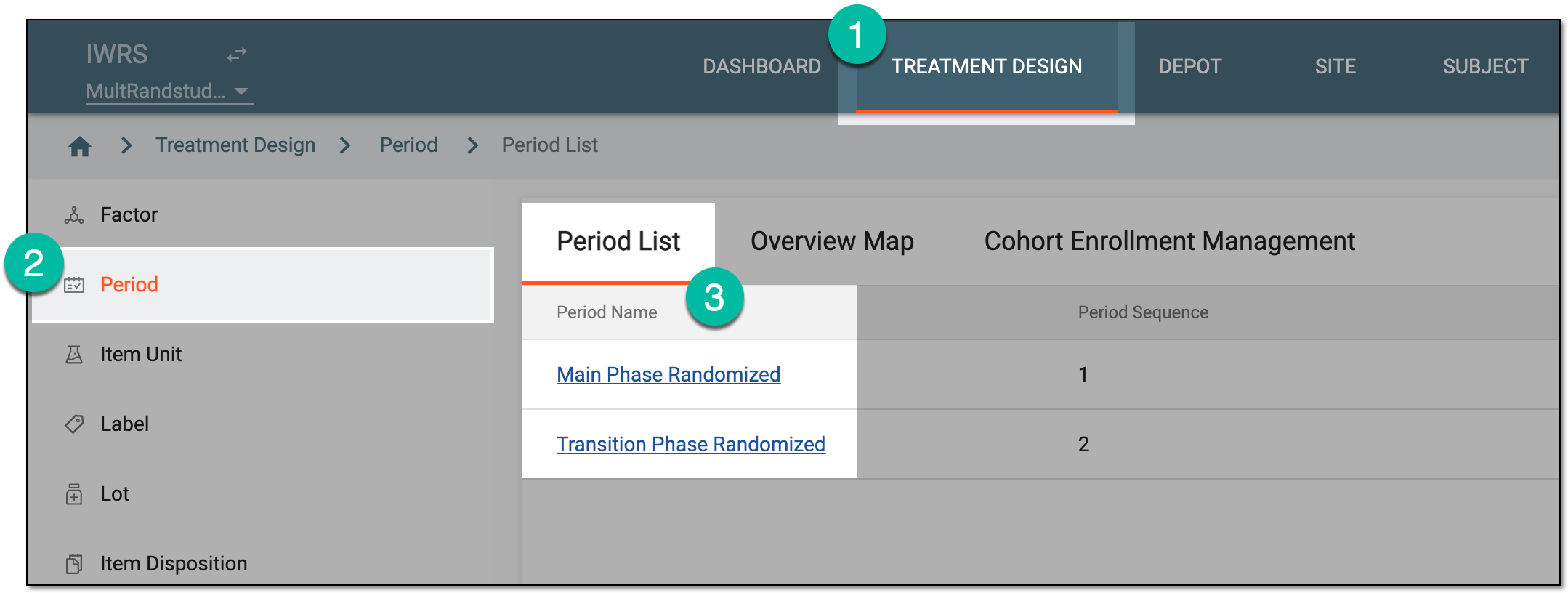 Figure 1. Selecting period to configure
-
In the period configurator explorer tree, select Period Factor
 .
. -
On the Factor List page that opens, from the workspace toolbar, select New Item
 .
. Figure 2. Selecting to add new factor
-
In the Add dialog that appears, define the stratified factor parameters as suggested in the following table.
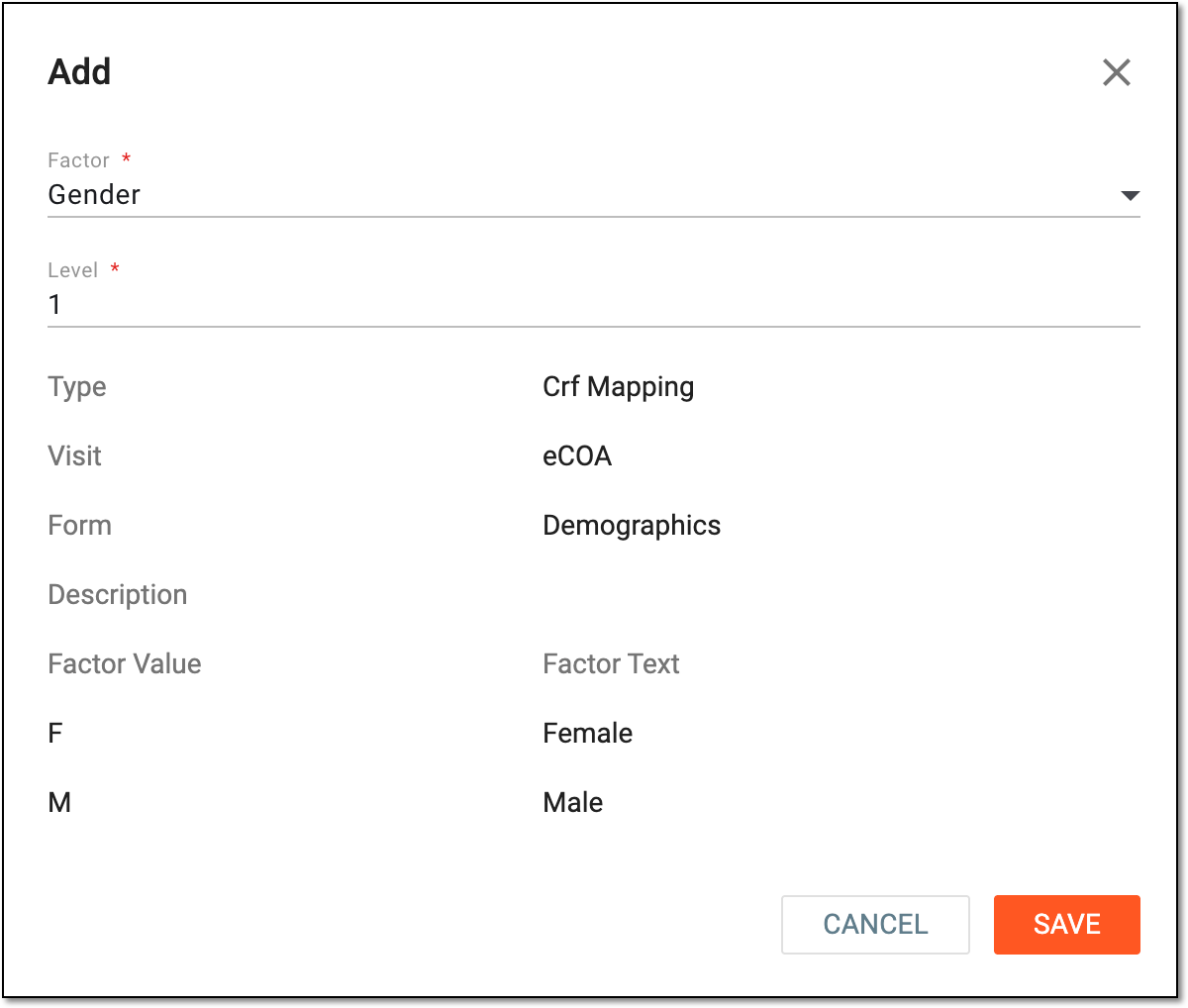 Figure 3. Adding stratified factor
Tip
In the following table, mandatory elements are marked with an asterisk (*).
Element
Details
Factor*
Select the stratified factor populated from the Period Factor table.
Level*
Indicate the level of strata. The system preferentially stratifies subjects with higher-level factors.
Type
Represents the type of selected factor as follows:
-
Manual: the factor created in IWRS, and its data is not synced from EDC.
-
CRF Mapping: the factor created in SD and pushed to IWRS automatically. Depending on the SD setting, the factor value can be entered in IWRS and pushed to EDC, or entered in EDC and pushed to IWRS.
-
System: the factor created in IWRS and mapped to Date or Numeric item in EDC. It can be a date or number range. When the data is entered in EDC and pushed to IWRS, the system maps the factor value according to the range within which the data is located.
Visit
Represents the name of visit at which the factor value is recorded to the system.
Form
Represents the name of the case report form (CRF) in which the factor value is recorded to the system.
Description
Represents the description of the factor value if any.
Factor Value
Represents the factor value as is, for instance, M for male gender factor.
Factor Text
Represents the descriptive text of the factor value, for instance, Male for M factor value.
SAVE
Select
 to add your stratified factor.
CANCEL
Select
 to stop defining your stratified factor, close the dialog, and return to the factor list of the Period configurator. In such a case, no changes are saved.
 -
Once strata and factors are added, you can map the strata with the uploaded randomization scheme.