Return shipment summary
The IWRS dashboards provide you with multiple charts to get a summary of IWRS data and processes. The Return Shipment Supply bar chart provides a count of return shipments in the following statuses: Requested, In Transit, Received, Lost, and Revoked.
The information in this chart is updated in real-time, that is as soon as a new return shipment is created in IWRS or the status of any previously created return shipment is changed for a site or depot, the bar chart is updated to display the latest data.
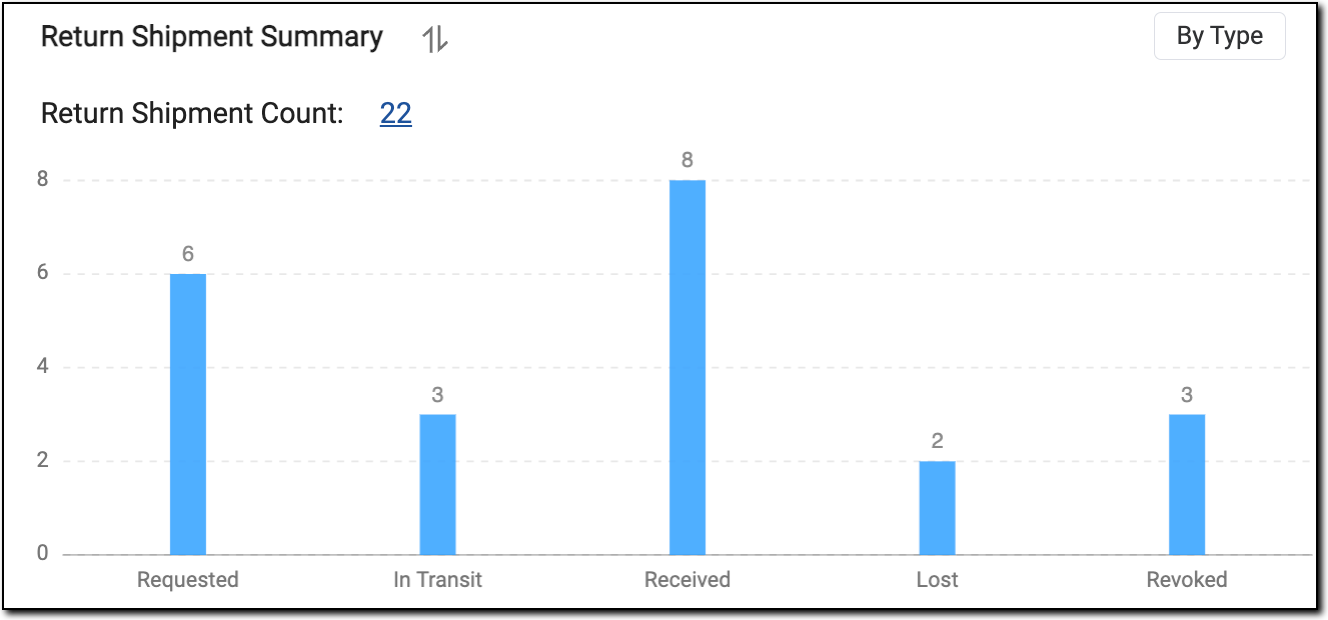 |
In the preceding figure, the blue bar signifies the count of total return shipments in a particular status.
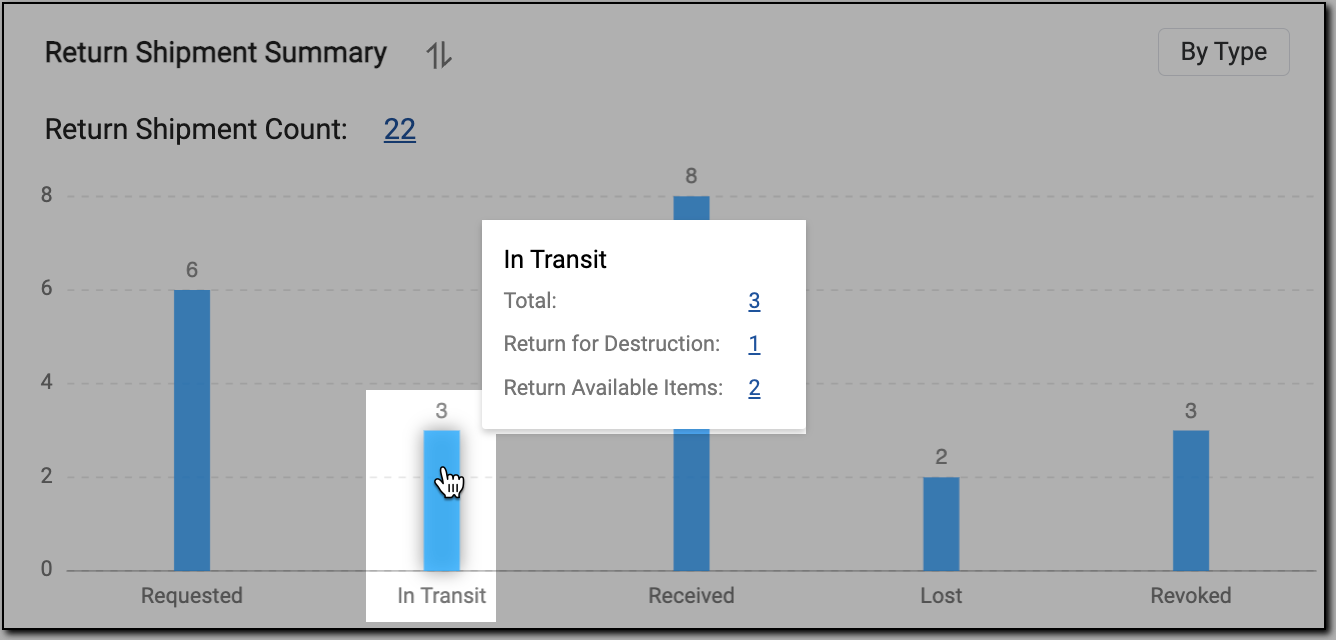
Selecting any of the blue bars provides you with the number of details of each return shipment type.
For instance, the number 1 against Return for Destruction means, the revoked return shipment type has 1 shipment in return for destruction.
 |
Important
Selecting the hyperlink of any return shipment type in any status redirects to the shipment summary report with the filter condition applied.
Selecting the Return Shipment Count hyperlink redirects to the shipment summary report.