View supply shipment summary by type
The Supply Shipment Summary bar chart provides the count of total shipments in different statuses. You can also view this bar chart by selecting By Type  . By rearranging the chart by type, you can view the detailed quantity of each shipment type in different statuses.
The information in this bar chart is updated in real-time, that is when the status of any shipment under a certain shipment type is changed the chart is also updated.
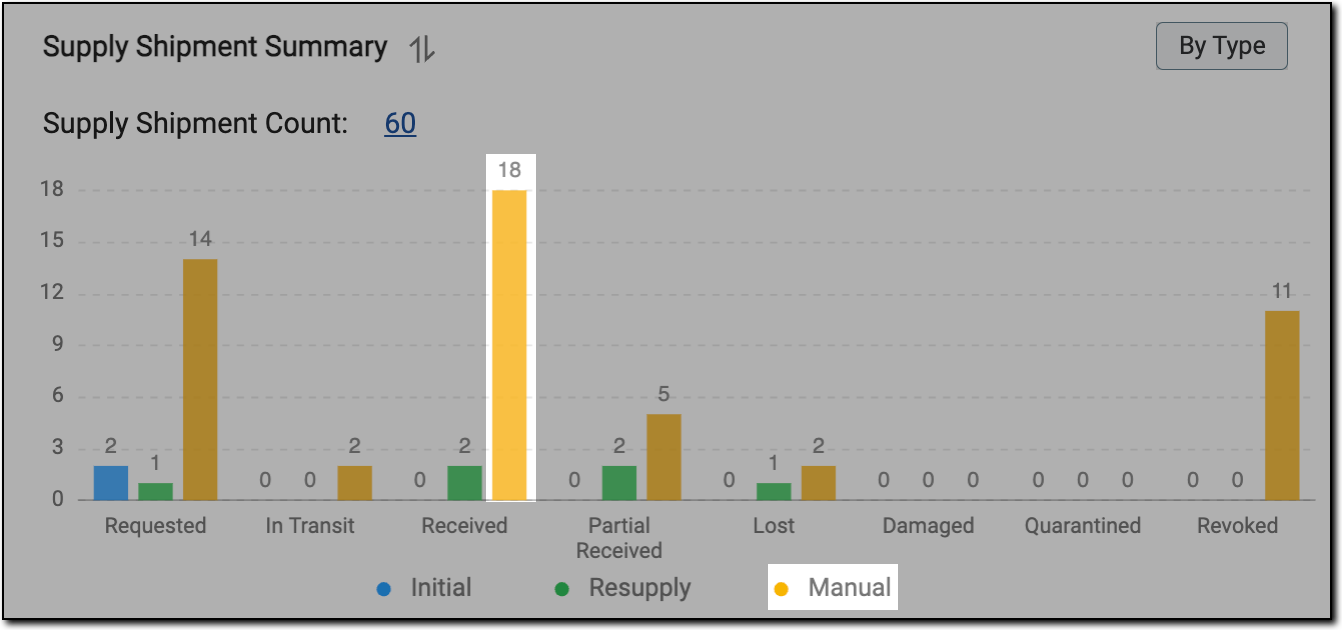
For instance, in the following figure, the yellow bar with count 18 specifies that 18 shipments of manual shipment type are in the Received status.
 |
-
In the IWRS application header, select the DASHBOARD tab.
-
On the page that opens, select the Shipment tab and locate the Supply Shipment Summary chart.
-
Next to the chart title, select By Type
.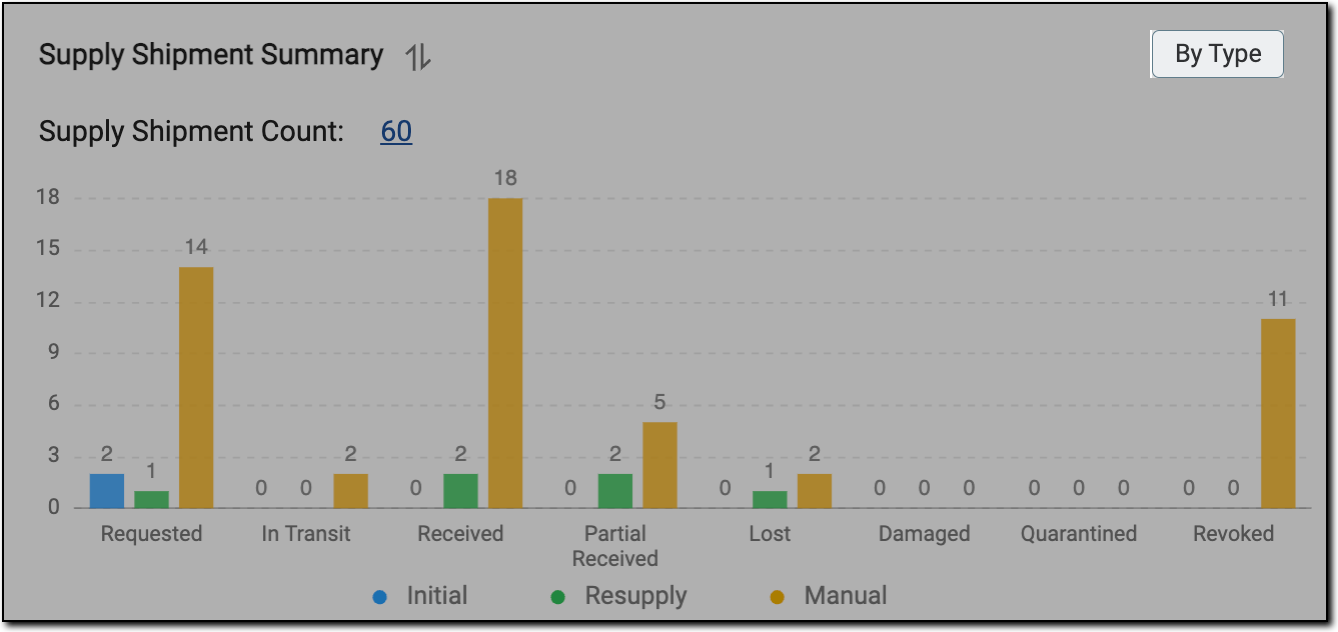 Figure 2. Selecting by type
Important
If site/depot is selected from the site/depot filter, then By Type
does not appear in the Supply Shipment Summary bar chart.
You have viewed the Supply Shipment Summary bar chart arranged by type.