Activate/Inactivate study
A study refers to a research investigation designed to evaluate the safety, efficacy, and other relevant aspects of a medical intervention, such as a drug, device, or treatment. Studies are conducted by a sponsor to gather data and evidence to support regulatory approval and contribute to the scientific understanding of medical interventions and preventions for existing ailments.
When the necessary sponsors are added to the client's company, you can create studies for each sponsor. Once the study is created with either Active or Inactive status, you can always change this status to reflect the current state of the study within the eClinical platform. This allows for dynamic adjustments based on the accurate representation of the study's actuality at any given point in time.
Important
eClinical studies can be managed and sustained only when active. If a study becomes inactive, it is not available within the system.
-
In the ADMIN application header, select the HIERARCHIES tab.
-
In the left pane of the page that opens, select the needed sponsor
 .
.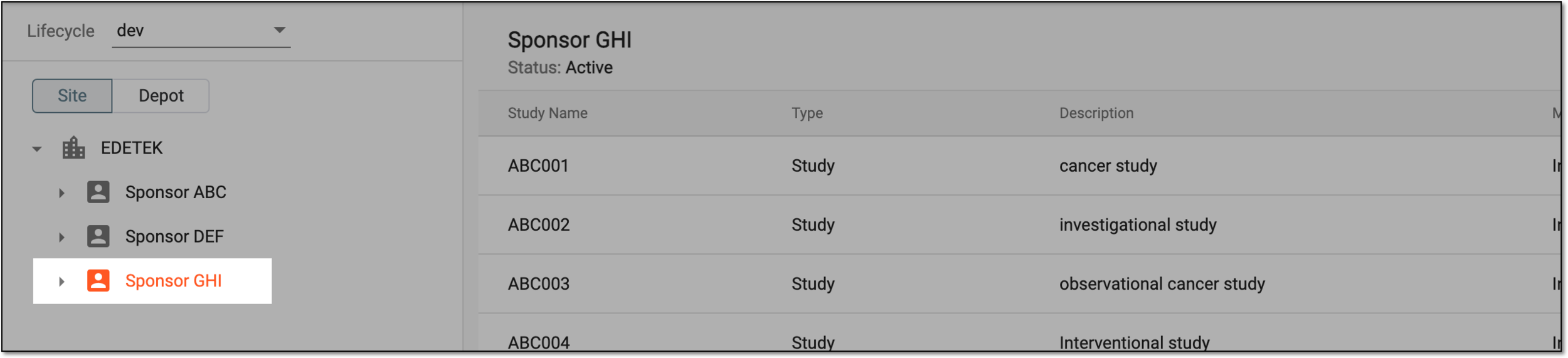 Figure 1. Selecting sponsor
-
In the table that appears, next to the inactive study, select Activate
 to enable it. Or, next to the active study, select
Inactivate
to enable it. Or, next to the active study, select
Inactivate  to deactivate it.
 Figure 2. Selecting to activate/inactivate study
Once selected, the study is activated or inactivated based on the action performed.