Add sponsor to company
A sponsor is an individual or organization responsible for initiating clinical research. Sponsors play a pivotal role in the development and execution of the trial, overseeing its design, implementation, and regulatory compliance. The sponsor can be a pharmaceutical company, academic institution, government agency, or entity that funds and coordinates the clinical trial process.
When the company, which is the top-level entity in the hierarchy, is added to the eClinical platform by the EDETEK dev team, you can create sponsors for the client's company. The purpose of each sponsor entity is to have associated studies and start registering the trial processes with the system, thereby fostering a comprehensive framework for efficient clinical trial management.
Important
Note that for auditing purposes, once the sponsor is created for the client's company, it cannot be deleted. However, you can always update sponsor details, such as its name or description.
-
In the ADMIN application header, select the HIERARCHIES tab.
-
In the left pane of the page that opens, select the company node
 .
.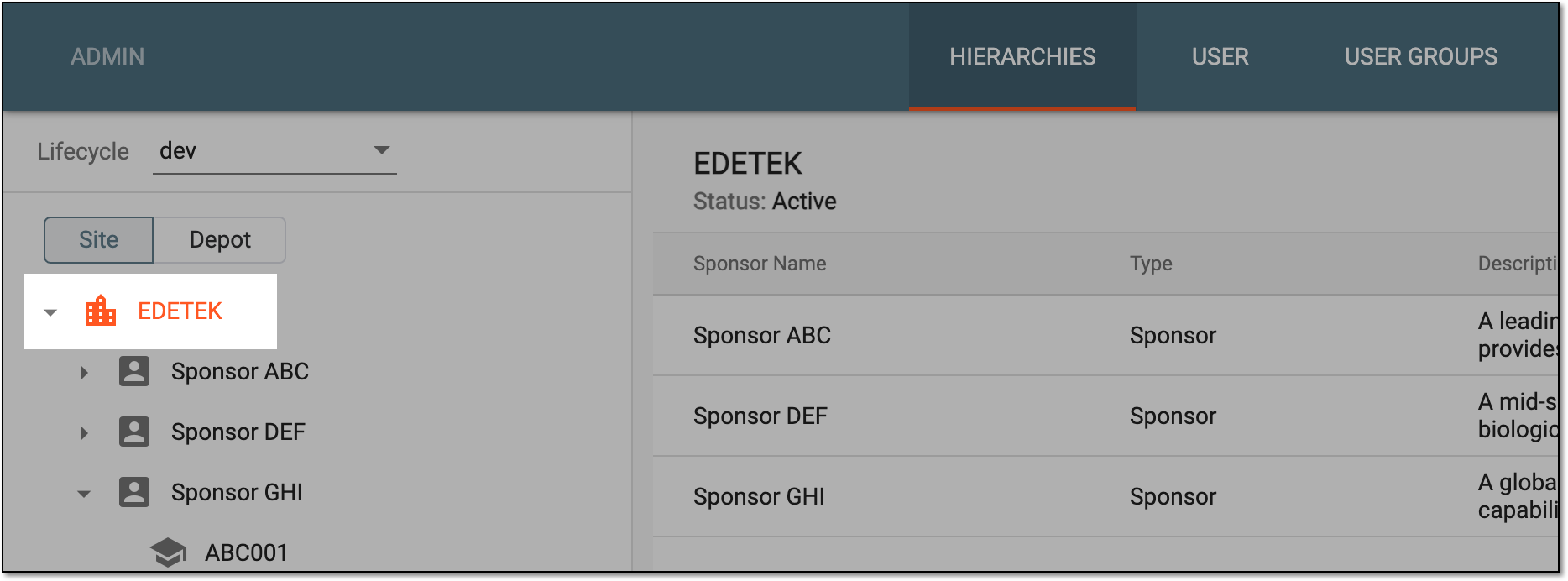 Figure 1. Selecting company
-
From the workspace toolbar of the table that appears, select New Item
 .
. Figure 2. Select to add sponsor
-
In the dialog that appears, provide sponsor details as explained in the following table.
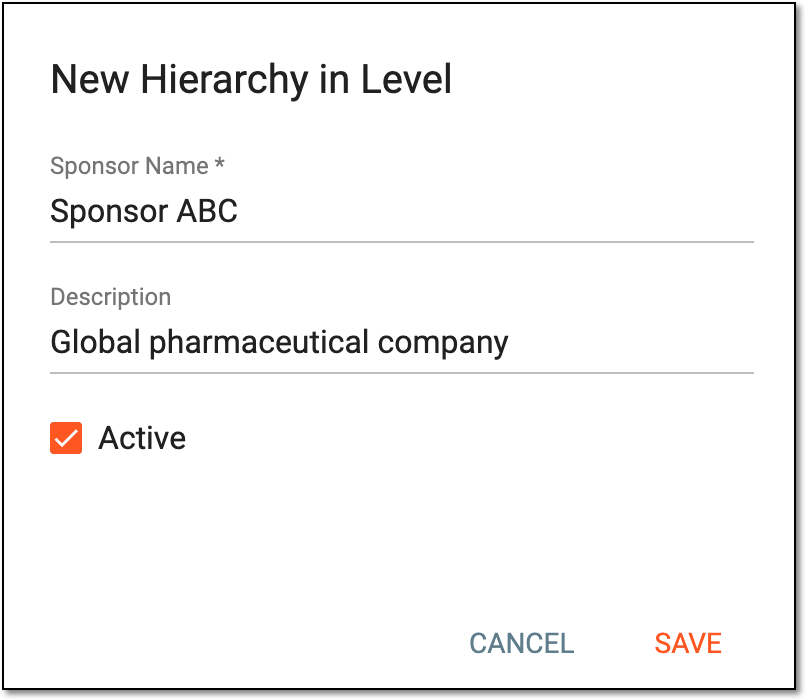 Figure 3. Adding sponsor to company
Tip
In the following table, mandatory elements are marked with an asterisk (*).
Element
Details
Sponsor Name*
Enter a unique name for the sponsor you create.
Description
Enter brief information describing the sponsor.
Active
Select this checkbox to enable the sponsor, thus making the studies associated with the sponsor available for execution and management.
SAVE
Select
 to add a sponsor to the company.
CANCEL
Select
 to discard the sponsor creation process.
 -
In the dialog that appears, the system requests if you want to proceed to assigning apps to the sponsor right away. Select Yes to proceed or Not now to skip this step for now and return to it later.
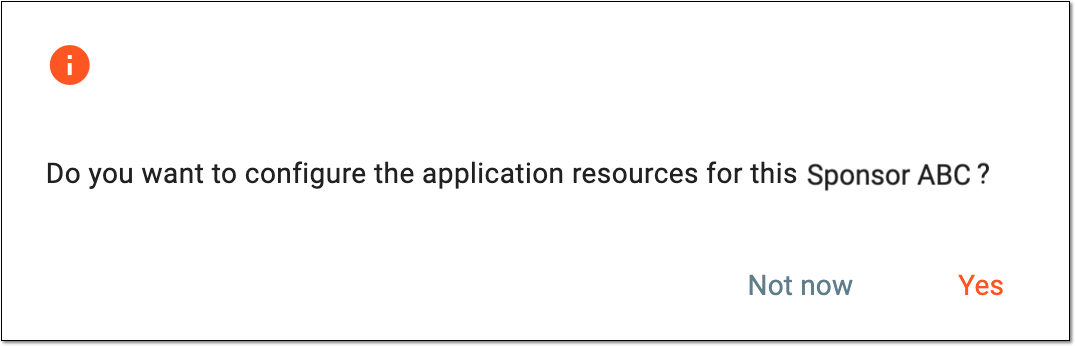 Figure 4. Proceeding to app selection for created sponsor
Once saved, the sponsor is added to the company. You can now create studies for this sponsor.