Update sponsor
A sponsor is an individual or organization responsible for initiating clinical research. Sponsors play a pivotal role in the development and execution of the trial, overseeing its design, implementation, and regulatory compliance. The sponsor can be a pharmaceutical company, academic institution, government agency, or entity that funds and coordinates the clinical trial process.
Once the sponsor is added to your company, it cannot be removed but you can still manage or update its details. The changes might be required due to structural or any other pertinent modifications. An option to update the sponsor details ensures that all the information remains accurate and up-to-date throughout the dynamic lifecycle of clinical trials.
-
In the ADMIN application header, select the HIERARCHIES tab.
-
In the left pane of the page that opens, select the company node
 .
.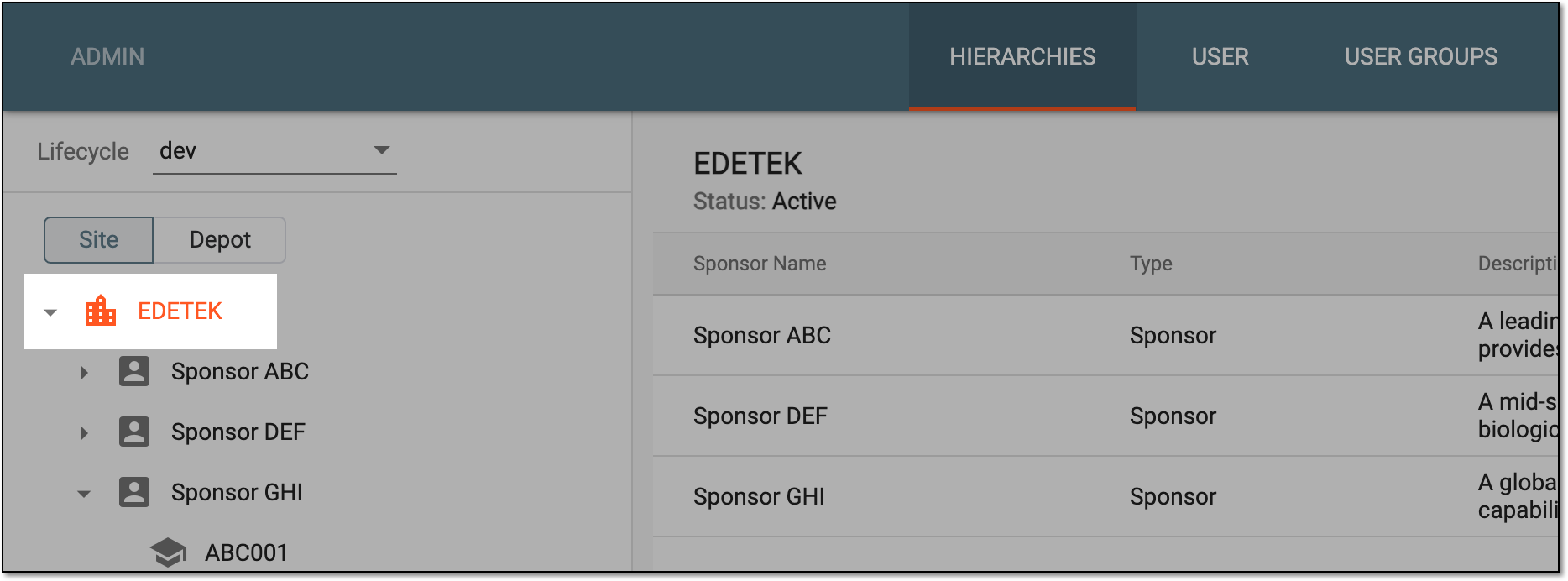 Figure 1. Selecting company
-
In the table that appears, next to the needed sponsor, select Edit
 .
. Figure 2. Selecting to update sponsor
-
In the dialog that appears, update sponsor details as explained in the following table.
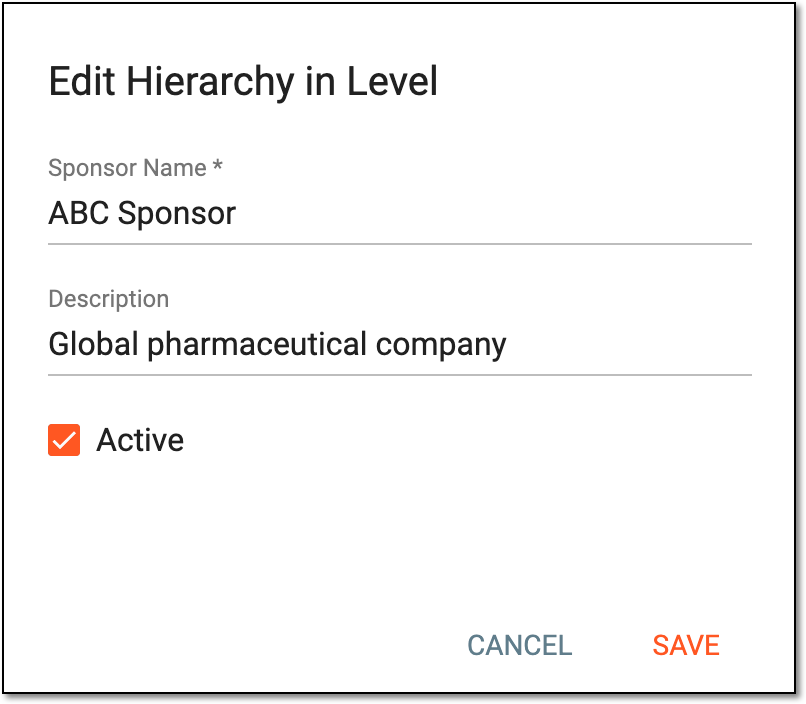 Figure 3. Updating sponsor
Tip
In the following table, mandatory elements are marked with an asterisk (*).
Element
Details
Sponsor Name*
Update the name of the sponsor if needed.
Description
Update information about the sponsor if needed.
Active
Select this checkbox to enable the sponsor, thus making the studies associated with the sponsor available for execution and management.
SAVE
Select
 to update sponsor details.
CANCEL
Select
 to discard the sponsor update process.
Once saved, the sponsor details are updated.