Assign eClinical apps to sponsor
A sponsor is an individual or organization responsible for initiating clinical research. Sponsors play a pivotal role in the development and execution of the trial, overseeing its design, implementation, and regulatory compliance. The sponsor can be a pharmaceutical company, academic institution, government agency, or entity that funds and coordinates the clinical trial process.
When the company is added to the eClinical platform by the EDETEK dev team, you can create sponsors for the client's company. Once the sponsor is created, you can associate this sponsor with the CTMS, eTMF, and PV eClinical applications in the needed lifecycles. This process ensures that all sponsors' studies can be properly maintained using the eClinical platform.
Important
The association of any sponsor with the CTMS and eTMF applications is mandatory because it is integral to maintaining comprehensive study oversight and documentation storage throughout the clinical trial management processes. Sponsors will have access to the PV application based on the client's services purchased from EDETEK.
-
In the ADMIN application header, select the HIERARCHIES tab.
-
In the left pane of the page that opens, from its toolbar, select the needed lifecycle.
 Figure 1. Selecting lifecycle
Important
If the studies under a specific sponsor are to be maintained in all lifecycles, you have to perform the association in all of them.
-
In the same left pane, select the company node
 .
.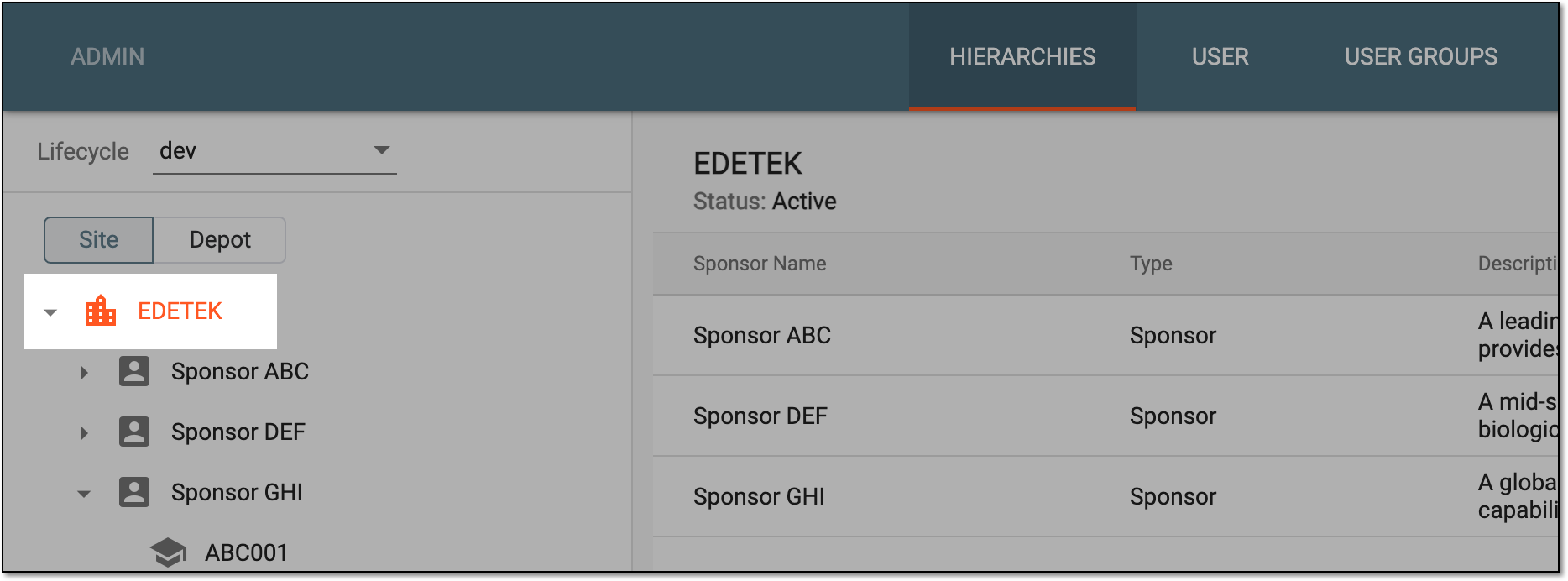 Figure 2. Selecting company
-
In the table that appears, next to the needed sponsor, select Config
 .
. Figure 3. Selecting sponsor config
-
In the panel that expands, select the eClinical applications to assign to the sponsor, and then select
 .
.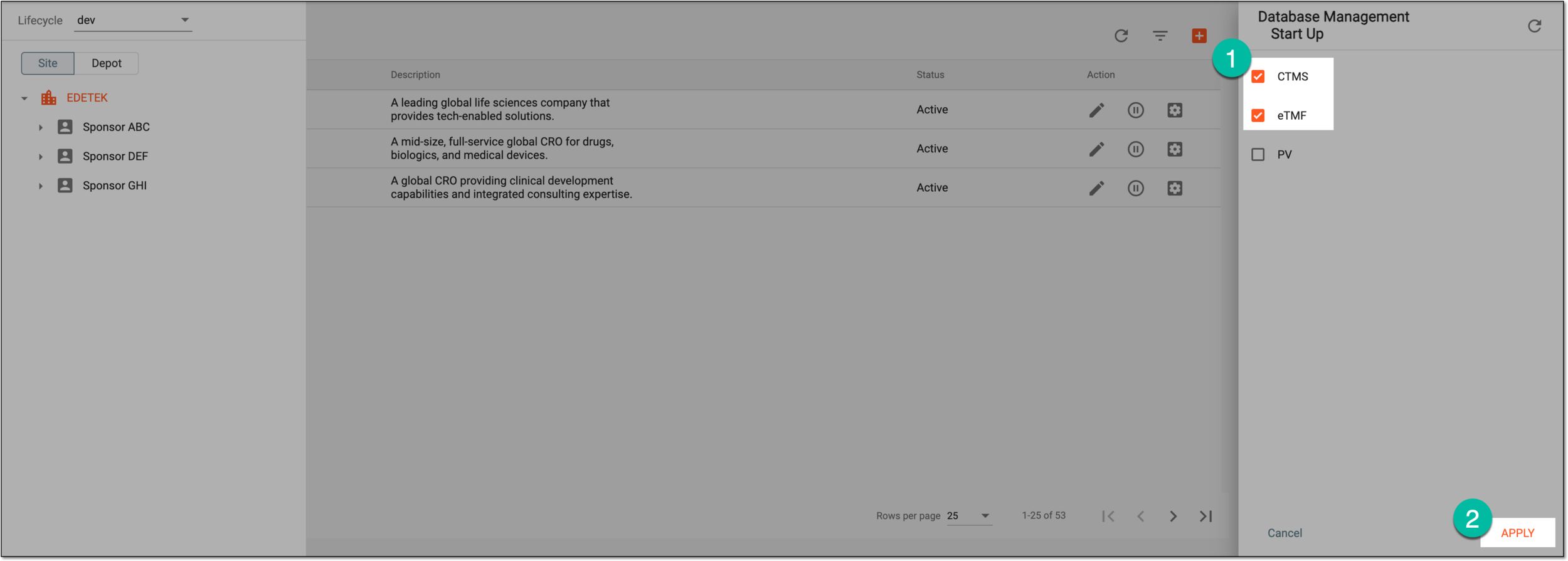 Figure 4. Assigning applications to sponsor
Once applied, the corresponding applications are assigned to the sponsor. The study management processes can now be maintained for this sponsor in the eClinical platform.