Copy eLearning courses from master to substudy
The eLearning courses are electronic courses designed to educate the study personnel on how to use the eClinical systems according to the role assigned to them. When creating a new study in ADMIN, the eLeaning courses are assigned to it by EDETEK administrator upon sponsor's request.
For studies of the hierarchical structure, if you already have the master study with eLearning courses assigned and create a substudy, you can copy the courses from the master one. This simplifies the procedure of the new study preparation as the users who only work with substudies can still access all the courses and there is no need to repeatedly assign them for each substudy created in ADMIN.
Important
The option to copy eLearning courses from master to substudy is unavailable in the following scenarios:
-
The master study has no eLearning courses assigned.
-
The eLearning courses have already been copied to the substudy.
-
In the ADMIN application header, select the HIERARCHIES tab.
-
In the left pane of the page that opens, select the needed sponsor
 .
.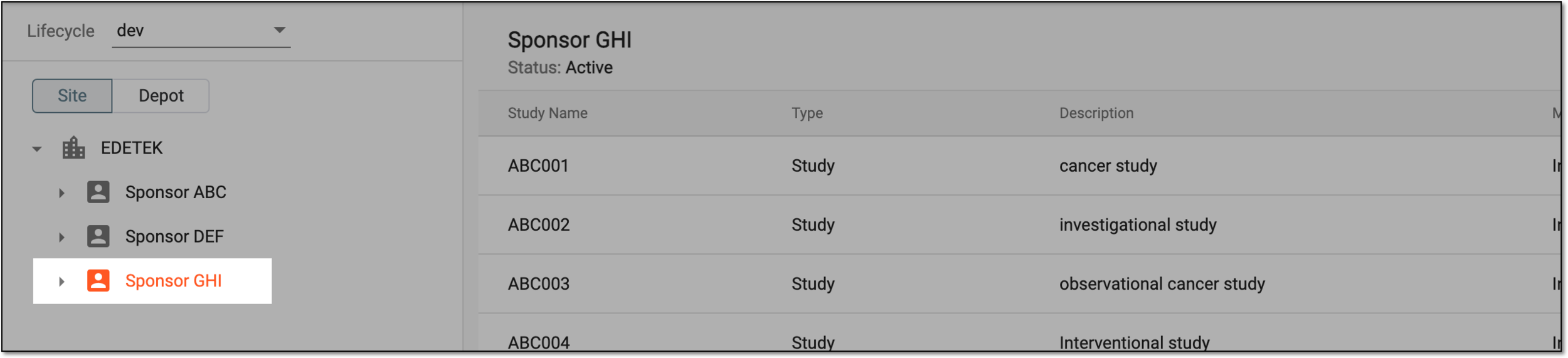 Figure 1. Selecting sponsor
-
In the table that appears, next to the needed study, from the Actions column, select More
 > Copy eLearning Courses from the Master Study
  .
.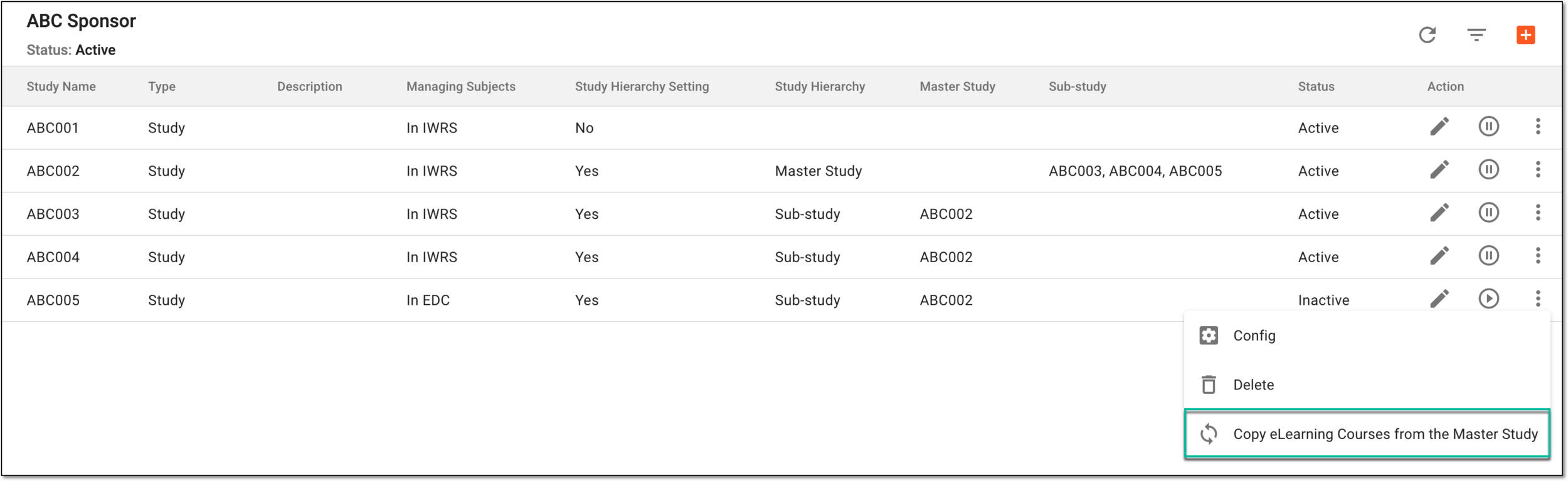 Figure 2. Selecting to copy eLearning courses from master study
Important
The option to copy eLearning courses from master to substudy is only available for newly created studies for which it was not performed yet. Once the courses are successfully copied, the option disappears.
Once performed, the eLearning courses of the master study are copied to the substudy.