View study operation history
Operation history is a comprehensive record of all activities, changes, and events associated with study during its lifecycle. This history provides insights into updates and revisions. It maintains a log of who made the changes, when they were made, and the nature of the changes.
For traceability and accountability, eTMF stores the history of all operations pertinent to each study. The operation history for each of your studies can be reviewed with the Operation History feature. You can view the history of operations performed with each study in the eTMF application: if it has been locked/unlocked, edited, or else.
-
In the eTMF application header, select the TMF tab.
-
On the page that opens, in the left pane, select the Study List subtab.
-
In the Study List table that appears, go to the study for which you want to view the history of operations.
-
In the Actions column next to your study, select More
 > Operation History
  .
.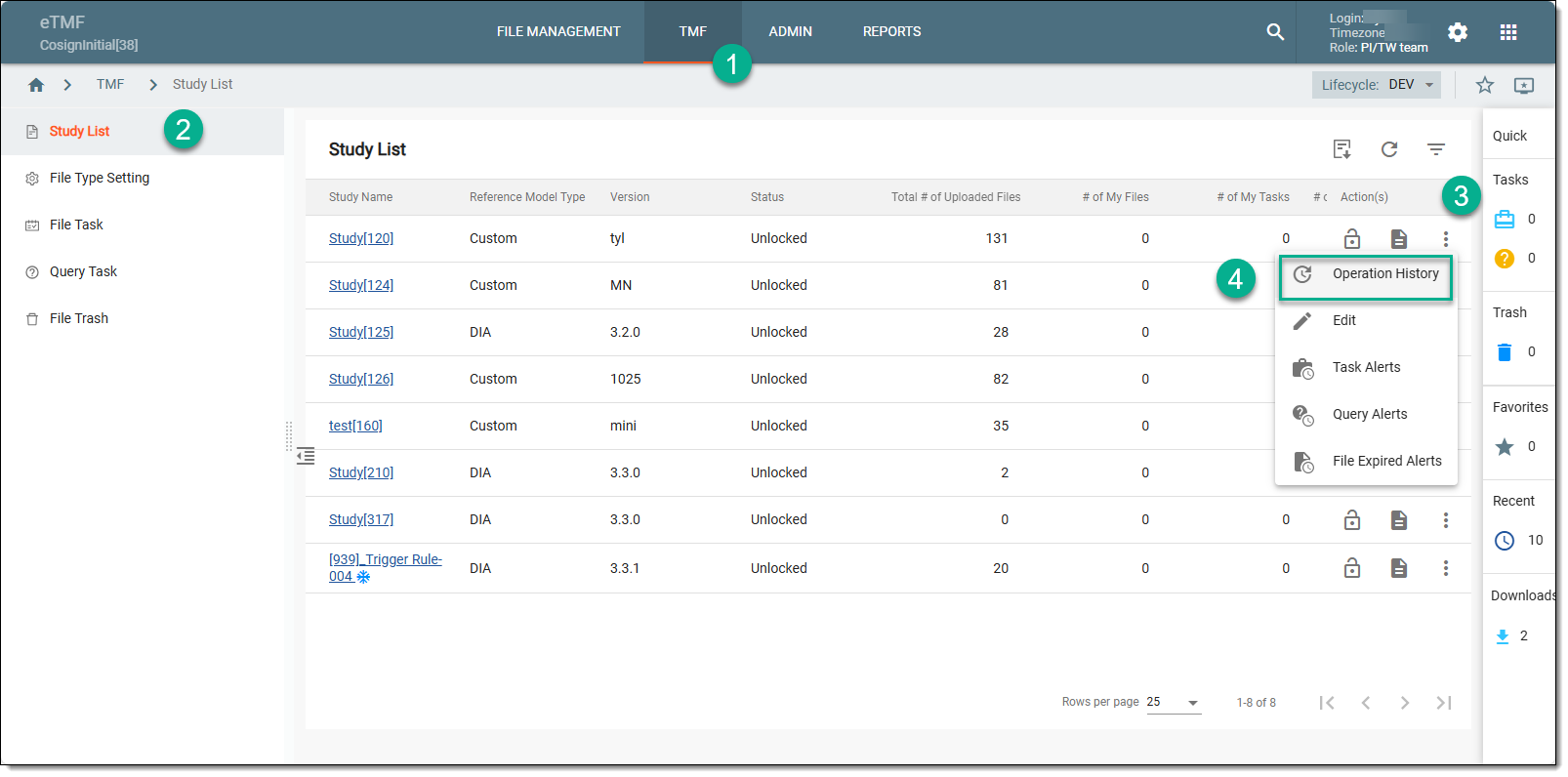 Figure 1. Accessing study operation history
-
In the Operation History dialog that opens, view the changes made to the study since its creation.
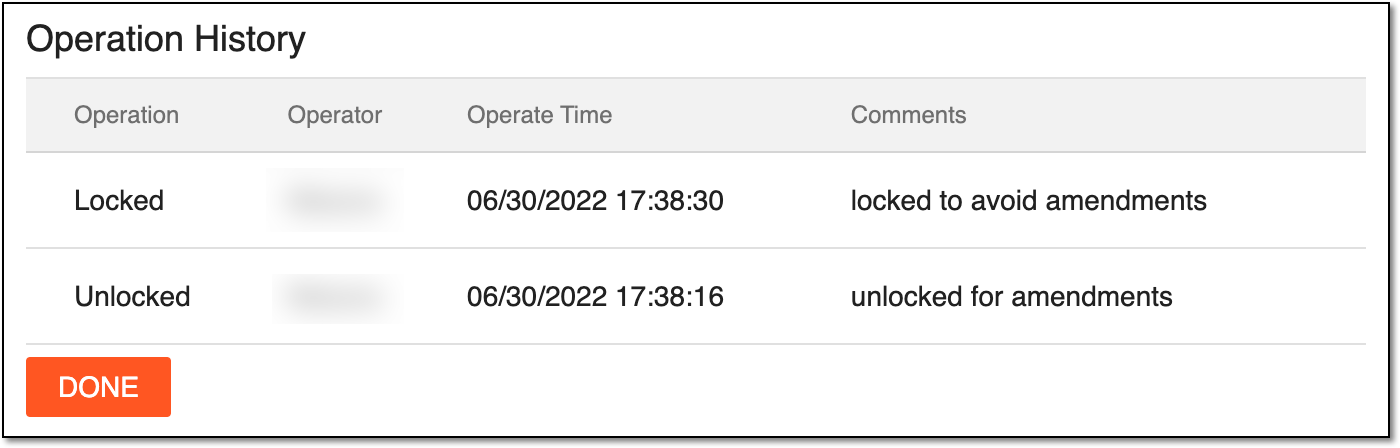 Figure 2. Viewing operation history
-
Select
 to close the dialog and return to the Study List table.
Upon closing the dialog, you return to the Study List table.