Edit TMF base details
In eTMF, you can edit basic information about your study TMF base, such as its reference model, version, and so on.
To edit study details
-
In the eTMF application header, select the TMF tab.
-
In the Study List table that opens, go to the study you need to edit.
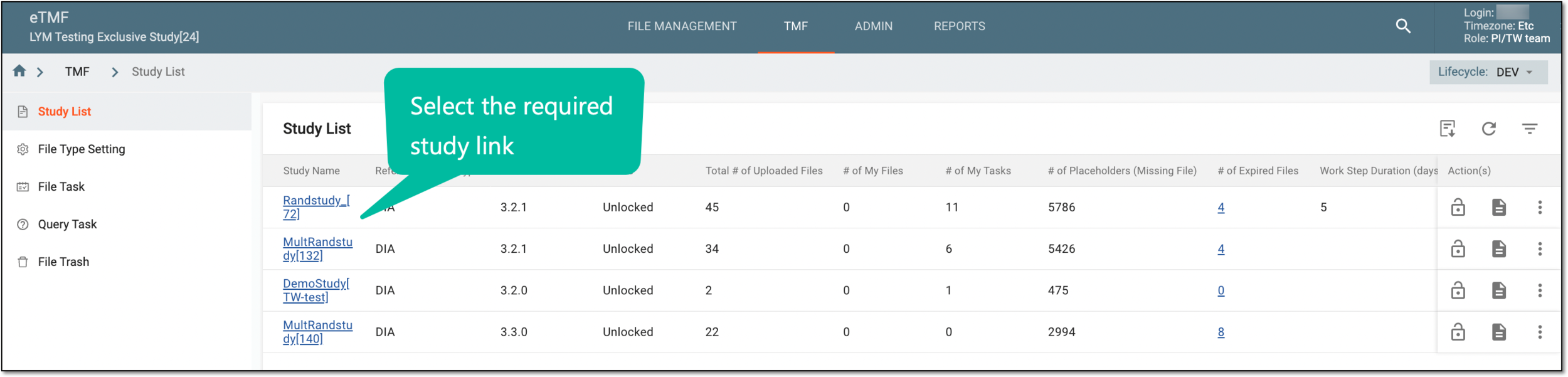 Figure 1. Selecting study
-
In the Actions column next to your study, select More
 > Edit
  .
.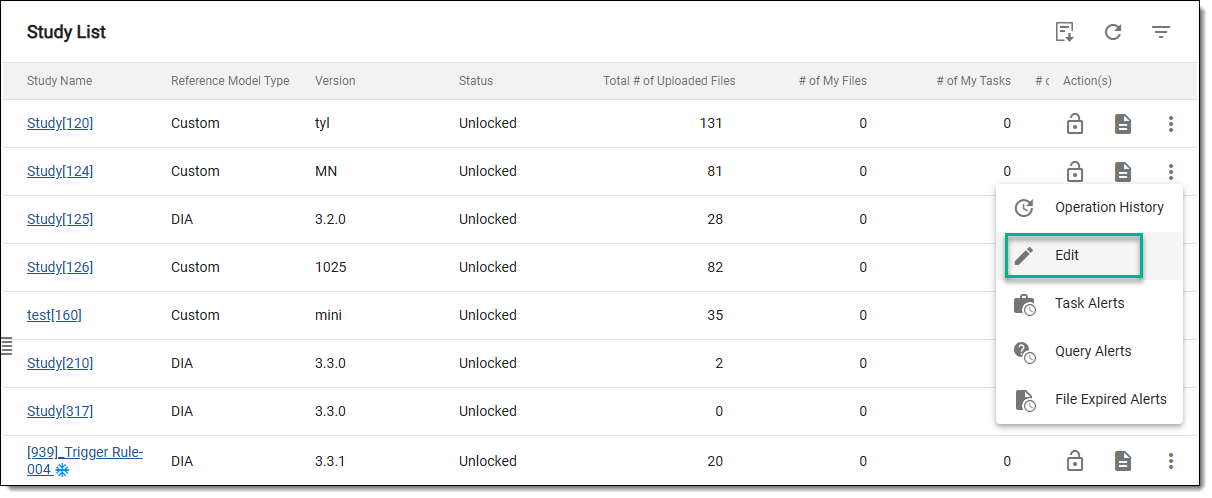 Figure 2. Accessing option to edit study
-
In the Edit dialog that appears, modify the fields as needed. These fields are identical to the ones explained in the table of the Configure study TMF base according to DIA RM section.
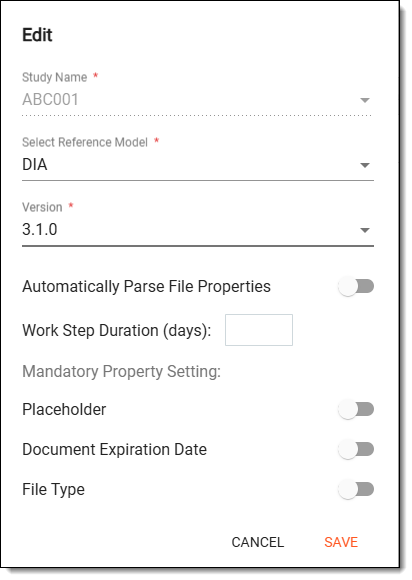 Figure 3. Editing study TMF base details
-
Select
 to apply the implemented changes.
Upon saving, your study details are updated.