Enable manual skip phase
In clinical trials, a subject phase constitutes a pathway marking the progression of participants through various stages of the study. Each phase serves as a milestone that captures the subject's journey and is integral to the overall trial design and scientific integrity.
The Study Designer application provides various tools to configure the subject phase flow. Firstly, you need to add phases to the designed flowchart so then you can establish a mapping between them to maintain consistency with the course participants must navigate. When this is done, the manual skip configuration can be applied to some phases.
The Manual Skip Phase feature provides flexibility in clinical trial management as it enables the manual skipping of non-essential phases for certain subjects. This adaptability is crucial for efficiently managing subjects throughout the study, making the research process responsive to varying scenarios.
The following figure provides a brief overview of how the subject phase flow can be configured using the manual skip phase configuration.
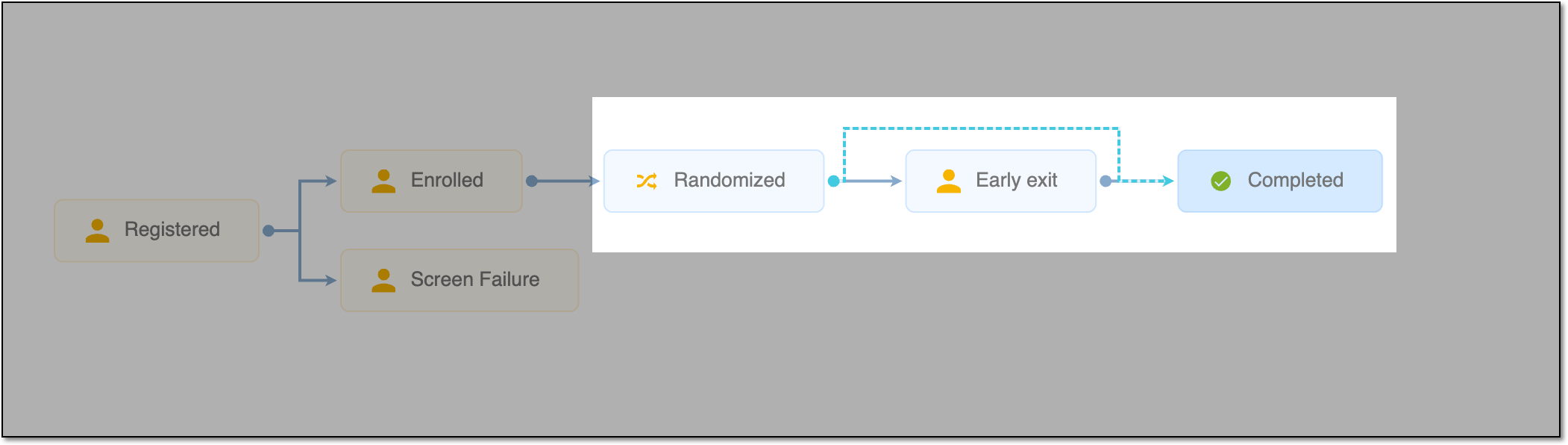
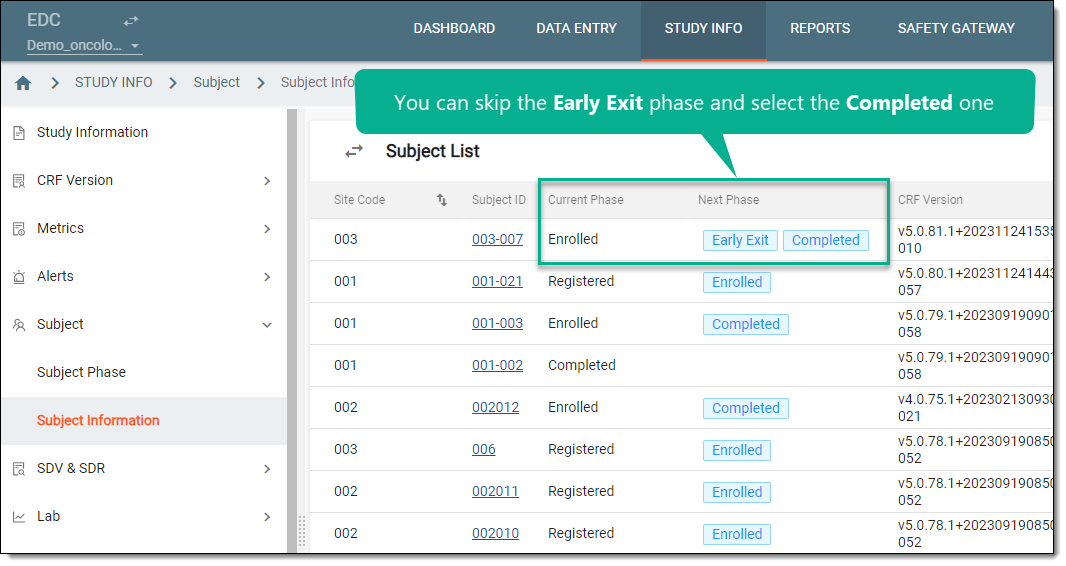
The provided configuration example shows that the Completed phase is configured in a way so the Early Exit phase can be skipped in EDC.
Important
If the study is managed in IWRS instead of EDC as per ADMIN configuration, then the subject phase change actions are done in IWRS.
-
In the Study Designer application header, select the SUBJECT PHASE tab.
 Figure 3. Accessing subject phase configuration
-
From the toolbar, select the latest unlocked CRF version, otherwise, you cannot work with subject phases.
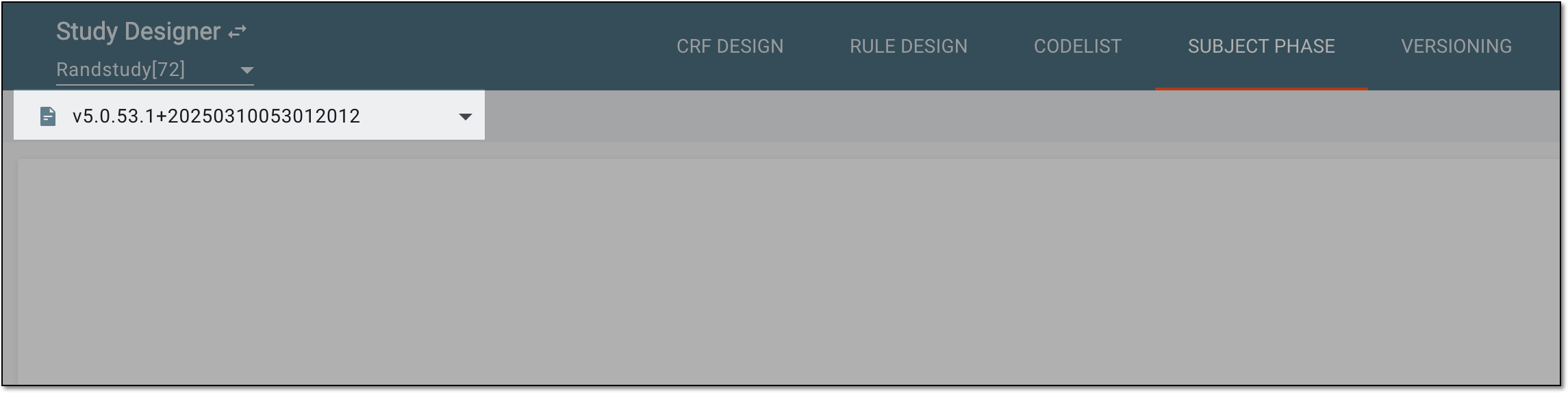 Figure 4. Selecting unlocked CRF version
-
In the contents panel, select the needed phase tile. Then from the workspace toolbar, select Edit
 .
.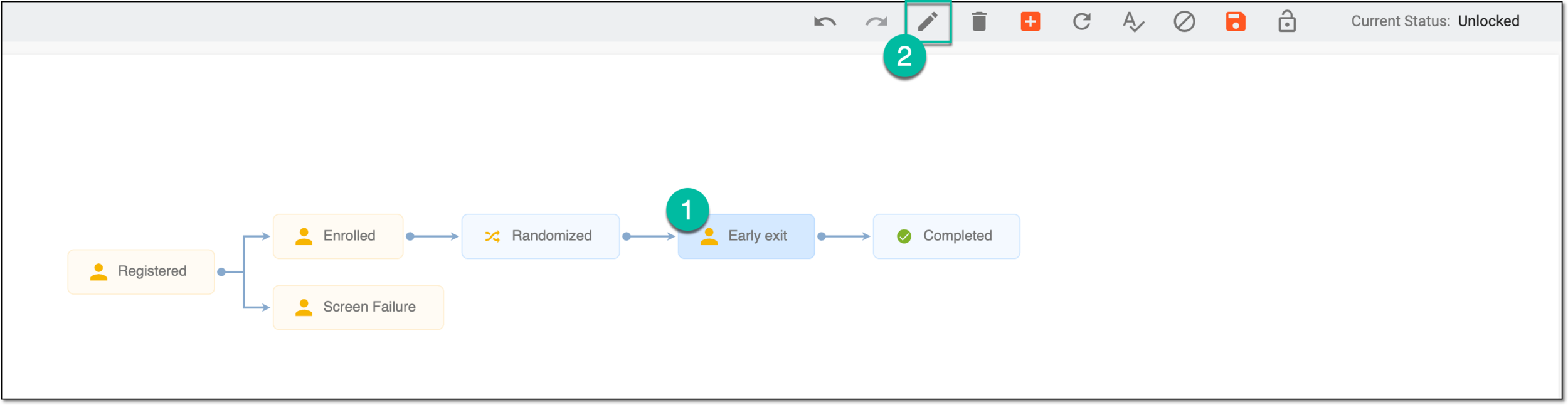 Figure 5. Selecting option to update phase
Tip
Alternatively, double-click the needed phase tile.
-
In the dialog that appears, under the Basic tab, select the Manual Skip Phase Setting option.
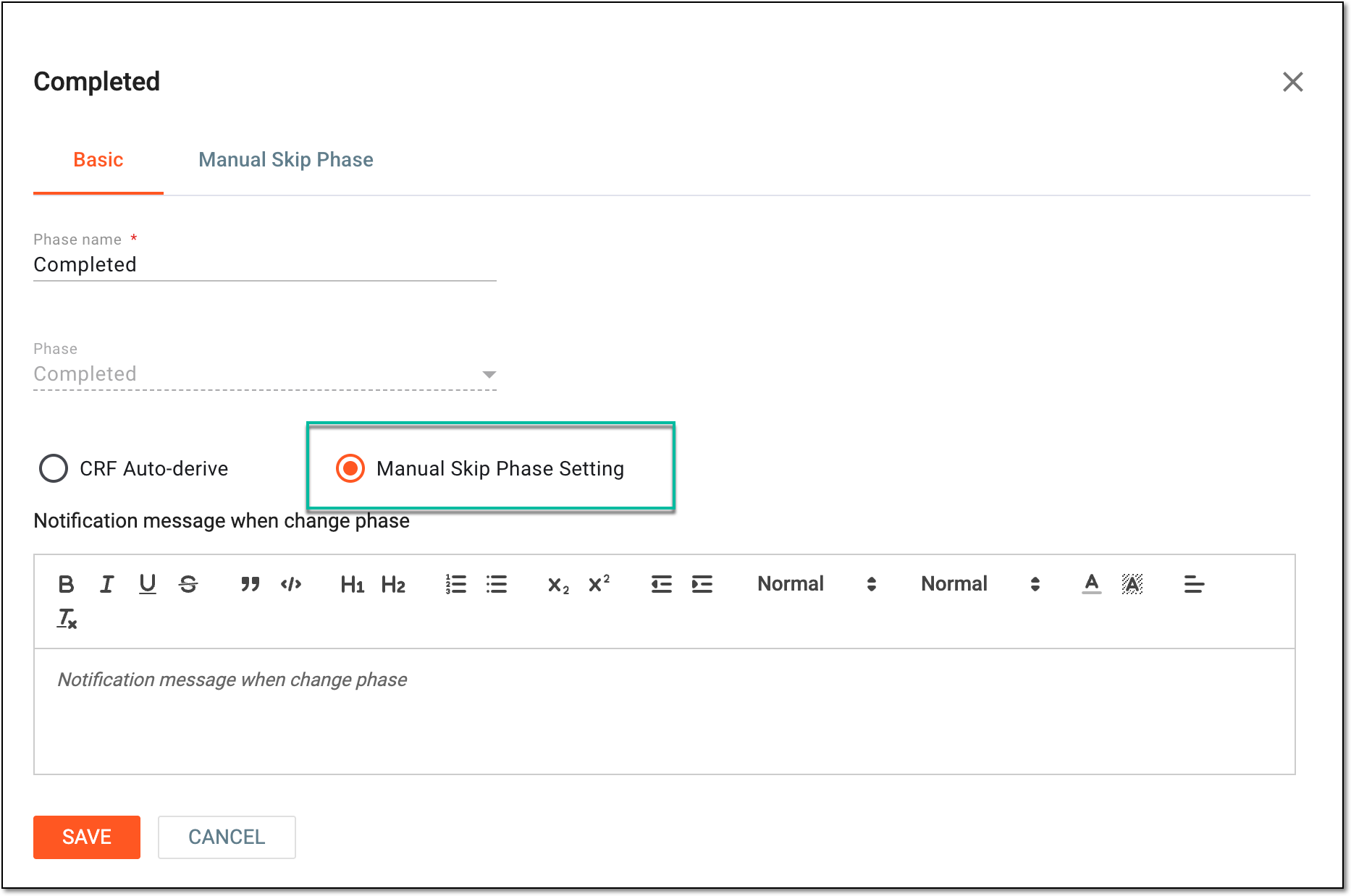 Figure 6. Selecting manual phase skipping option
-
In the same dialog, go to the Manual Skip Phase tab to select the source phases in the Previous Phase field, making those in between eligible for manual skipping.
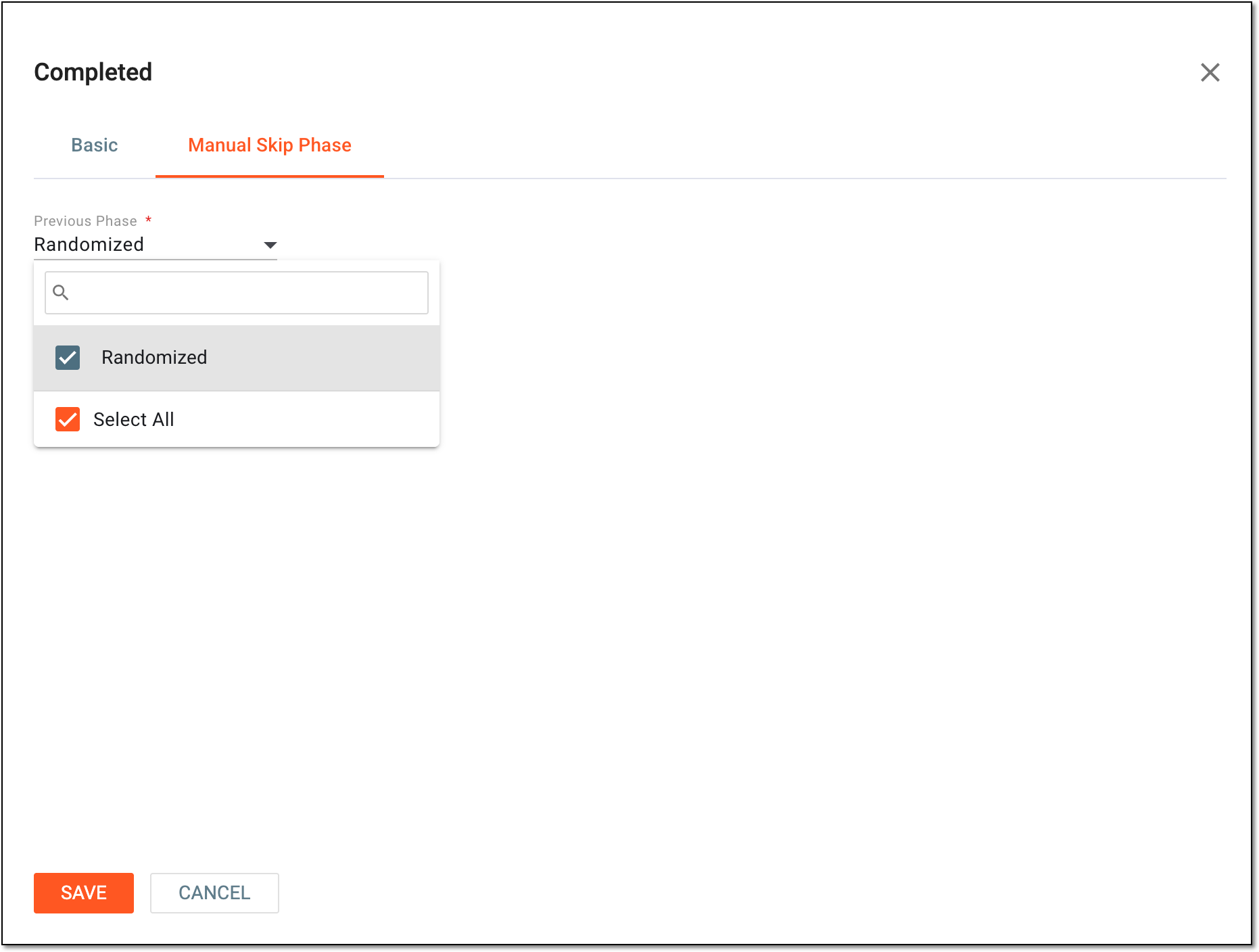 Figure 7. Enabling manual phase skipping
Important
Note that only phases of the Common type can be skipped. If there are no phases for selection in the Previous Phase field, it means there are no common phases that can be skipped.
-
Select
 to apply the manual skip phase configuration.
 -
After updating phase settings, from the toolbar, select Save
 to apply the changes.
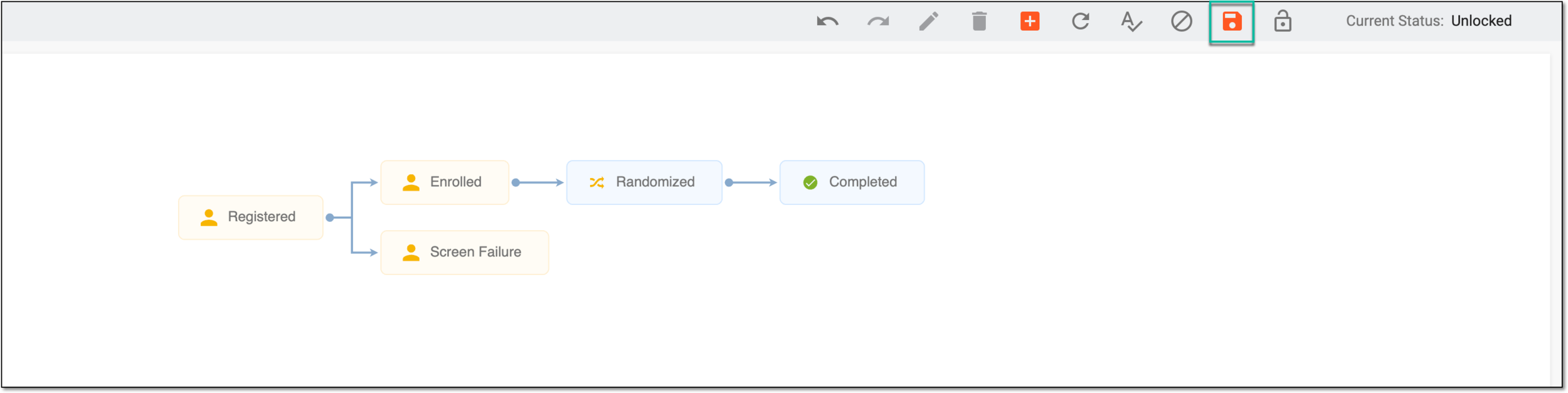 Figure 8. Saving phase settings
Once saved, the manual skip phase configuration is applied. The corresponding phases can now be skipped for subjects either in EDC or IWRS.