Move codelist item
In the Study Designer app, each codelist added to the study contains a collection of items (codes) to be used as responses for specific questions in CRFs. You can move existing items within a codelist to ensure that responses within a question follow a specific order, facilitating a logical and intuitive flow for future data entry in EDC.
Important
Before initiating the following procedure, ensure to select the latest unlocked CRF version from the toolbar of the CRF DESIGN tab, otherwise, you cannot add move codelist items. The CRF version remains unlocked until it is submitted to EDC for data entry.
-
In the Study Designer application header, select the CODELIST tab.
 Figure 1. Accessing codelist management
-
In the CodeList Setting table that appears, select a codelist whose code item you need to move.
 Figure 2. Selecting codelist
-
On the codelist details page that opens, select Move
 next to the needed code item and then drag this item to the preferred
position.
next to the needed code item and then drag this item to the preferred
position.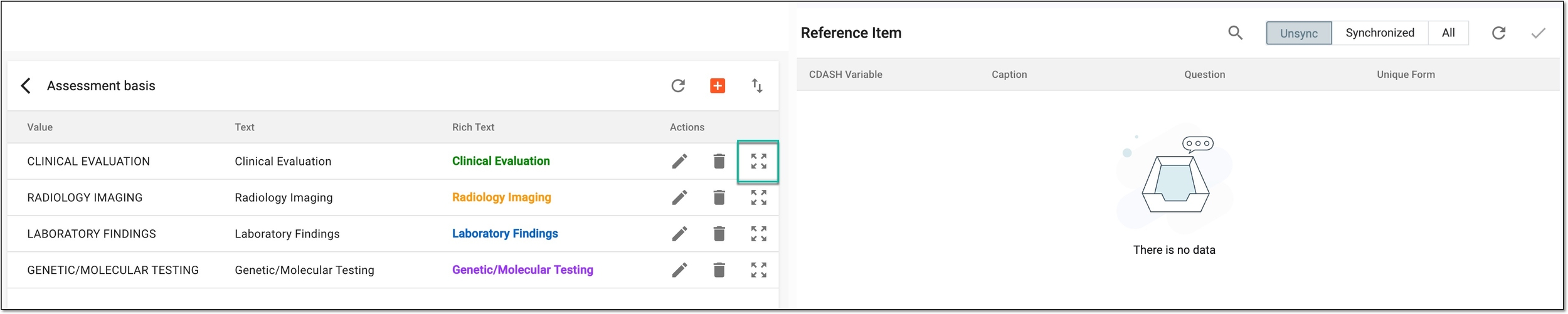 Figure 3. Moving codelist item
Once moved, the position of a code item is updated. You now need to sync the codelist with associated variables so responses can become available in a new order in corresponding forms.