View final files without approval report
In eTMF, the Final Files Without Approval report represents a comprehensive table with all the details on all the files with the status Final that have not got approval in the audit process.
These are the files that were uploaded to the folder without workflow. The auditing for such files is not initiated and they become final but are not actually reviewed and approved by any user.
-
In the eTMF application header, select the TMF tab.
-
On the Study List page that opens, select the study for which you need to view the final files without approval.
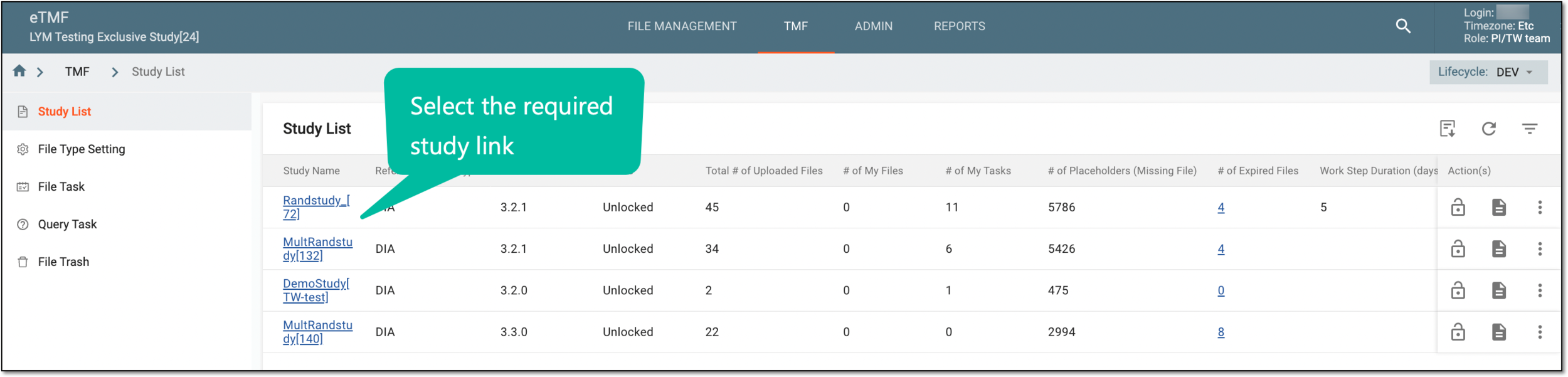 Figure 1. Selecting study
-
On the page that opens, in the left pane, select Study Details > Reset Workflow.
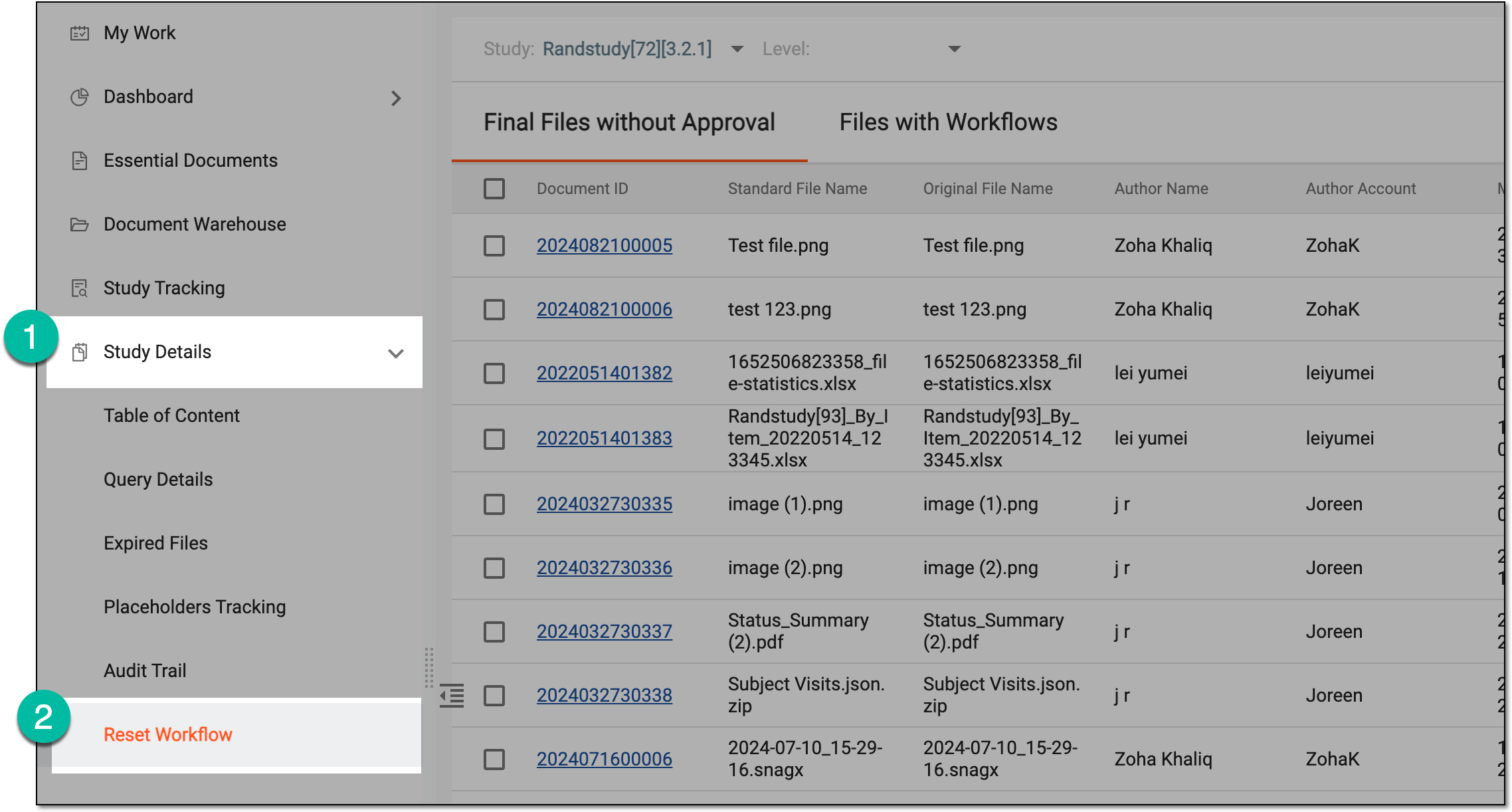 Figure 2. Accessing workflow reset
-
On the Final Files Without Approval page that opens, from the respective fields, you can select another study or sort the table data by study-, country-, and site-level files.
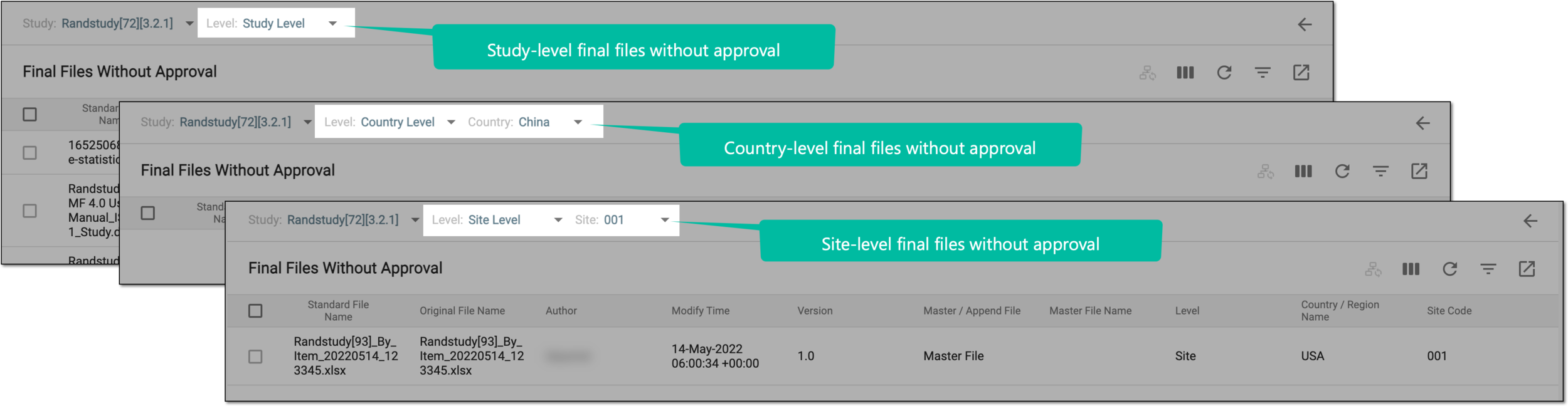 Figure 3. Sorting final files without approval data by file level
-
In the Final Files Without Approval report, review the details as explained in the following table.
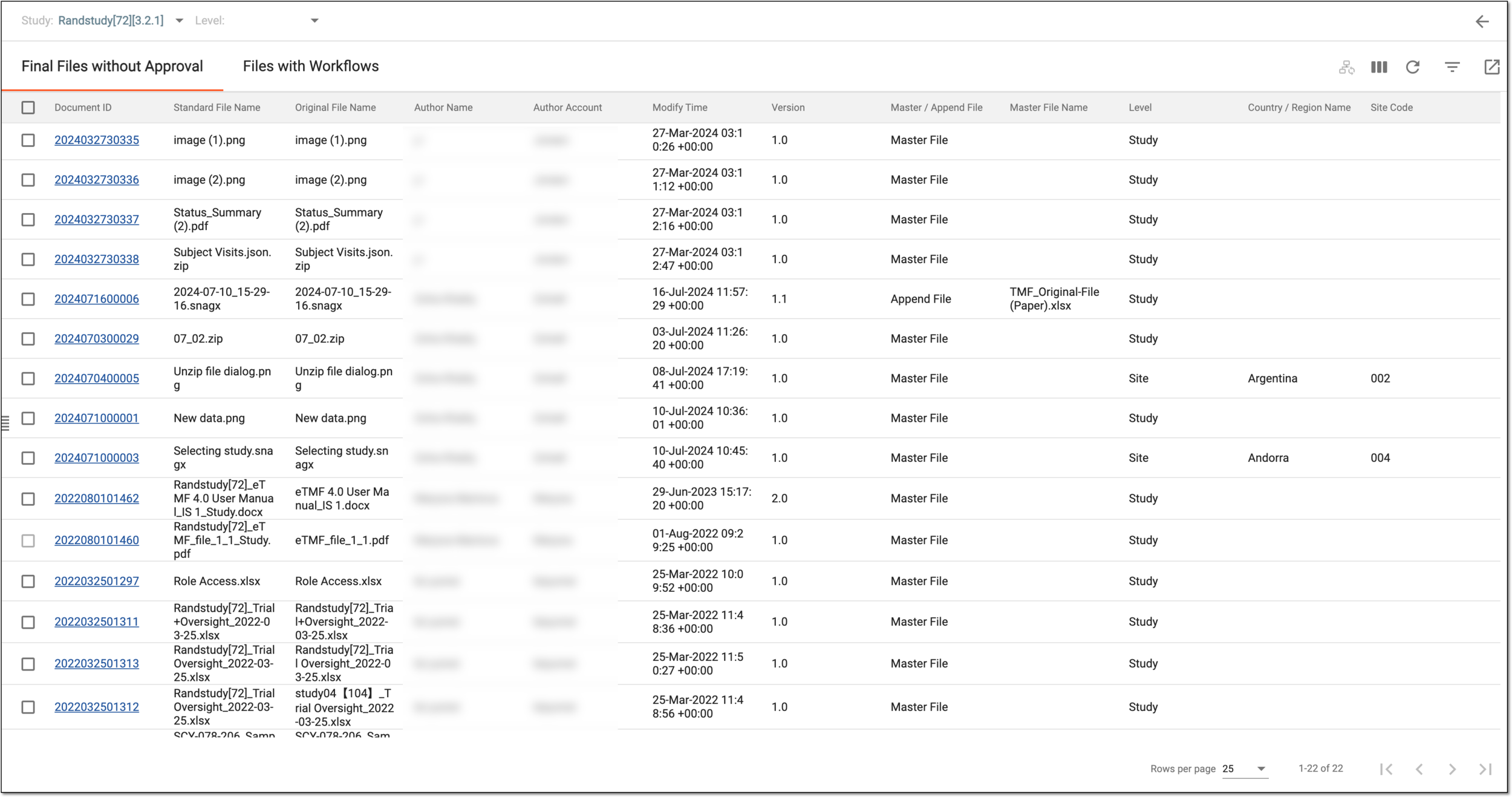 Figure 4. Viewing final files without approval report
Column
Details
Standard File Name
Represents the standard name of the file.
Original File Name
Represents the original name of the file.
Author
Represents the name of the user who has created the file.
Modify Time
Represents the time when the file has been modified last.
Version
Represents the version of the file.
Master/Append File
Represents whether the file is a master file or an append file.
Master File Name
Represents the name of the master file. If the file is not a master file this field remains blank.
Level
Represents the level at which the file and its attributes are available.
Country/Region Name
Represents the name of the country to which the file belongs.
Site Code
Represents the code of the site to which the file belongs.
Zone
Represents the zone of the file.
Section
Represents the section of the file.
Artifact
Represents the artifact of the file.
Placeholder
Represents the name of the placeholder if any.
You have viewed the final file without approval data for the study, country, or site level. You can also export this report as an XLSX file to your local machine.