Export audit trail report
The Audit Trail report serves as a comprehensive log of records associated with the approval or rejection of eTMF files. It captures key information such as the user name of those who approved or rejected files, the timestamps of these actions, and so on. This report provides a detailed chronology of events for transparency and traceability, allowing for thorough reviews of system activity during internal audits or external regulatory inspections.
When working with the Audit Trail report, you can view the report online in eTMF or export it as an XLSX file to your computer to view offline.
-
In the eTMF application header, select the TMF tab.
-
In the Study List table that appears, select the needed study.
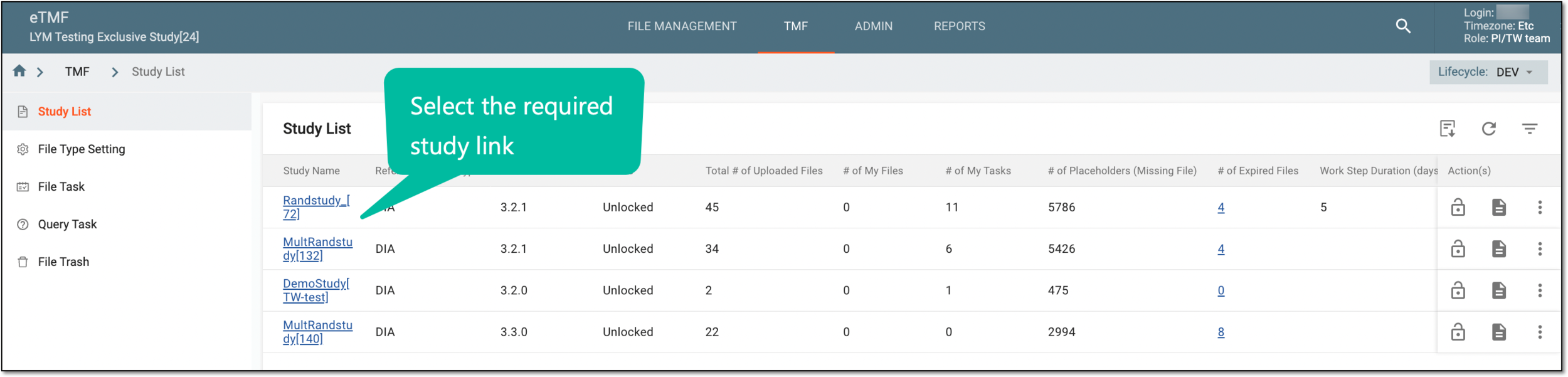 Figure 1. Selecting study
-
In the left pane of the page that opens, select Study Details > Audit Trail.
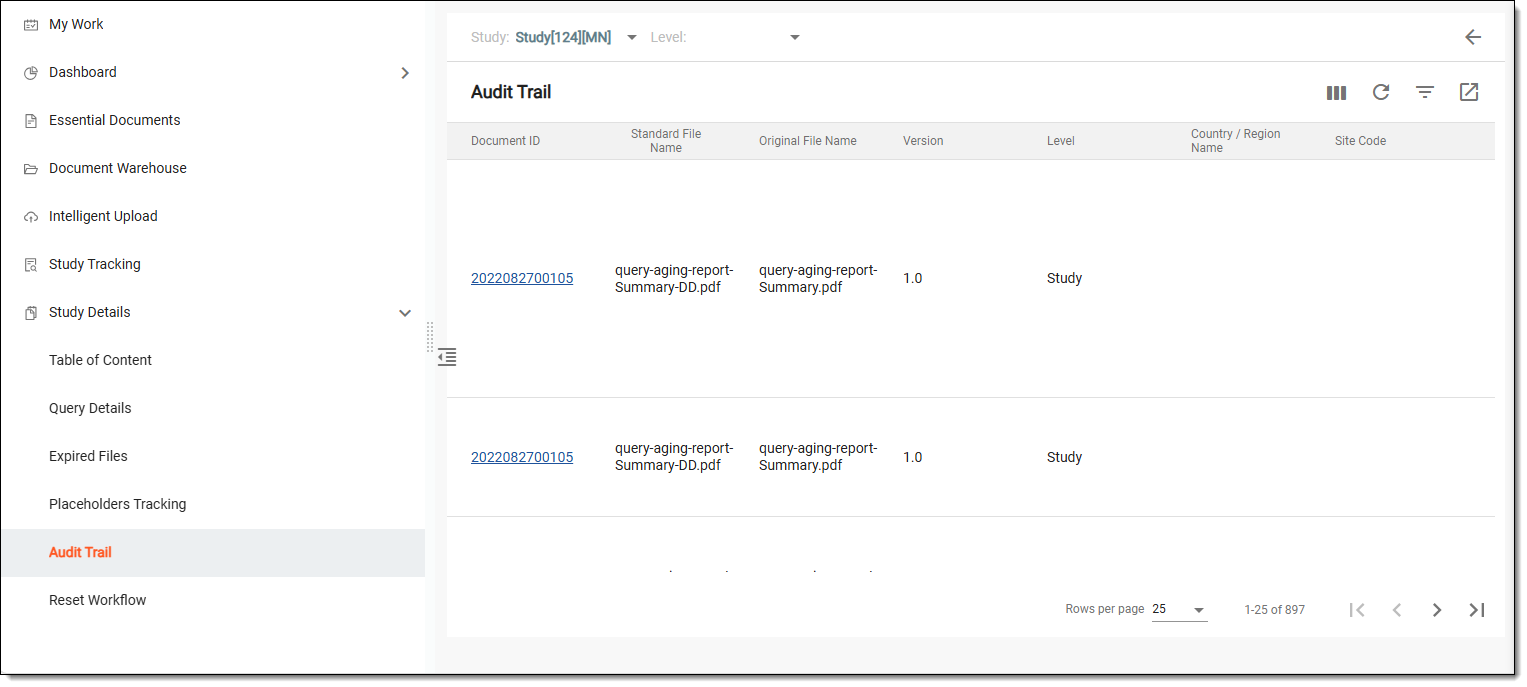 Figure 2. Audit trail page
-
From the toolbar of the Audit Trail table that appears, filter the audit data by study, country, or site if needed.
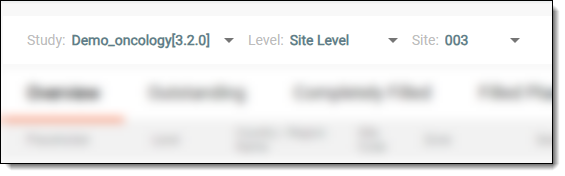 Figure 3. Sorting audit data
-
From the workspace toolbar of the same table, select Export
 .
.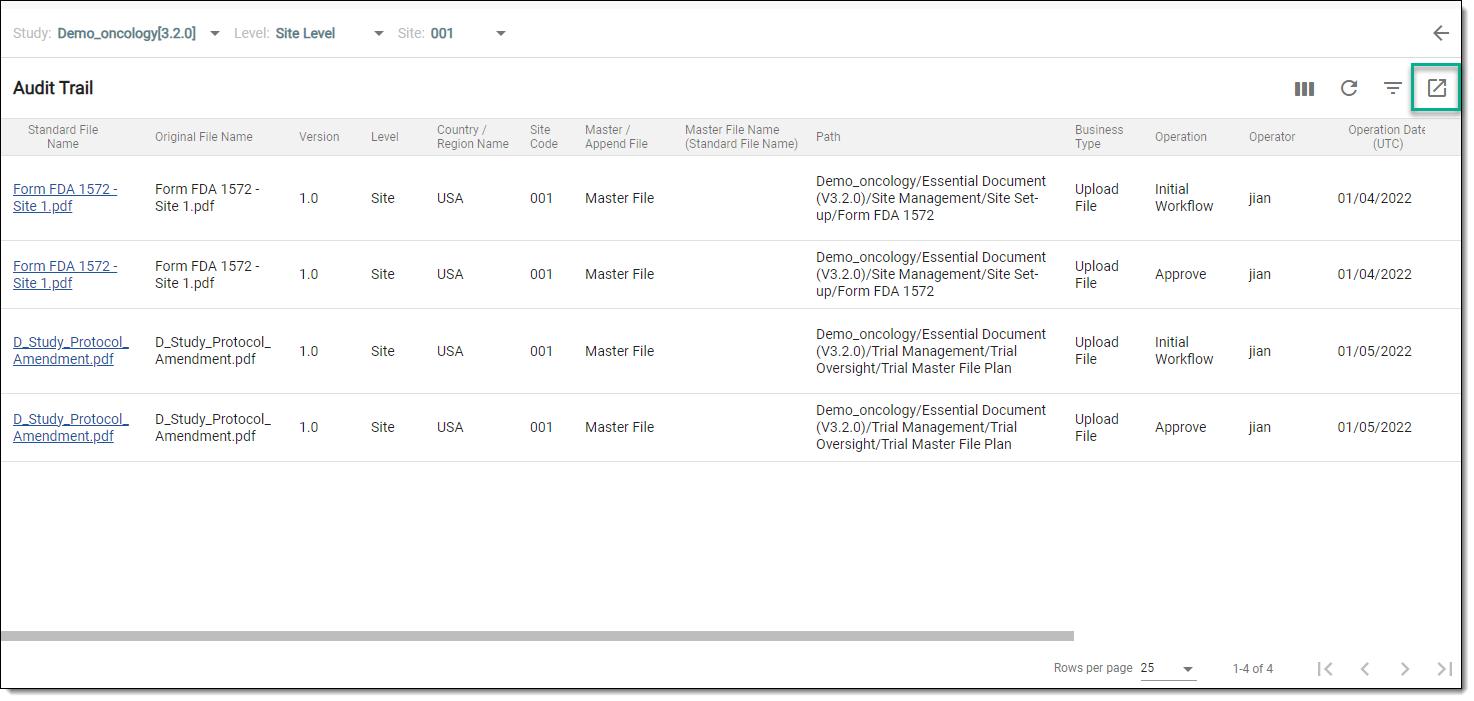 Figure 4. Exporting audit trail report
Once selected, the audit trail report of your choice is saved on your computer so you can work with it offline.