Preview task reminder email
A task reminder is a type of CTMS alert that can be customized to generate an email intended for the notification of dedicated users about pending tasks in the application. These tasks are associated with the maintenance of monitoring visits, their approval, or completion of trip reports.
The purpose of a task reminder is to promptly notify dedicated users whenever a specific action occurs or expires to ensure uninterrupted monitoring visit management. Each task reminder sources a preconfigured email template that defines how the email subject and content need to be populated. You can preview these details in a separate dialog to see how the task reminder will generate the email.
-
Access the study management page in one of the following ways:
-
In the CTMS application header, select the DASHBOARD tab and then select the study dashboard of your interest.
 Figure 1. Accessing study management from dashboard
-
In the CTMS application header, select the STUDY MANAGEMENT tab. Then from the Study Data List table, select the study name of your interest.
 Figure 2. Accessing study management from study data list
-
-
On the study page that opens, in the left pane, select Alerts > Task Reminder.
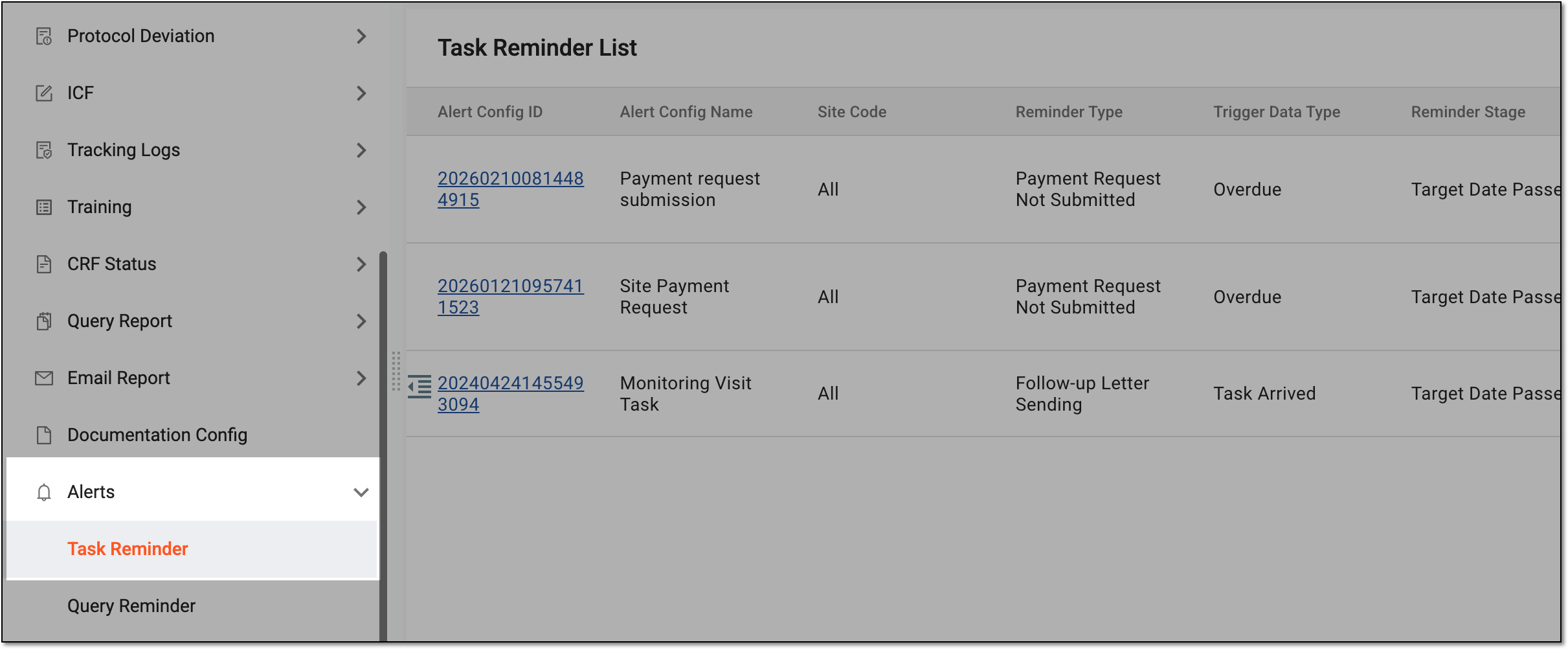 Figure 3. Accessing task reminders
-
In the Task Reminder List table that appears, select Preview
 next to the needed
task reminder.
next to the needed
task reminder. Figure 4. Selecting option to preview task reminder email
-
In the Mail dialog that appears, preview the content of the task reminder email.
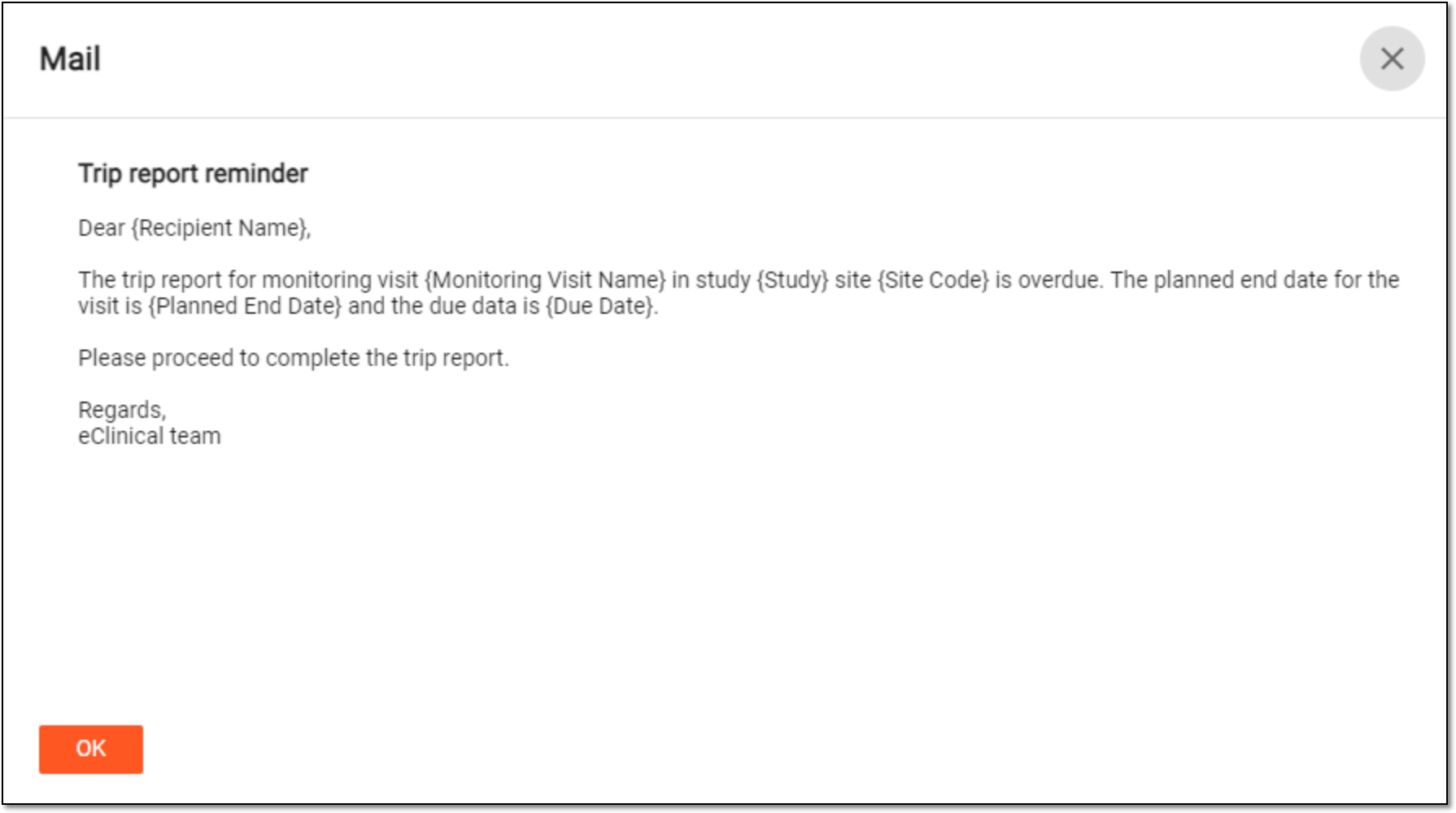 Figure 5. Previewing task reminder email
Tip
You can update the email subject or content only by editing an email template used as the source template in a corresponding task reminder configuration.
Once previewed, select  or
or  to
close the Mail dialog.
to
close the Mail dialog.