Activate/Inactivate task reminder
A task reminder is a type of CTMS alert that can be customized to generate an email intended for the notification of dedicated users about pending tasks in the application. These tasks are associated with the maintenance of monitoring visits, their approval, or completion of trip reports.
The purpose of a task reminder is to promptly notify dedicated users whenever a specific action occurs or expires to ensure uninterrupted monitoring visit management. By default, the created task reminders have an Active status. However, they can be deactivated in case the recipients need to temporarily stop receiving emails about pending CTMS tasks.
-
Access the study management page in one of the following ways:
-
In the CTMS application header, select the DASHBOARD tab and then select the study dashboard of your interest.
 Figure 1. Accessing study management from dashboard
-
In the CTMS application header, select the STUDY MANAGEMENT tab. Then from the Study Data List table, select the study name of your interest.
 Figure 2. Accessing study management from study data list
-
-
On the study page that opens, in the left pane, select Alerts > Task Reminder.
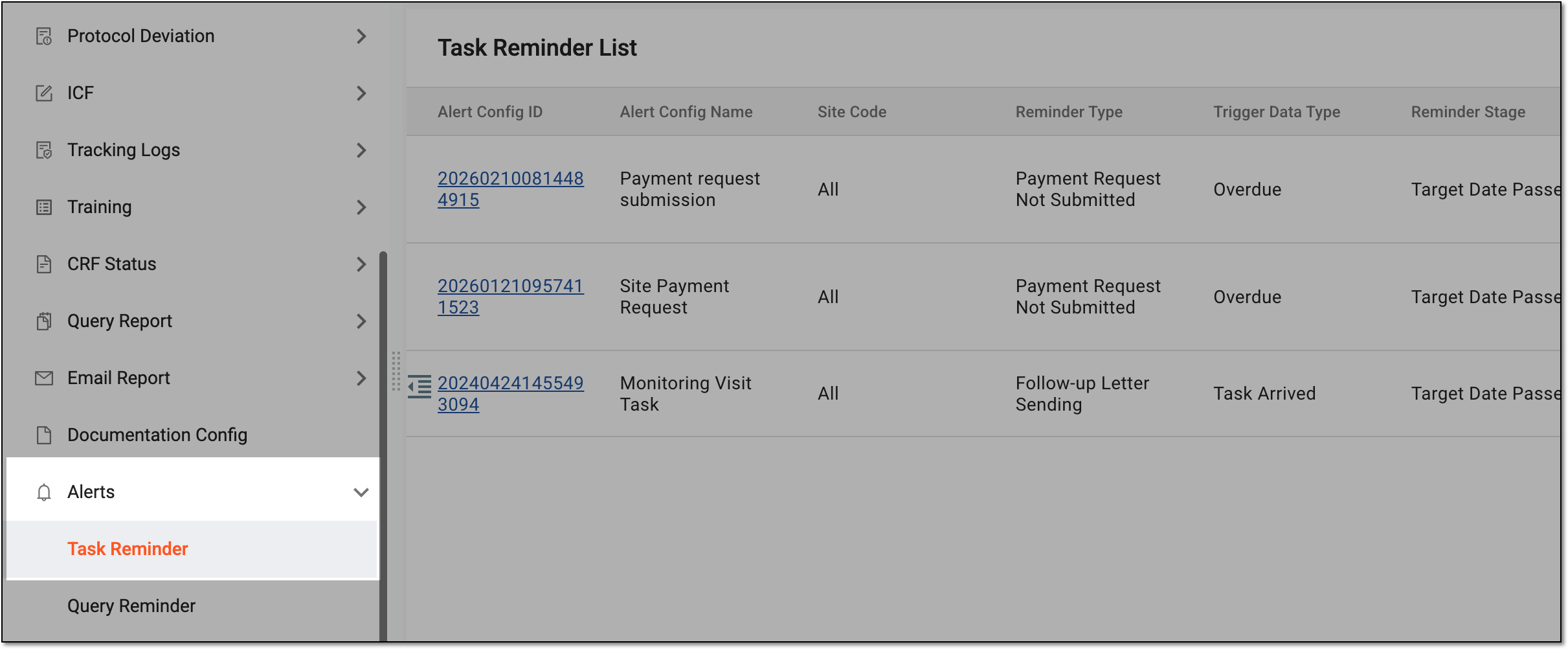 Figure 3. Accessing task reminders
-
In the Task Reminder List table that appears, select Activate
 next to the
inactive task reminder to activate it, or select Inactivate
next to the
inactive task reminder to activate it, or select Inactivate  next to the active task reminder to deactivate it.
 Figure 4. Activating or inactivating task reminder
-
For inactivation, in the Reason dialog that appears, enter the details to justify your action. Then select SAVE.
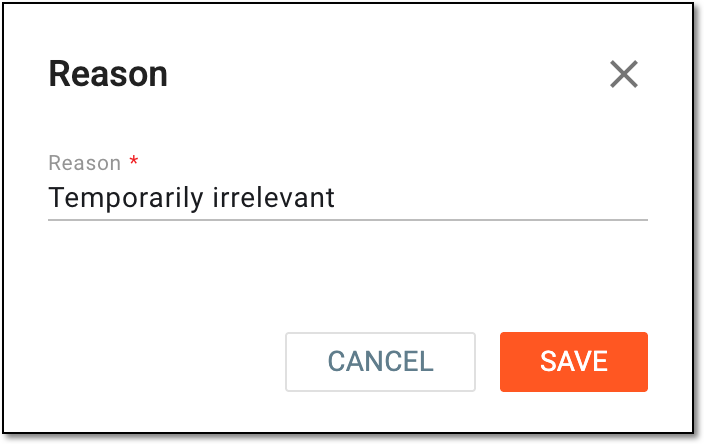 Figure 5. Providing reason for task reminder inactivation
Once done, the task reminder is activated or inactivated. If deactivated, the recipients stop getting the task reminder emails when a corresponding trigger event occurs.