Analyze subject phase report
In EDC, the Subject Phase Report includes the phase summary and phase details of each subject. The report displays the information on each status, including the date, time, and subject phase of each subject.
Important
To view this report, you must have the Subject Phase Report permission granted to your user role via the ADMIN application.
-
In the EDC application header, select the REPORTS tab.
-
From the left pane, select Enrollment status > Subject Phase Report.
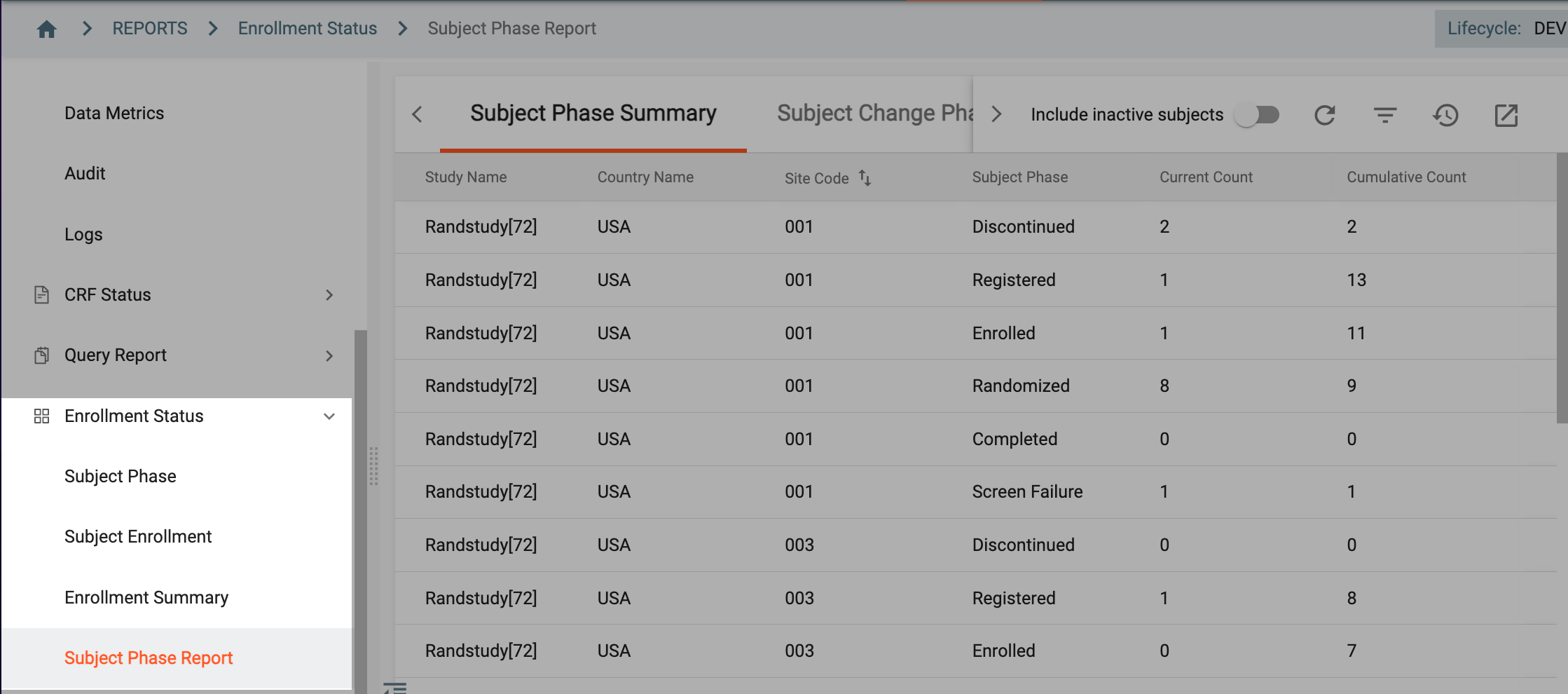 Figure 1. Expanding enrollment status
-
On the page that opens, analyze the data as follows.
The Subject Phase Summary report includes the site-level summary for each subject as explained in the following table.
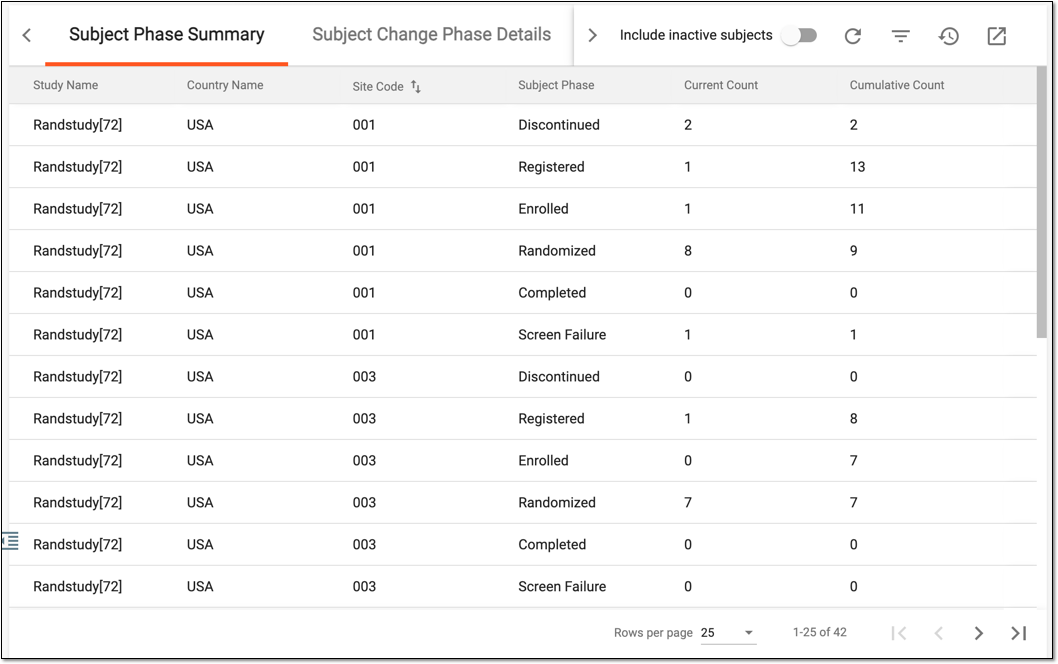 Figure 2. Subject Phase Summary details
Column
Details
Study Name
Represents the name of the study for which the subject phase details are given in the report.
Country Name
Represents the name of the country where the site is located for which the subject phase details are given in the report.
Site Code
Represents the unique code of the site to which the subject belongs.
Subject Phase
Represents the phase that the subjects can obtain in the trial (for example, Enrolled, Registered, Randomized, and so on).
Current Count
Represents the number of subjects who are currently at each phase.
Cumulative Count
Represents the number of subjects who passed each phase cumulatively from the start of the study and up to date.
The Subject Change Phase Details report represents information related to the changes in phases for each subject, as explained in the following table.
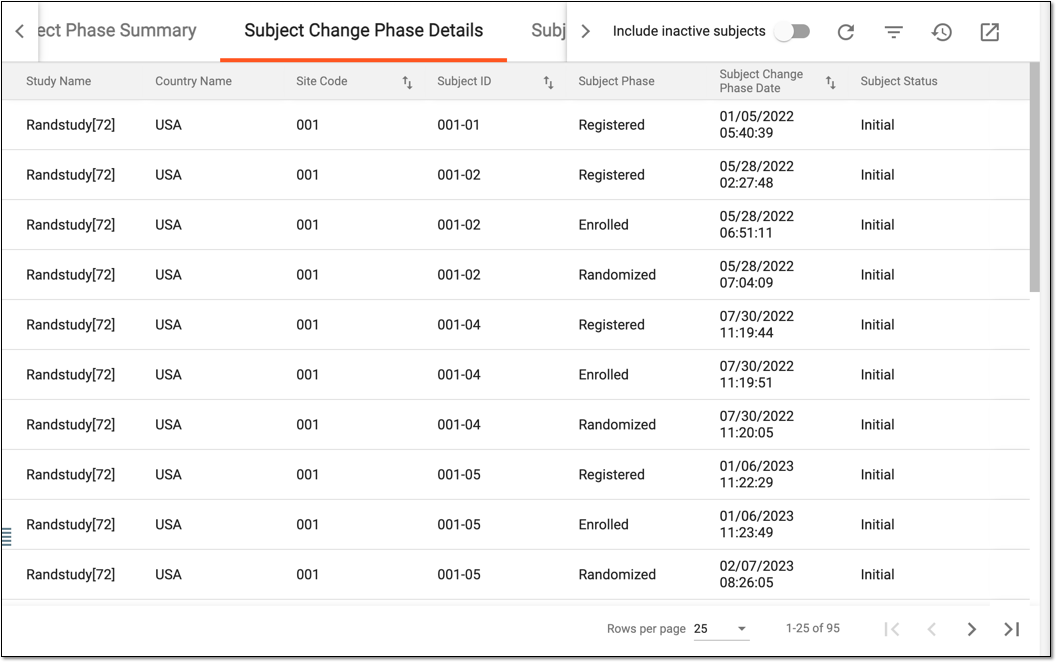 Figure 3. Subject change phase details report
Column
Details
Study Name
Represents the study name for which the subject phase change statistics are given.
Country Name
Represents the name of the country where the site is located to which the subject belongs.
Site Code
Represents the unique code of the site to which the subject belongs.
[Unique ID Label]
Represents the unique identifier of the subject.
The column name depends on the unique ID label configuration of your study in IWRS.Subject Phase
Represents the current phase of the particular subject (for example, Enrolled, Registered, Randomized, and so on).
Subject Change Phase Date
Represents the date and time of the latest phase change for a particular subject.
Subject Status
Represents the status of the subject.
The Subject Phase Date Details report includes the data on the date and time when each subject obtained each phase. The details of the report are explained in the following table.
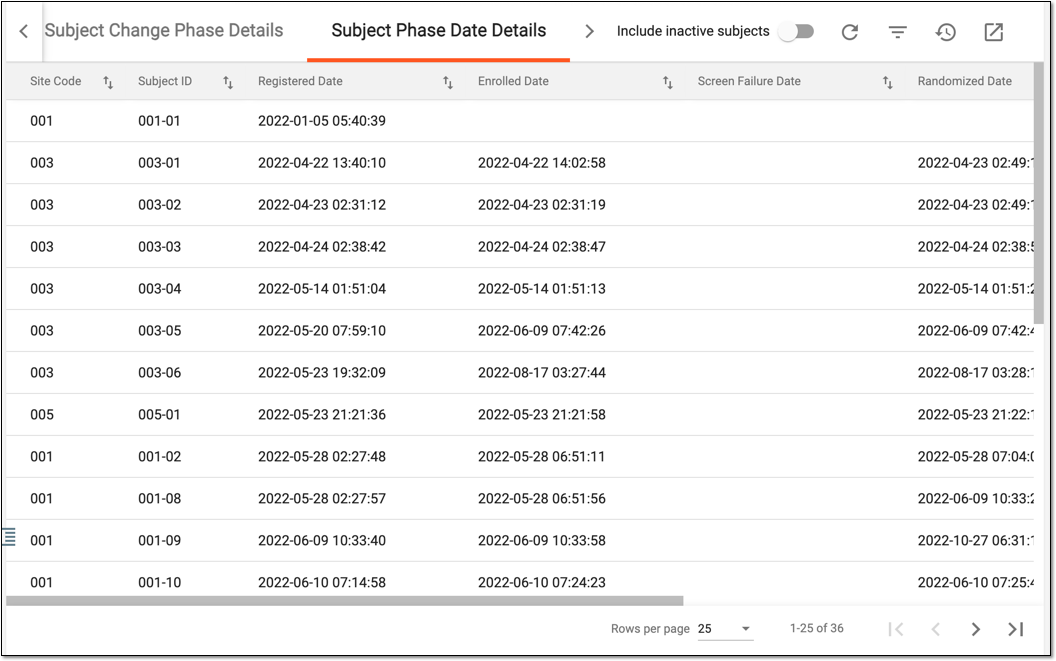 Figure 4. Subject phase date details report
Column
Details
Site Code
Represents the unique code of the site to which the subject belongs.
[Unique ID Label]
Represents the unique identifier of the subject.
The column name depends on the unique ID label configuration of your study in IWRS.Registered Date
Represents the date and time of subject registration in the study or another occurrence depending on the individual study configurations.
Enrolled Date
Represents the date and time when the subject reaches the Enrolled phase.
Screen Failure Date
Represents the date and time when the subject reaches the Screen Failure phase.
Randomized Date
Represents the date and time when the subject reaches the Randomized phase.
Completed Date
Represents the date and time when the subject reaches the Completed phase.
Discontinued Date
Represents the date and time when the subject reaches the Discontinued phase.
You have analyzed the subject phase report. You can also export the report data to your computer and further work with it offline.
A specific phase that a subject has to complete in the course of a clinical trial to move further to the next phase. For instance, Screening, Enrolled, Randomized, and others.
 |
In eClinical, subject phases are designed individually for each study via the SD application, although they are referenced in others, like IWRS or EDC.
An eClinical application that represents an administrative system used to manage users, authorities, and sponsors at the company level. It provides studies, sites, and sponsors with high-granularity role-based access management across all eClinical applications.
An eClinical application that represents unified and configurable subject randomization and trial supply management tool for subject grouping, drug inventories, shipments, and dispensations, as well as other vital processes during a clinical trial.
Get to know all the possibilities of the app with the comprehensive IWRS User Guide.