Status setting
In EDC, with the Status Setting functionality, you can configure the statistical values displayed for your study subject count under the DATA ENTRY > Site List page.
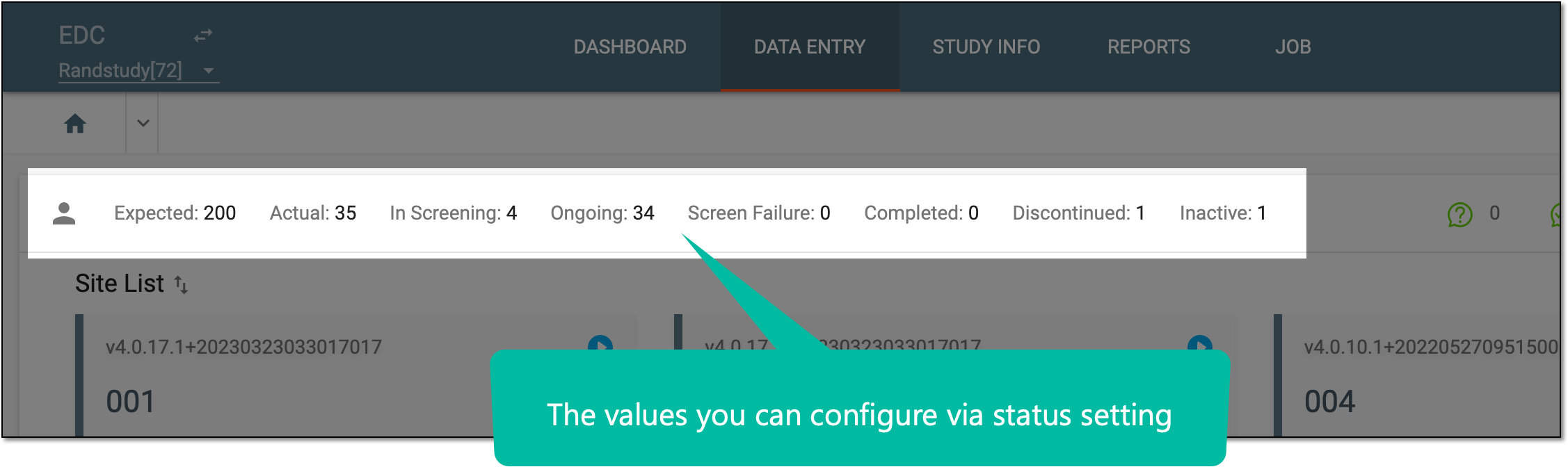
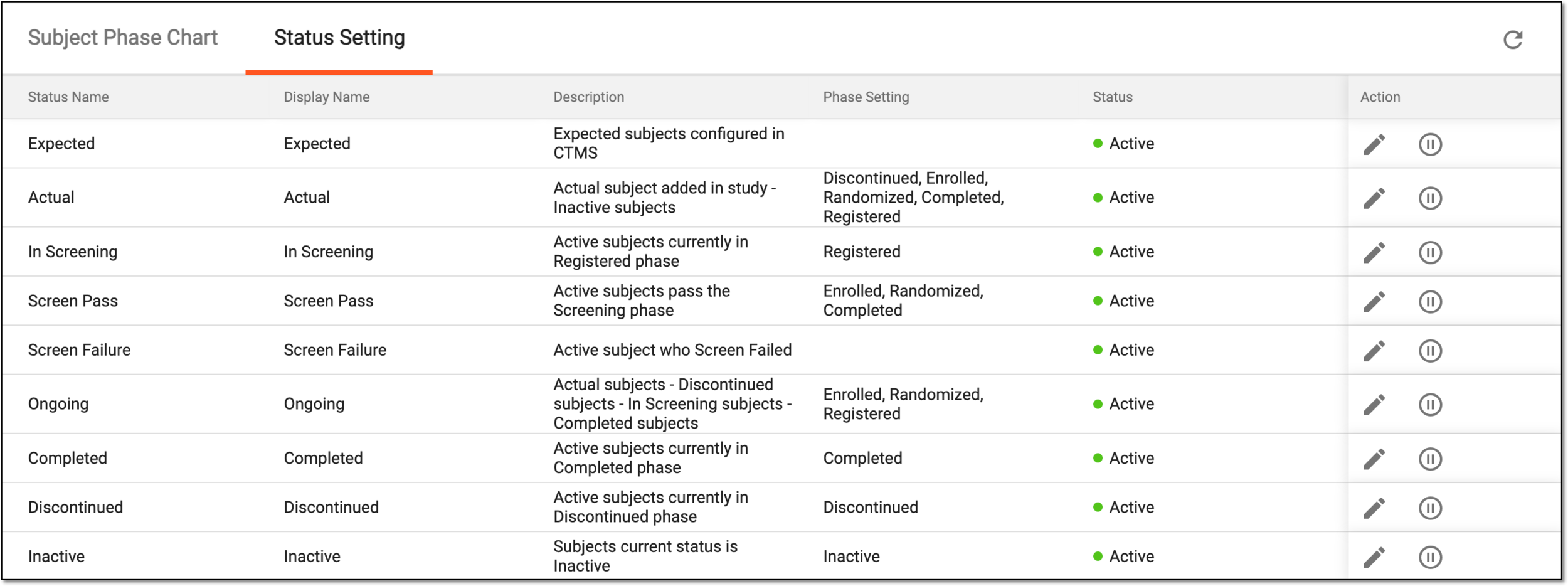
The status settings that are currently configured for your study can be viewed under the Status Setting tab, the elements of which are explained in the following table.
|
Column |
Details |
|---|---|
|
Status Name |
Represents the name of the subject status. |
|
Display Name |
Represents the name of the status that is displayed in the EDC system user interface (UI), for instance, under the Site List page. |
|
Description |
Represents the status description that provides insights into the logic behind its value. For instance, by adding a description to the In Screening status, you can help other users understand that this value represents all subjects that are currently under the Registered phase. |
|
Phase Setting |
Represents the subject phase(s) pertinent to the status. For instance, the Screen Pass status includes all the subjects that are currently under the Enrolled, Randomized, and Completed phases. |
|
Status |
Shows the status of the setting: active or inactive. Only the active statuses are available elsewhere in the EDC system, for instance, under the Site List page. Inactive statuses are only available in the Status Setting table. |
With the status setting functionality, you can do the following:
-
Edit a status to change its title, description, or pertinent subject phases.
-
Activate/Inactivate a status to show/hide its value from the Site List page.
A specific phase that a subject has to complete in the course of a clinical trial to move further to the next phase. For instance, Screening, Enrolled, Randomized, and others.
 |
In eClinical, subject phases are designed individually for each study via the SD application, although they are referenced in others, like IWRS or EDC.