Set configurable subject capping phases
Subject phase capping refers to the process of setting limits (caps) on the number of subjects that can be transferred to or remain in a specific phase of the study—registration, enrollment, randomization, or else. This helps to ensure the trial progression according to the protocol, maintain balance across treatment groups, and prevent excessive allocation of subjects to certain phases.
In EDC, you can select which of your subject phases are to be available for subject phase capping parameters configuration.
Important
To view or configure the phase capping parameters in EDC, the following preconditions must be met in the ADMIN application:
-
The Managing Subjects value is set to In EDC.
If set to In IWRS, all the fields of the Phase Capping page in EDC are not editable.
-
The Phase Capping Read or Phase Capping Write permissions are granted to your user role providing you with options to only view or amend the configurations, respectively.
-
In the EDC application header, select the STUDY INFO tab.
-
On the page that opens, in the left pane, select Subject > Subject Phase.
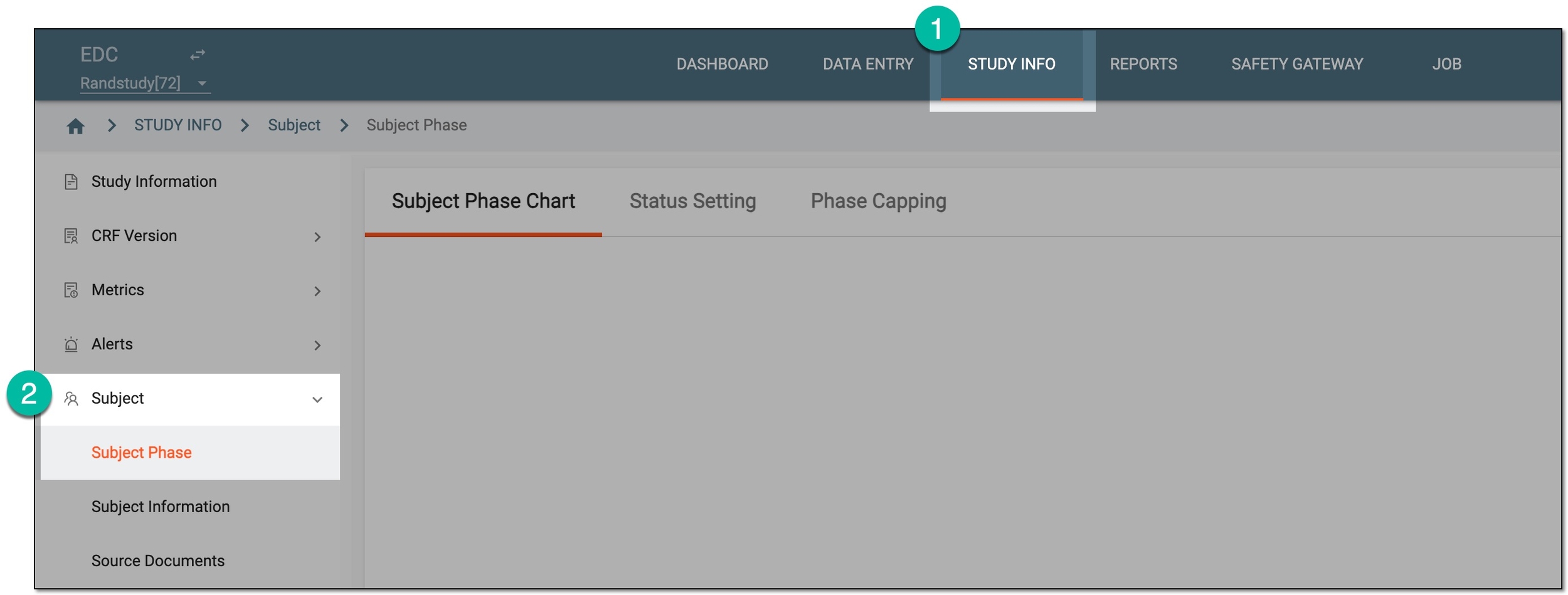 Figure 1. Accessing subject phase management
-
On the page that opens, select the Phase Capping tab.
-
From the workspace toolbar, select Set Capping Phase
 to set the subject phases for which capping parameters can be
configured.
to set the subject phases for which capping parameters can be
configured. Figure 2. Accessing capping phase setup
-
In the Set Capping Phase dialog that opens, select the checkboxes next to the subject phases that you want to make available for capping configuration.
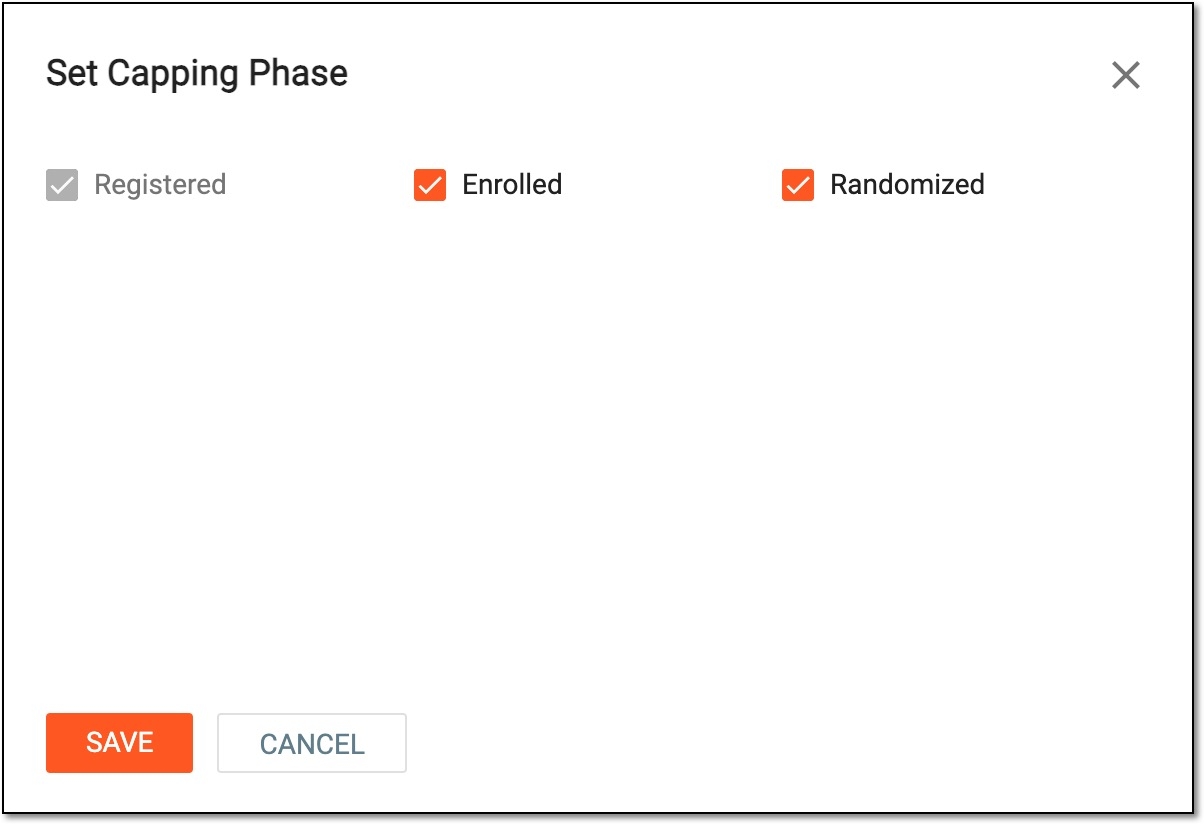 Figure 3. Setting capping phases
Important
The list of phases available for selection depends on the subject phases configured via Study Designer.
The Registered phase is preselected and cannot be cleared. This is because subject registration control is mandatory for all studies and the rest of the phases are optional as per your business scenario.
You cannot select Screen Failure, Completed, and Discontinued subject phases for capping setup because such configuration is inapplicable for these phases.
-
Select
 to save the implemented changes.
Once saved, for the selected phases, you can configure the subject capping parameters at either study or country and site levels.
A specific phase that a subject has to complete in the course of a clinical trial to move further to the next phase. For instance, Screening, Enrolled, Randomized, and others.
 |
In eClinical, subject phases are designed individually for each study via the SD application, although they are referenced in others, like IWRS or EDC.
An eClinical application that represents an administrative system used to manage users, authorities, and sponsors at the company level. It provides studies, sites, and sponsors with high-granularity role-based access management across all eClinical applications.
An eClinical application that provides functionality to design and configure a study (clinical trial), namely to configure CRFs, set subject phases, visits, and others.
The application supports the design of the CDSIC ODM-compliant electronic CRFs to support EDC and eDiary data collection and management.
Get to know all the possibilities of the app with the comprehensive SD User Guide.