View audit trail for subject's data
For tracking purposes, you can view the history of actions performed on subjects enrolled at the current study site.
Tip
You can also view the audit trail of subjects from DATA ENTRY.
The audit trail is recorded in the site's primary language to ensure a unified language for all data intended for analysis and regulatory review.
-
In the EDC application header, select the STUDY INFO tab.
-
On the page that opens, in the left pane, expand the Subject option.
-
In the menu that appears, select the Subject Information subtab.
-
In the Subject List table, next to the needed subject, select More
 >
Audit Trail
>
Audit Trail  .
.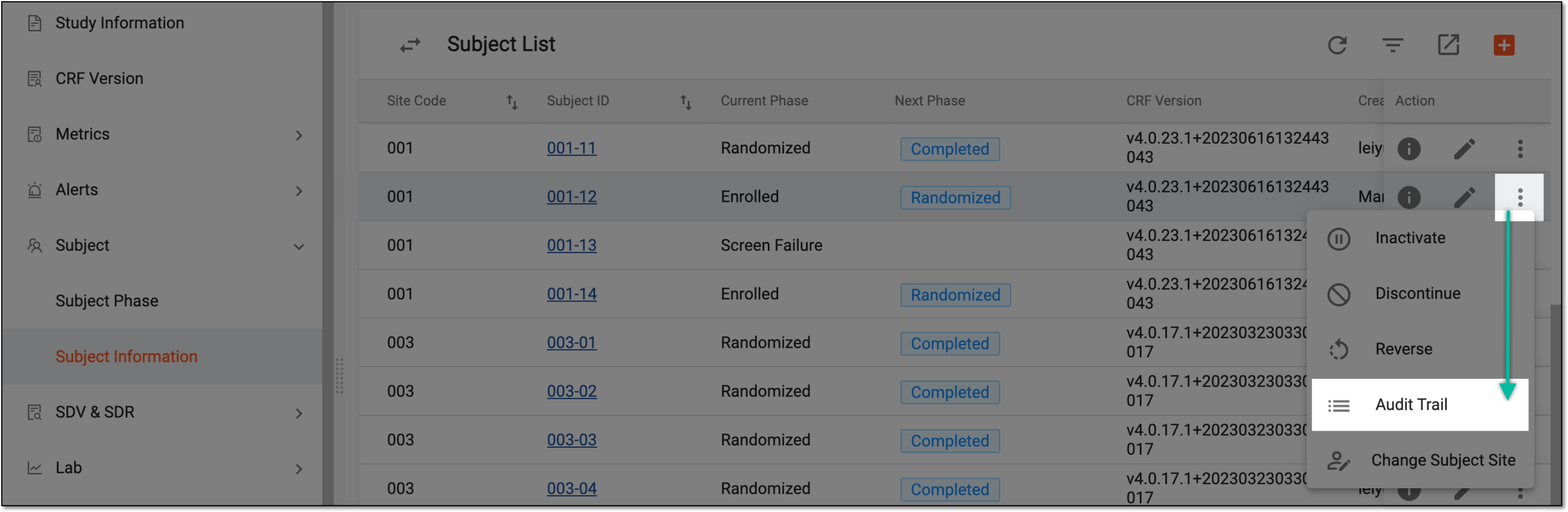 Figure 1. Selecting to view subject audit trail
-
In the Audit Trail dialog that opens, view the actions applied to a subject as explained in the following table.
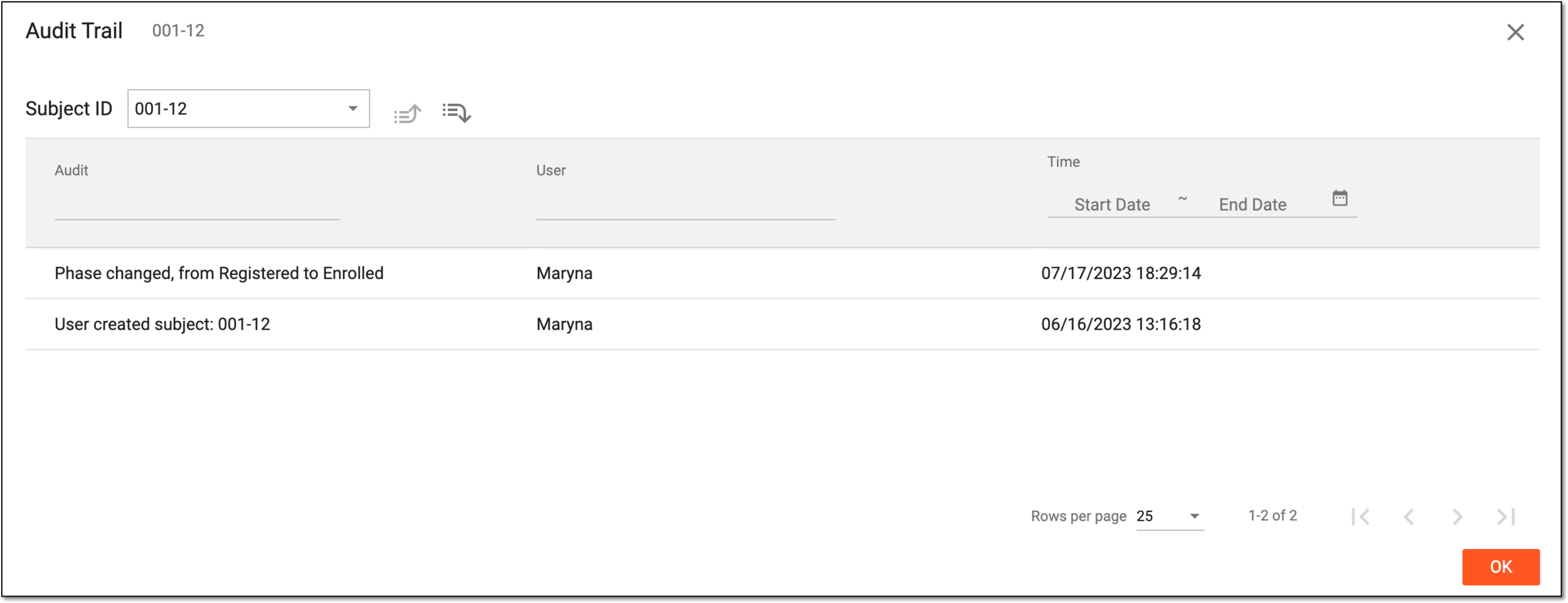 Figure 2. Viewing audit trail for subject
Tip
From the Subject ID field, you can select another subject to view their audit trail. Also, you can use the Next Level
 and Prev Level
  options to switch between the visit, form, record, and item levels of the audit trail.
Element
Details
Audit
Represents the description of an action performed on the subject.
User
Represents the name of the user who has performed the action.
Time
Represents the exact time and date when the action has been performed.
OK
Select
 to close the dialog.
Once the dialog is closed, you return to the Subject List page.