Mark return shipment as lost
A depot is a warehouse where the drug manufacturer supplies items for further distribution between sites. In the course of a clinical trial, the need may arise to return dispensing items from one depot to another. In IWRS, you can return available items to any depot so they can be reused there, or you can send items for destruction to the return depot if they have been, for example, damaged or else.
After some depot or site has sent their available items or items that need to be destroyed to the destination depot, a corresponding shipment requires confirmation to be marked as received upon successful delivery. However, it may occur that the return shipment with all its items gets lost during transportation by the shipping carrier. In this case, it needs to be marked accordingly in IWRS.
-
In the IWRS application header, select the DEPOT tab.
-
In the Depot List table that opens, select the needed depot.
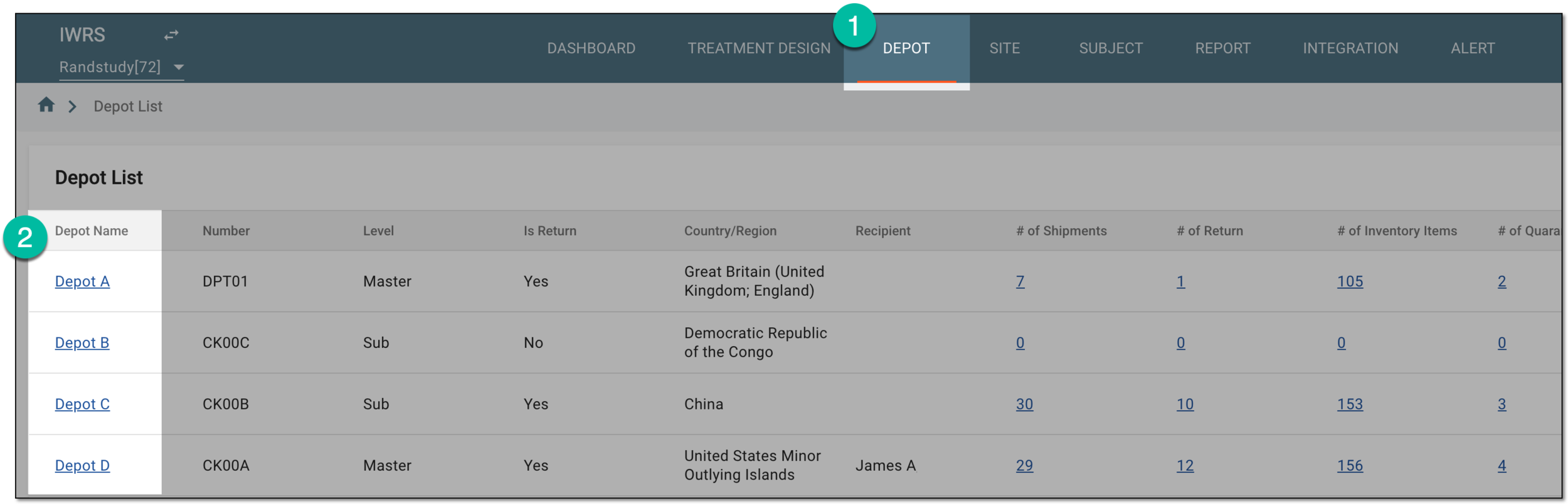 Figure 1. Selecting depot to open its details
-
In the left pane of the page that opens, select Return.
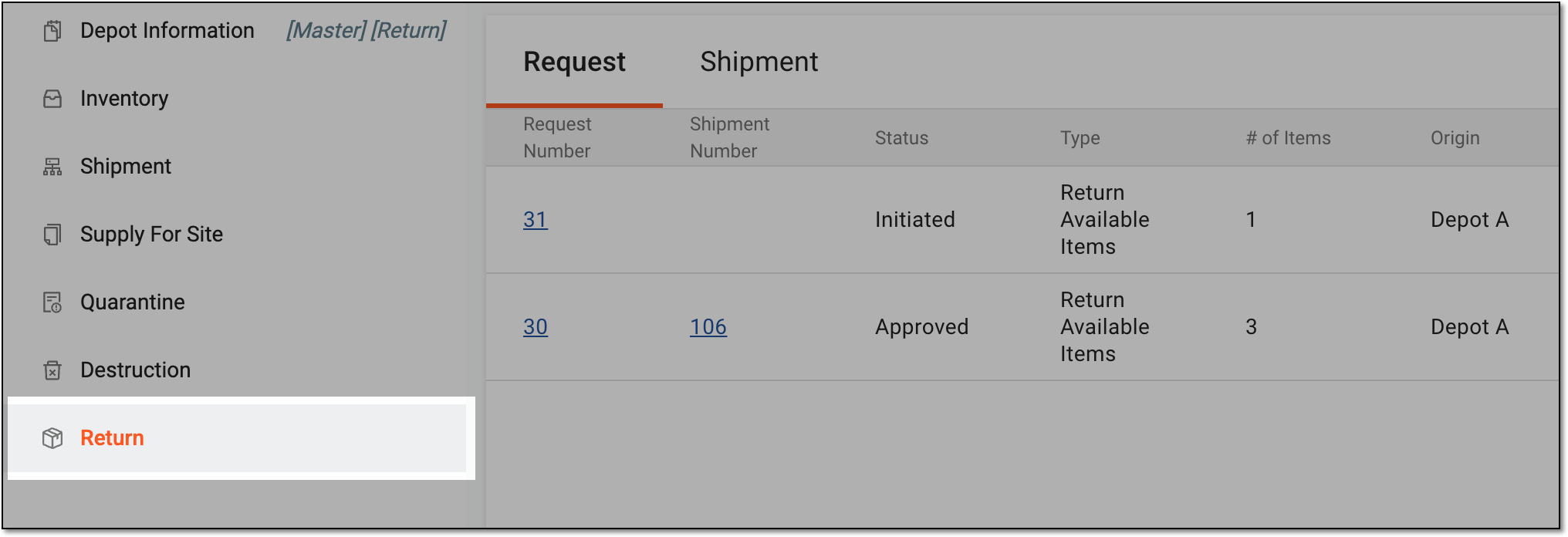 Figure 2. Accessing depot item return
-
In the contents panel that appears, select the Shipment tab to open the list of all return shipments sent to or from the depot.
-
In the Shipment table, select the needed shipment with the In Transit status.
 Figure 3. Selecting shipment in transit
Tip
There are shipments with the In Transit status that are sent from the depot and that can be marked as lost. The shipments cannot be marked as lost in the depots from which they have been sent.
To distinguish the difference between the two types of in-transit shipments, refer to their shipping number. The shipments that have just digits in their name, for example, 35, are the shipments that can be marked as lost. You can also check the Origin column to verify what depot or site has sent the shipment.
-
On the shipment details page that opens, perform the following steps:
-
Select the Confirmed Lost option.
-
In the Comments text box, enter a comment confirming that the shipment has been lost.
-
Select
 .
.
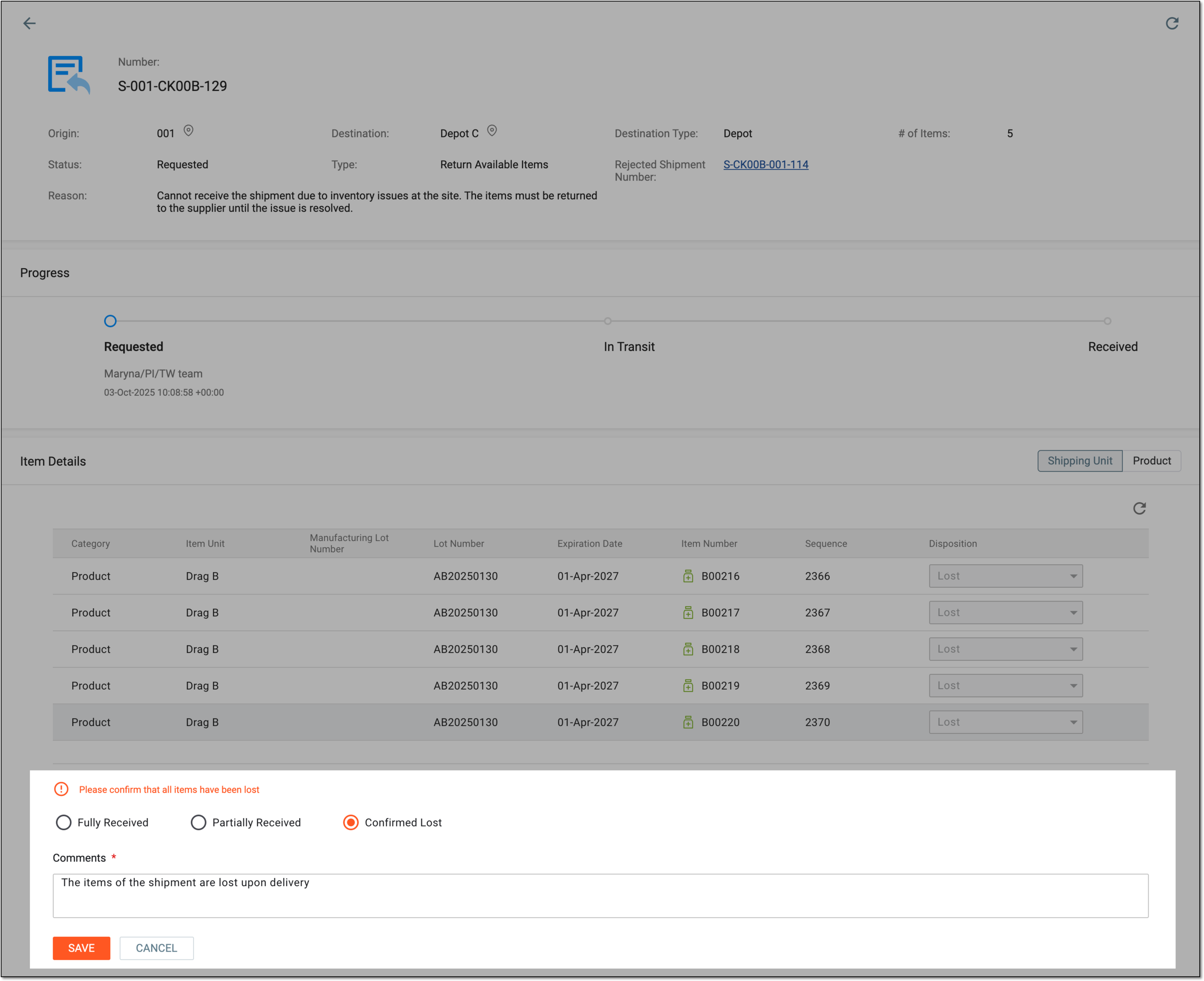 Figure 4. Confirming shipment is lost
-
Once saved, the return shipment is marked as lost. The items now appear in the depot inventory with the Lost disposition status.