View destroyed items at site
Item destruction refers to the process of disposing of or destroying an investigational product or other unused medication when they are no longer needed, damaged, or for another reason.
In IWRS, the sites that have item destruction enabled can destroy items. By destroying, you reflect the actual physical action taken towards the drug to keep the database up-to-date for tracking and compliance reasons. If needed, you can view the list of previously destroyed items for your site.
-
In the IWRS application header, select the SITE tab.
-
In the Site List table that opens, select the needed site.
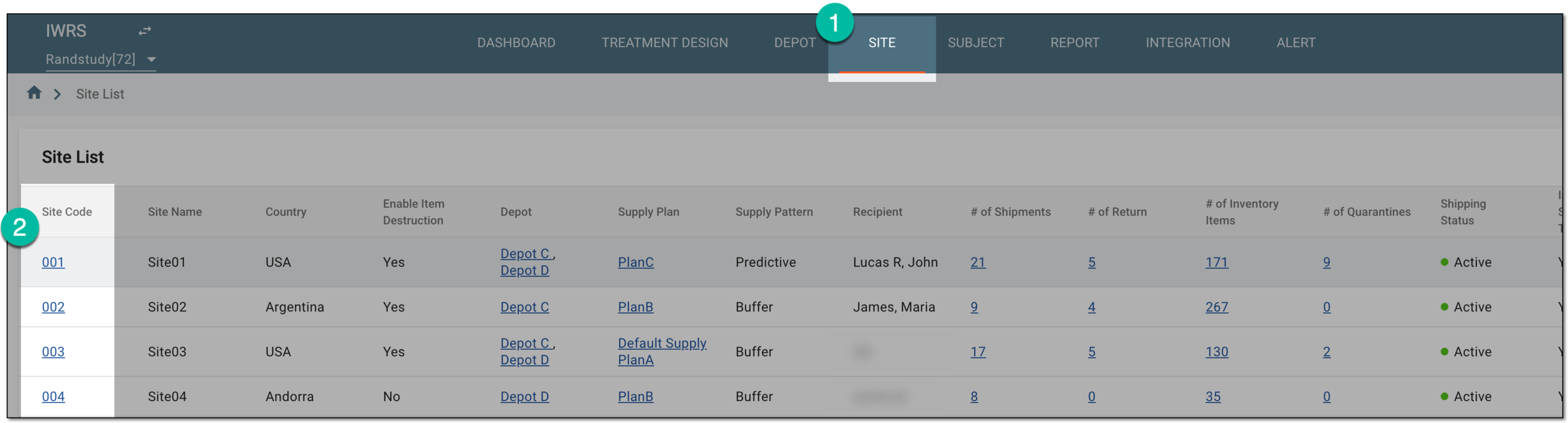 Figure 1. Selecting site to view details
-
On the page that opens, in the left pane, select Destruction.
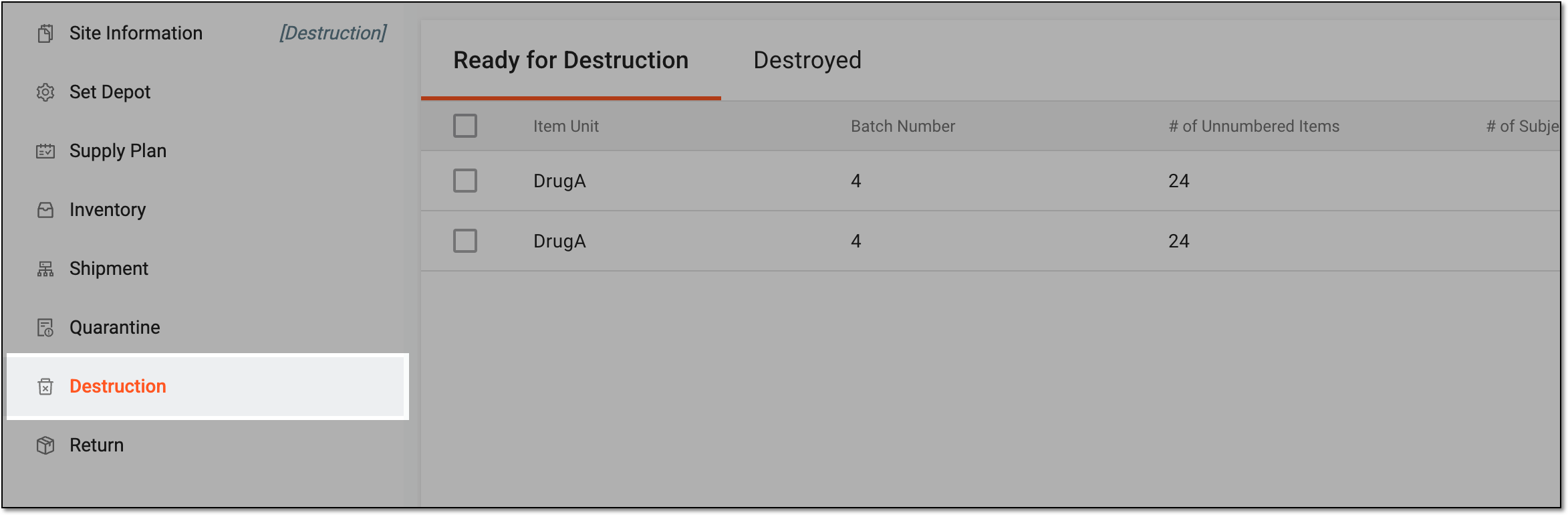 Figure 2. Accessing single/multiple item destruction for site
-
In the contents panel that appears, select the Destroyed tab to open the list of all the previously destroyed items at your site.
 Figure 3. Viewing destroyed item list
You have viewed the list of destroyed items for your site. You can cancel item destruction, if needed. You can also export the list of destroyed items to work with it offline.