Enable item destruction at site
When the item is damaged, expired, or in another way unsuitable for dispensation, it must be utilized properly according to the study protocol. In IWRS, you can give the site permission to destroy unsuitable items. If the site has no such permission, it has to send the ready-for-destruction items back to the return depot.
-
In the IWRS application header, select the SITE tab.
-
On the Site List page that opens, in the table, select the site code of your interest.
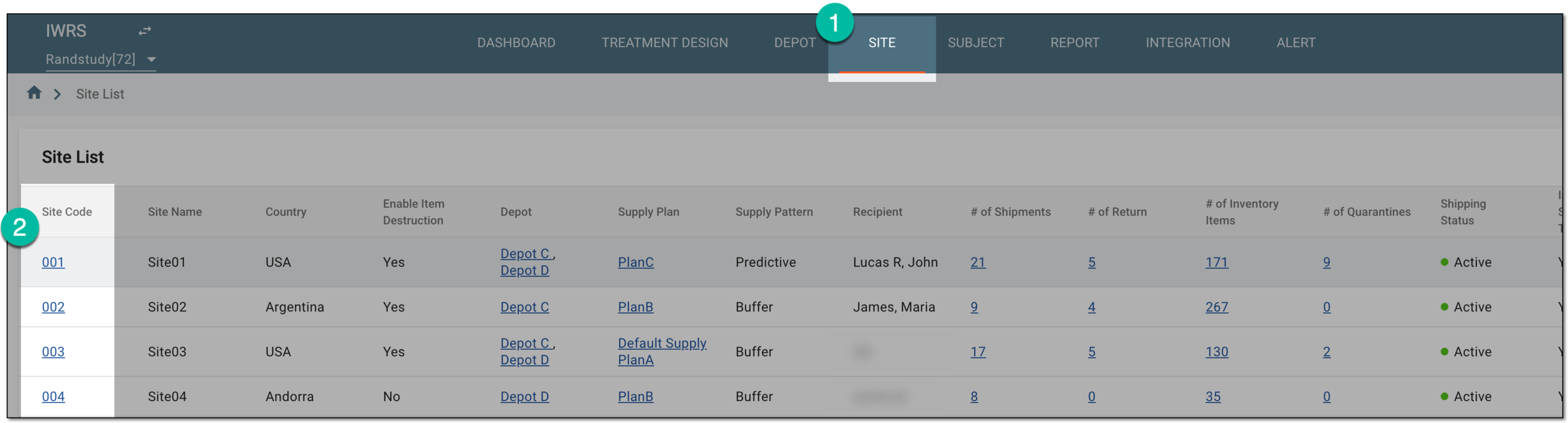 Figure 1. Accessing site details
Tip
Once you open the needed functionality for a site, you can use the breadcrumbs navigation to switch the site without returning to the Site List page.
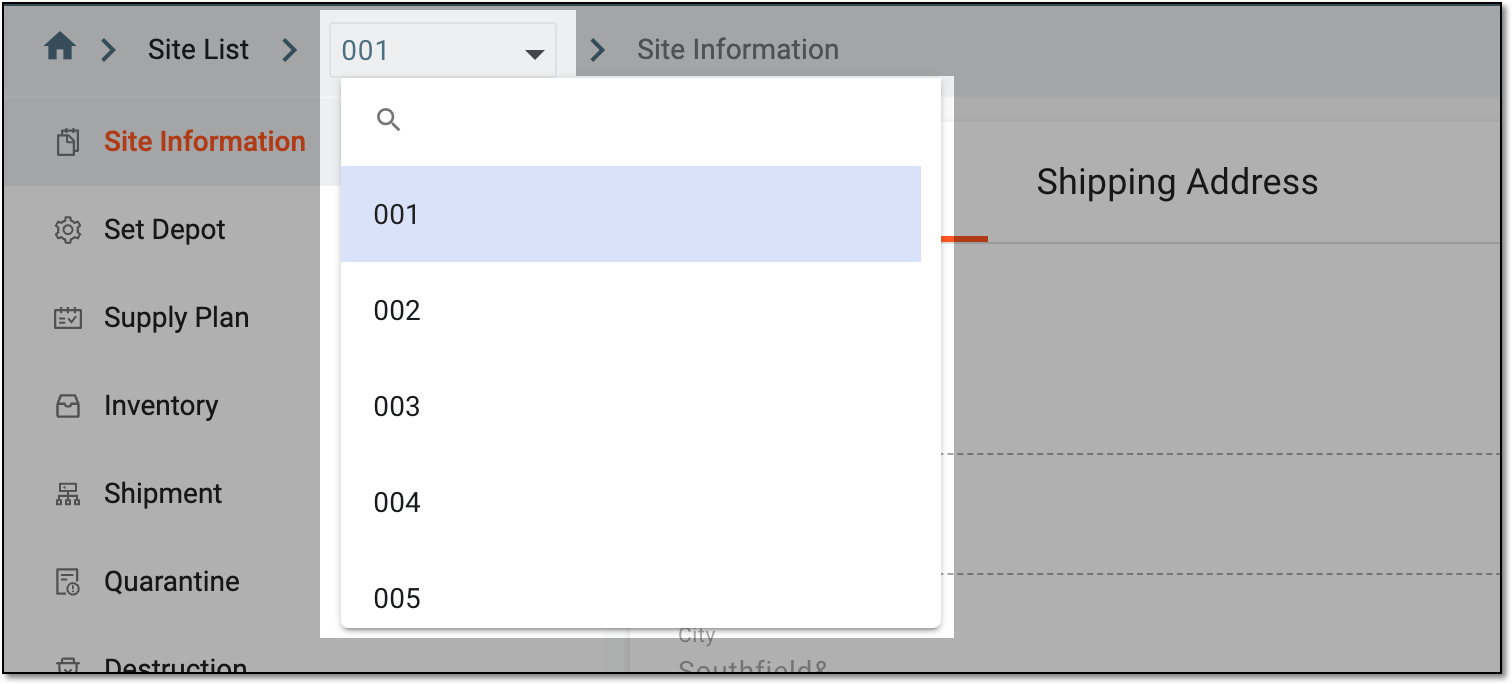 Figure 2. Switching sites from breadcrumbs
-
On the Site Information page that opens, turn the Enable Item Destruction toggle on/off as follows:
-
Turn the toggle on to allow the destruction of the damaged items at the site level.
-
Turn the toggle off to restrict the destruction of the damaged items at the site level. Instead, the site must send the ready-for-destruction items to the return depot.
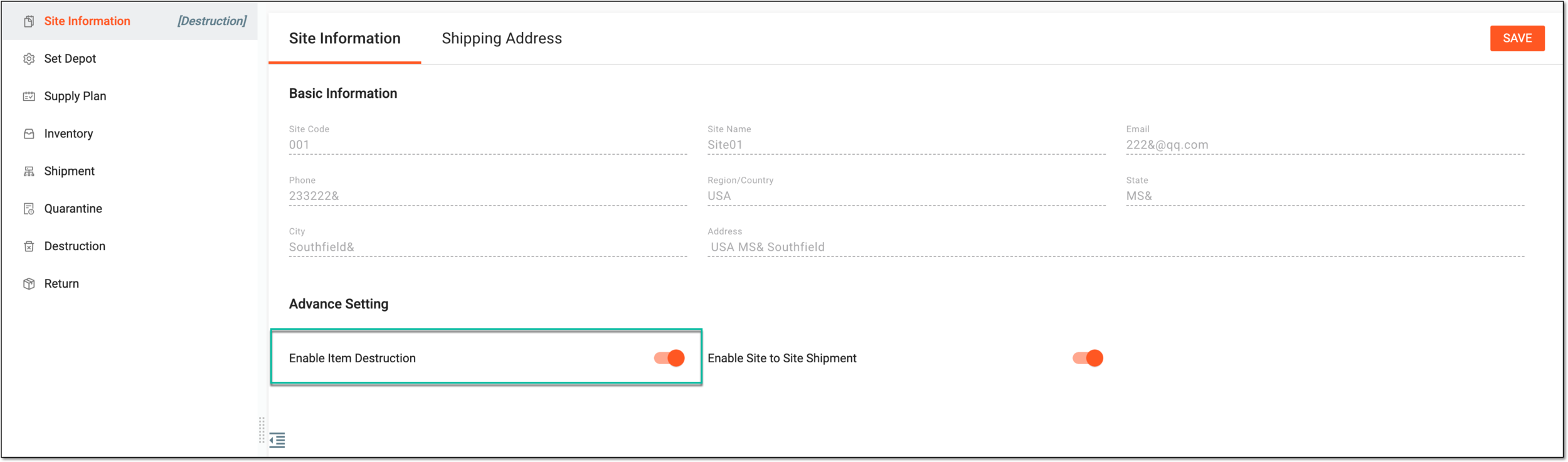 Figure 3. Enabling item destruction at site level
-
-
Select
 to apply the implemented setting. If you leave the page without saving, the changes are discarded.
Upon saving, you have allowed/restricted the destruction of the damaged items at the site level. If allowed, the respective marking appears next to the Site Information subtab name.
 |