View expired file report
An expired file in eTMF refers to a clinical trial document—study protocol, informed consent form, case report form, or else—that has reached its expiration period determined by regulatory requirements or internal procedures.
To keep track of all the expired files in eTMF, you can use the Expired Files report.
-
In the eTMF application header, select the TMF tab.
-
In the Study List table that appears, select the study for which you need to view the expired file report.
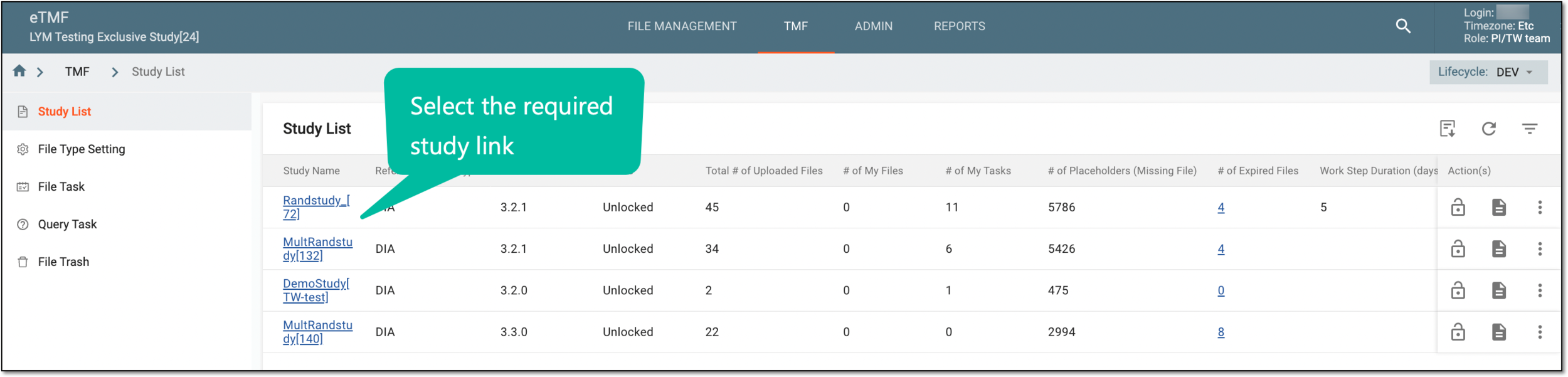 Figure 1. Selecting study
-
On the page that opens, in the left pane, select Study Details > Expired Files.
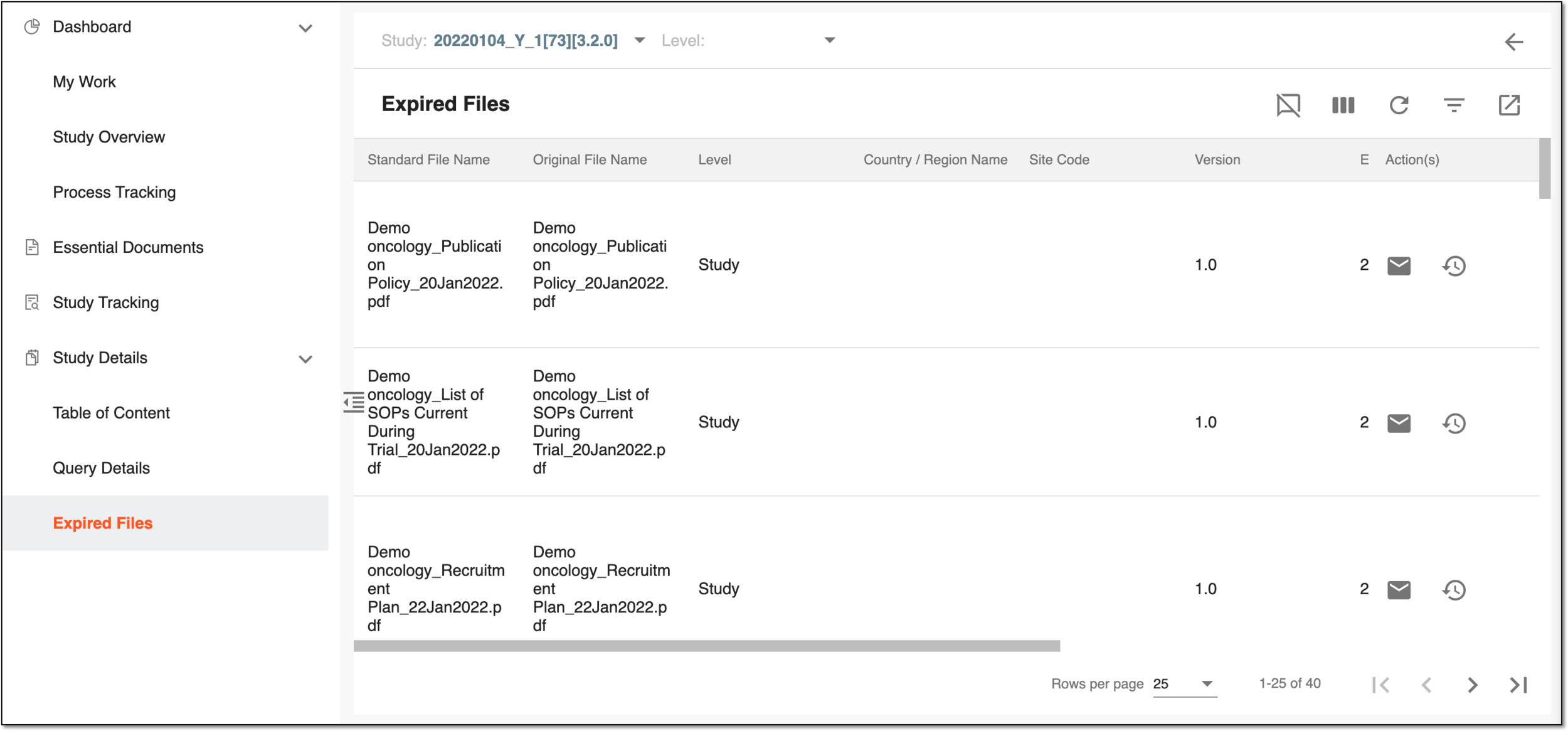 Figure 2. Expired Files page
-
On the Expired Files page that opens, optionally you can select another study or sort the report data by study-, country-, and site-level files.
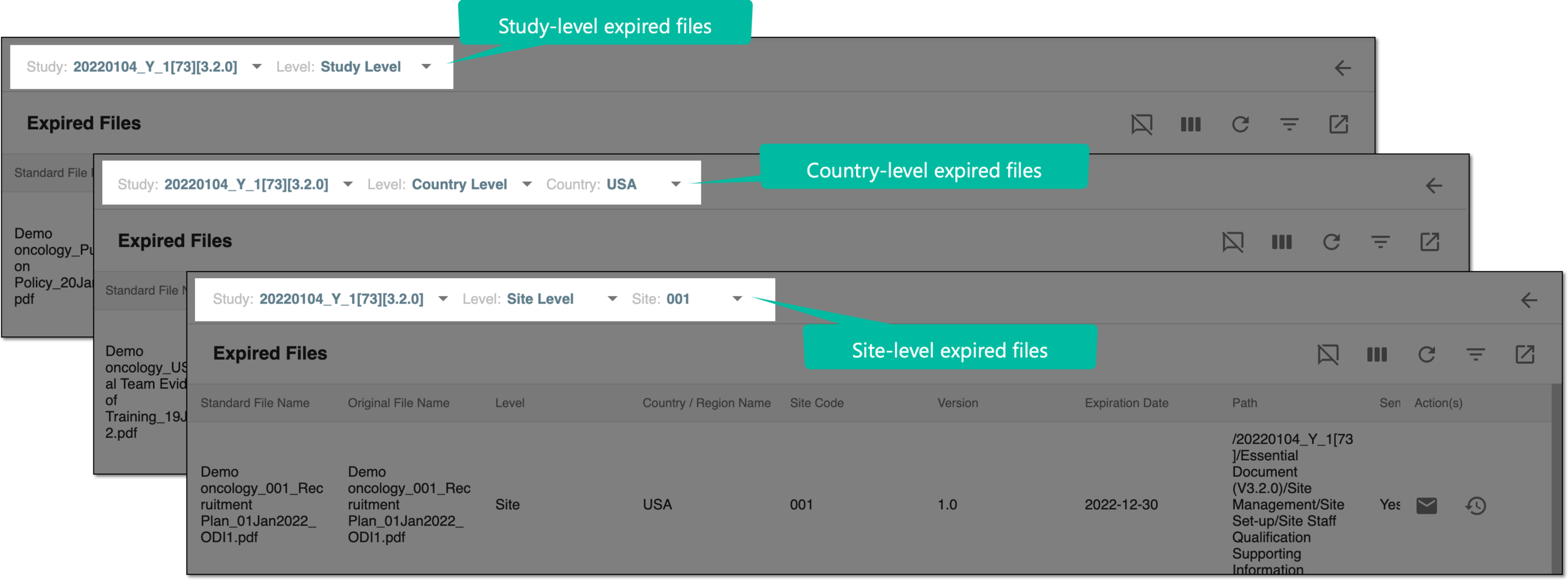 Figure 3. Sorting expired files by level
You have viewed the expired file data for your study. You can also export the expired file report as a file to your local machine.