Dismiss expired file
An expired file in eTMF refers to a clinical trial document—study protocol, informed consent form, case report form, or else—that has reached its expiration period determined by regulatory requirements or internal procedures.
Proper management of expired files is crucial to ensure regulatory compliance and facilitate efficient record-keeping. In eTMF, dismissing a file provides a way for expired files to be resolved in situations where the replacement will not be provided.
For instance, if an investigator leaves the study and their medical license expires, a new license will not be provided, so the existing expired file will not be replaced. However, the file still appears in the Expired Files report and must be handled with the Dismiss functionality.
-
In the eTMF application header, select the TMF.
-
In the Study List table that appears, select the study for which you need to dismiss the expired file.
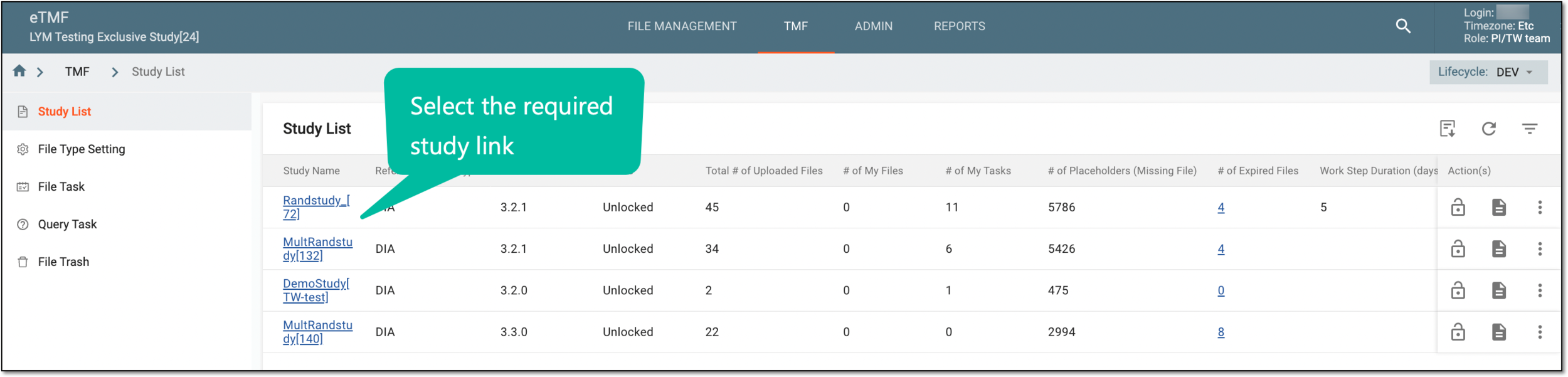 Figure 1. Selecting study
-
On the page that opens, in the left pane, select Study Details > Expired Files.
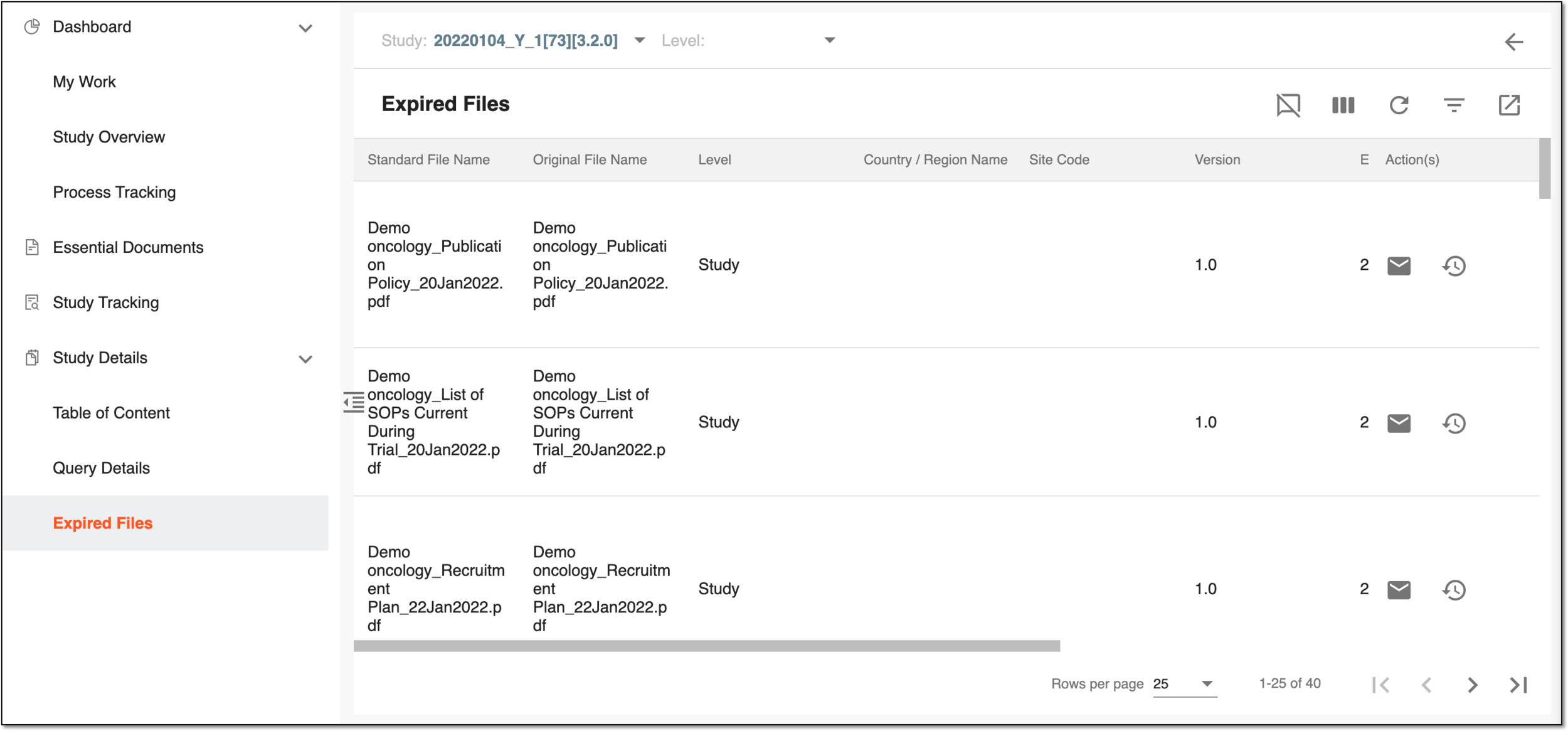 Figure 2. Expired files page
-
On the Expired Files page that opens, optionally you can sort the report data by study-, country-, and site-level files.
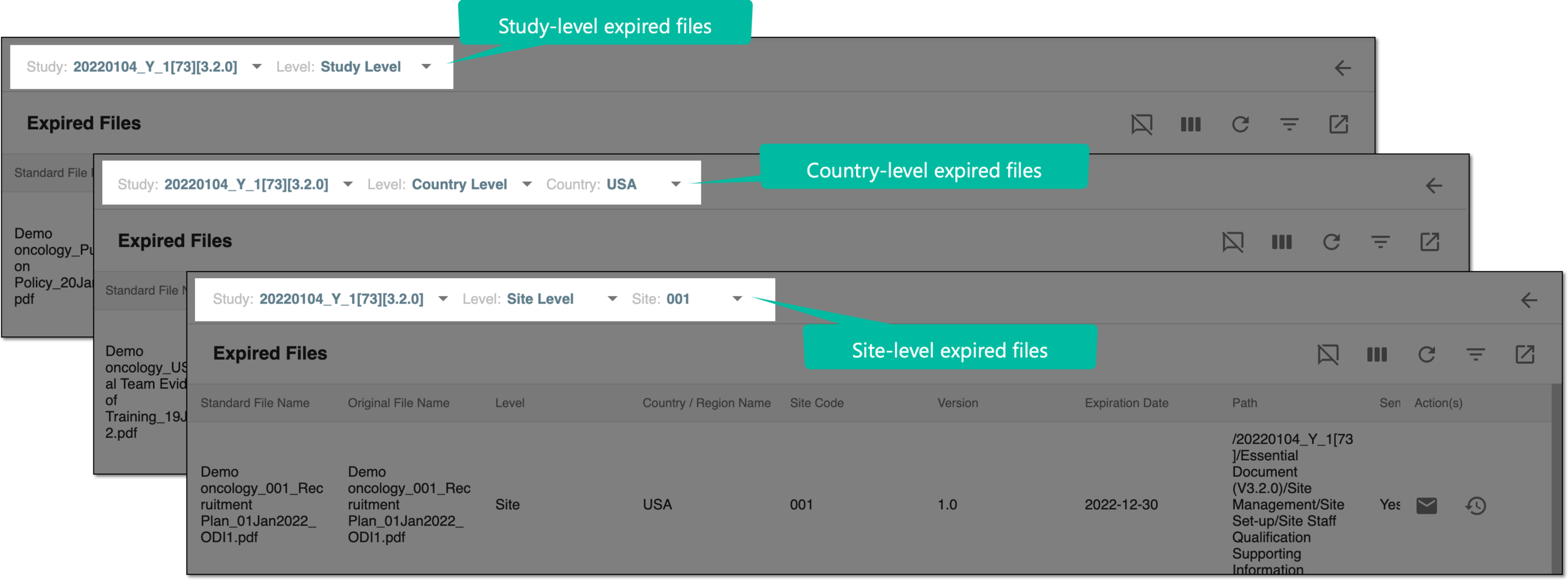 Figure 3. Sorting expired files by level
-
From the workspace toolbar, select Dismiss
 .
. -
In the Expired Files table, select the checkbox(es) next to the file(s) you need to dismiss and in the Dismiss Reason block, specify the reason for your action.
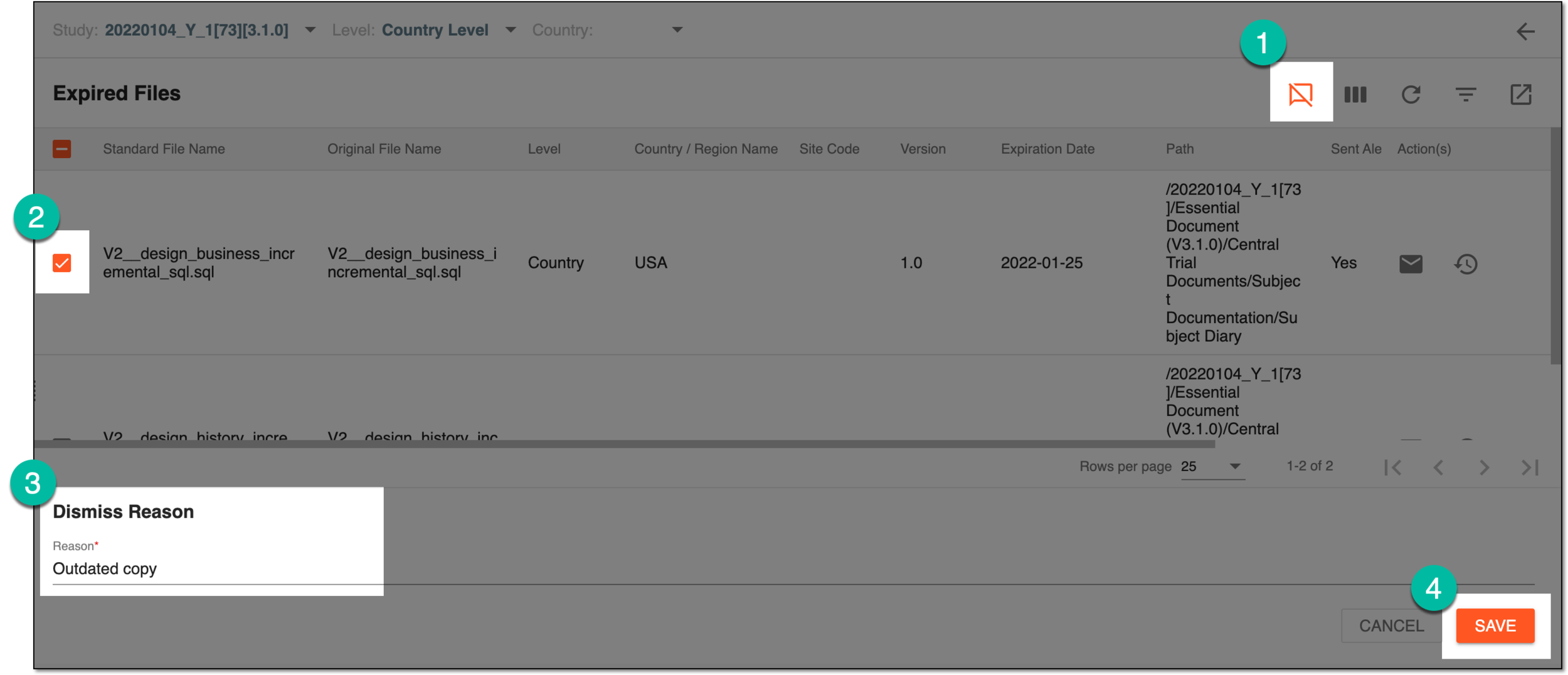 Figure 4. Dismissing expired files
-
Select
 to implemented the changes.
You have dismissed the selected file(s). If needed, you can revoke the dismissed file. The respective change is reflected in the Dismissed column of the Expired Files table.
