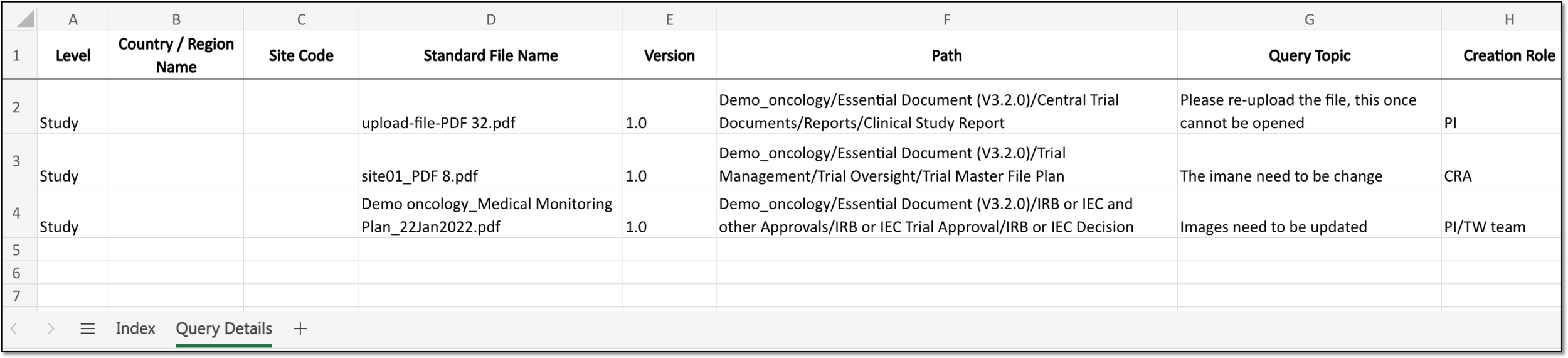
Export query details
In eTMF, the Query Details report represents a comprehensive table with all the details on every query ever opened for the study files stored in the eTMF system.
You can view the query details report online in the application or export the data to your local machine.
-
In the eTMF application header, select the TMF tab.
-
On the Study List page that opens, select the study for which you need to export the query details data.
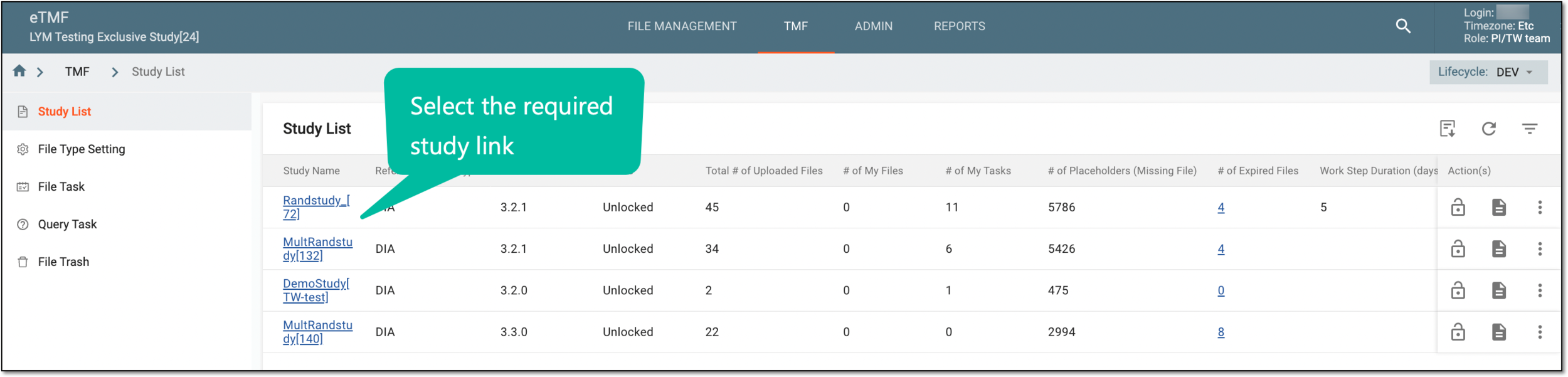 Figure 1. Selecting study
-
On the page that opens, in the left pane, select Study Details > Query Details.
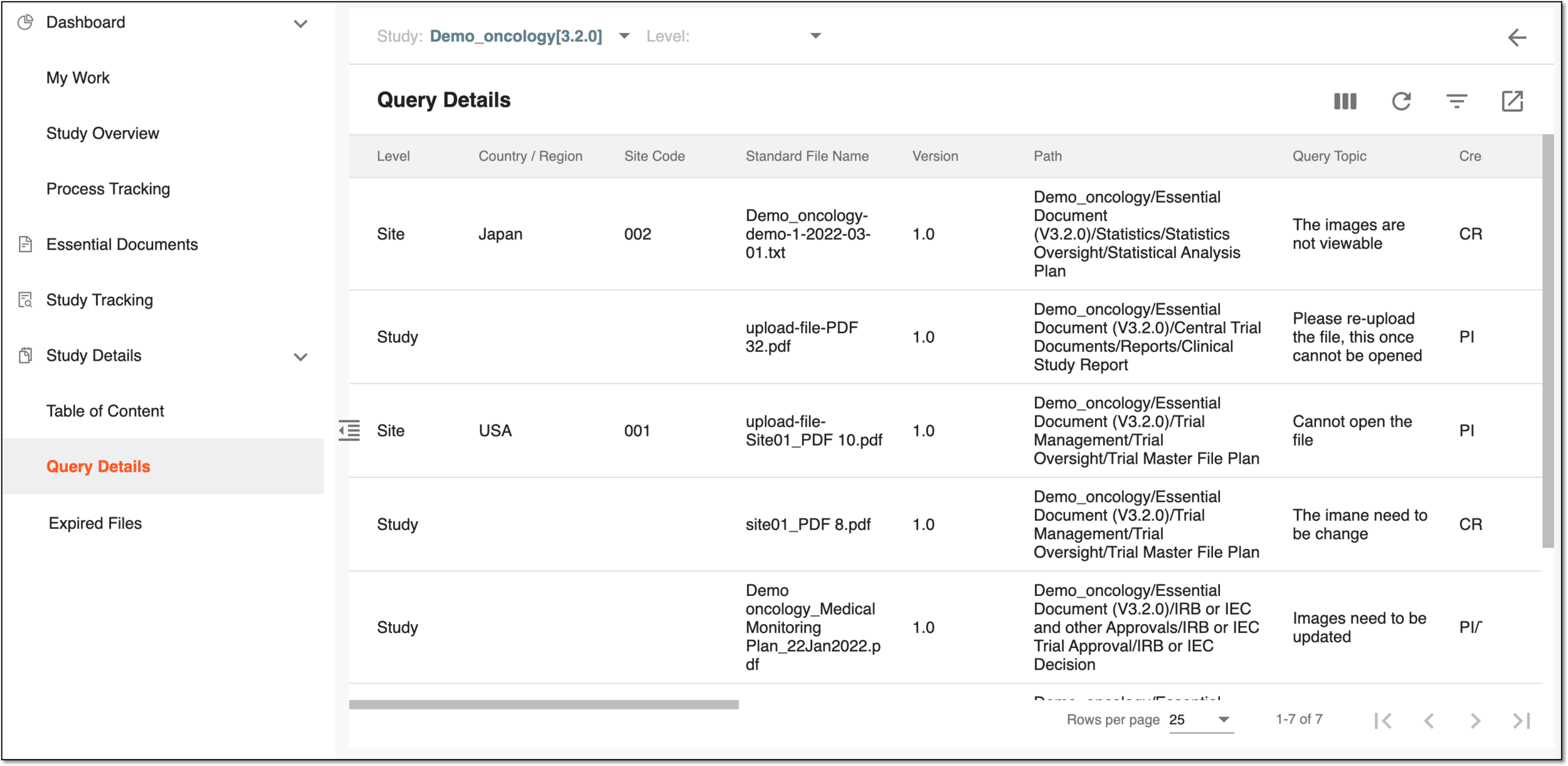 Figure 2. Query details page
-
On the Query Details page that opens, optionally you can select another study or sort the table data by study-, country-, and site-level files.
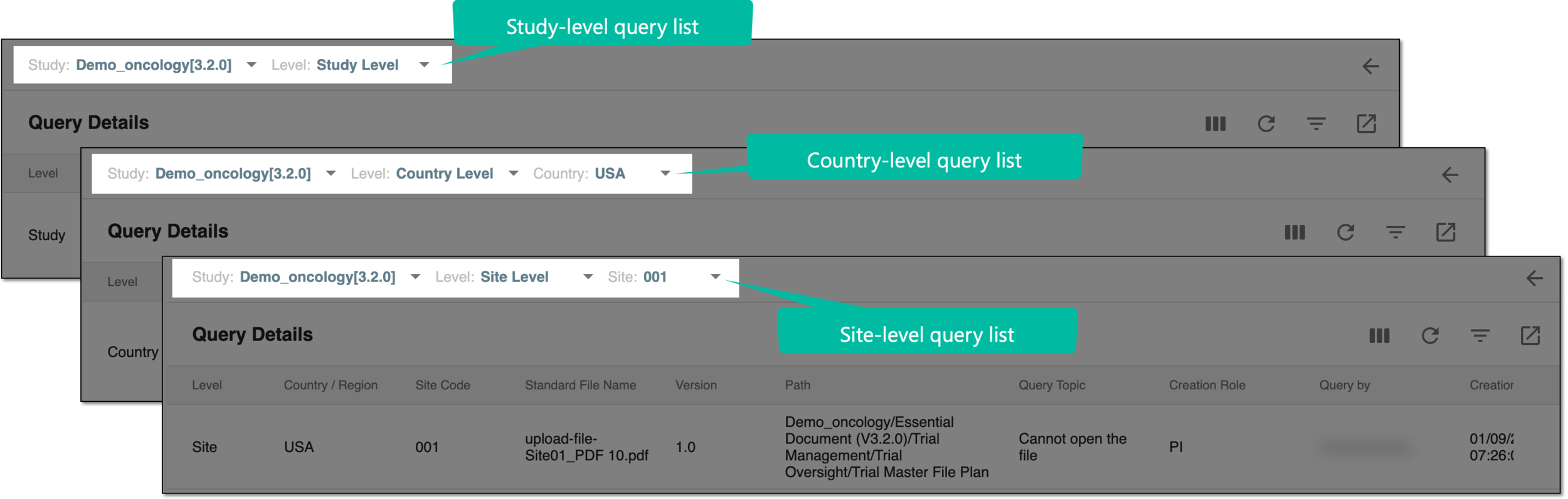 Figure 3. Sorting query data by file level
-
From the workspace toolbar, select Export
 and follow the prompts to save the file on your local machine.
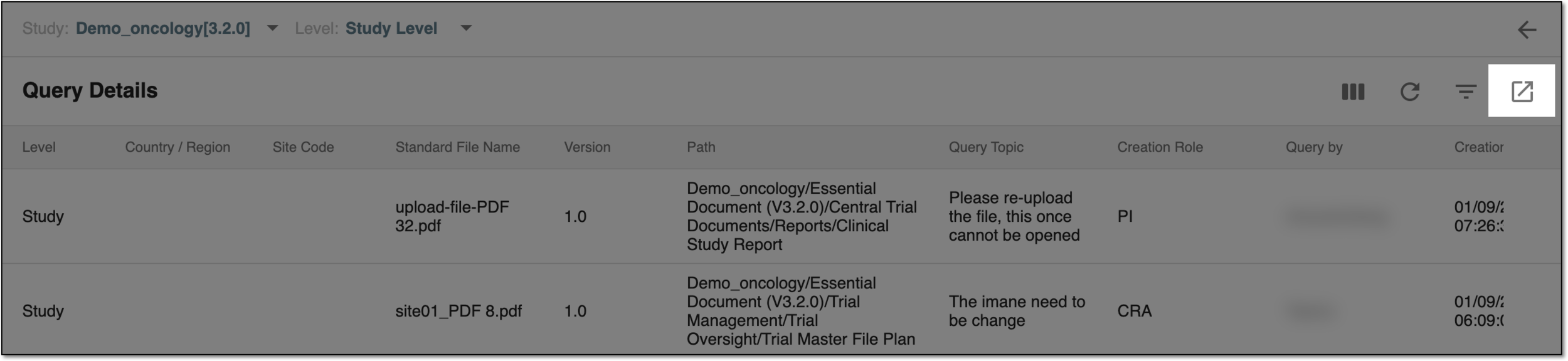 Figure 4. Exporting query details data
Upon saving, the study table of content data is available on your local machine as an XLSX file. The sheets in the exported document rely on filter conditions you have applied to the report before exporting.