View validation result history
Data validation refers to the process of ensuring the accuracy, reliability, and integrity of CRF data collected during the study. It involves a series of checks and procedures that aim to identify and resolve data inconsistencies. The importance of data validation lies in its role in maintaining the scientific validity and credibility of the study results. By ensuring the quality of the data, researchers can have confidence in the findings and draw accurate conclusions, which ultimately impacts patient safety and the decision-making process for regulatory authorities.
After you have executed the data validation process, the system generates validation result tasks if some CRF data fails to pass validation rules. Each task is assigned to a specific user role so the corresponding users need to review these tasks and confirm whether to open queries based on them or cancel the tasks. Under the Validation Result History tab, you can view the history of queries that have been opened or canceled based on the generated validation result tasks.
-
In the EDC application header, select the STUDY INFO tab.
-
In the left pane of the page that opens, expand Data Validation and select the Validation Result tab.
-
On the page that appears, select the Validation Result History tab.
-
In the Validation Result History table that appears, view the full list of queries that have been opened or canceled based on the generated validation result tasks.
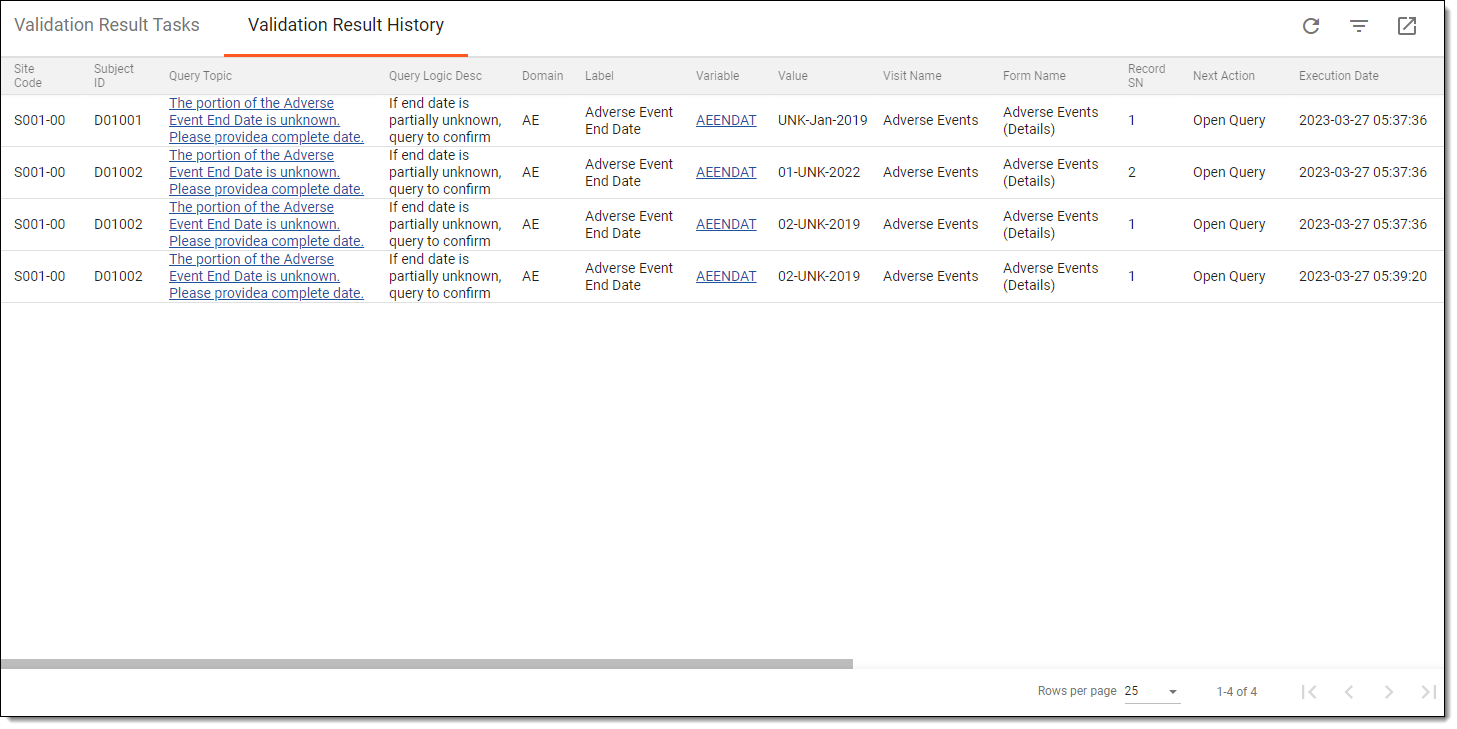 Figure 1. Viewing validation result history
Tip
In the Query Topic column of the Validation Result History table, select the hyperlink to go to the query in a corresponding CRF.
Once viewed, you can export the validation result history to your computer if needed.
Export validation result history
Data validation refers to the process of ensuring the accuracy, reliability, and integrity of CRF data collected during the study. It involves a series of checks and procedures that aim to identify and resolve data inconsistencies. The importance of data validation lies in its role in maintaining the scientific validity and credibility of the study results. By ensuring the quality of the data, researchers can have confidence in the findings and draw accurate conclusions, which ultimately impacts patient safety and the decision-making process for regulatory authorities.
After you have executed the data validation process, the system generates validation result tasks if some CRF data fails to pass validation rules. Each task is assigned to a specific user role so the corresponding users need to review these tasks and confirm whether to open queries based on them or cancel the tasks. After the validation queries are opened or canceled, their list is registered under the Validation Result History tab. This list can be exported to your computer in the XLSX file so you can work with it offline or provide it to the study team for further analysis and investigation.
-
In the EDC application header, select the STUDY INFO tab.
-
In the left pane of the page that opens, expand Data Validation and select the Validation Result tab.
-
On the page that appears, select the Validation Result History tab.
-
From the workspace toolbar of the Validation Result History table, select Export
 .
. Figure 1. Exporting validation result history
-
Once selected, the widget appears displaying your download progress. Select the widget to open the My Downloads dialog.
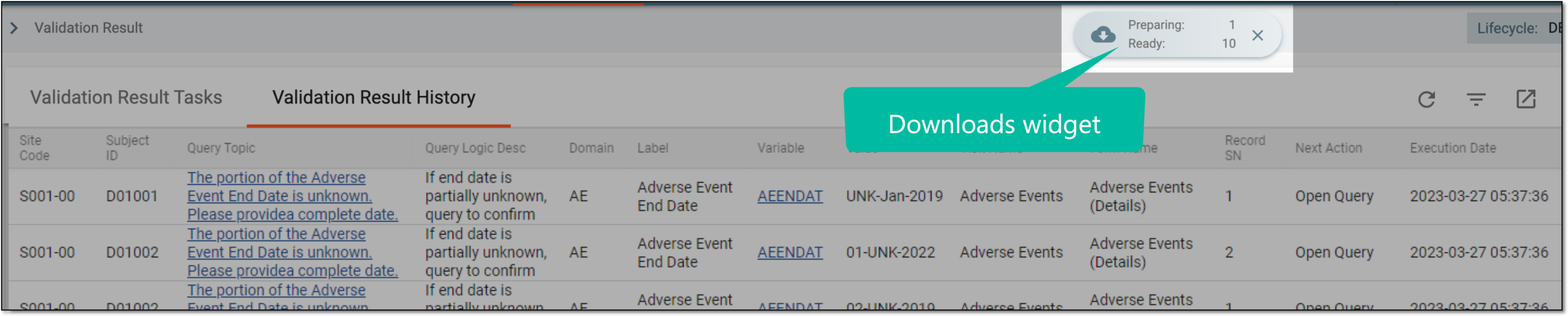 Figure 2. Downloads widget
-
In the My Downloads dialog that opens, you can find the following tabs:
-
Preparing: under this tab, you can find all the files whose export is in progress, and they are not yet ready for download.
-
Download is Ready: under this tab, you can find all the files whose export is complete, and they can be downloaded to your computer.
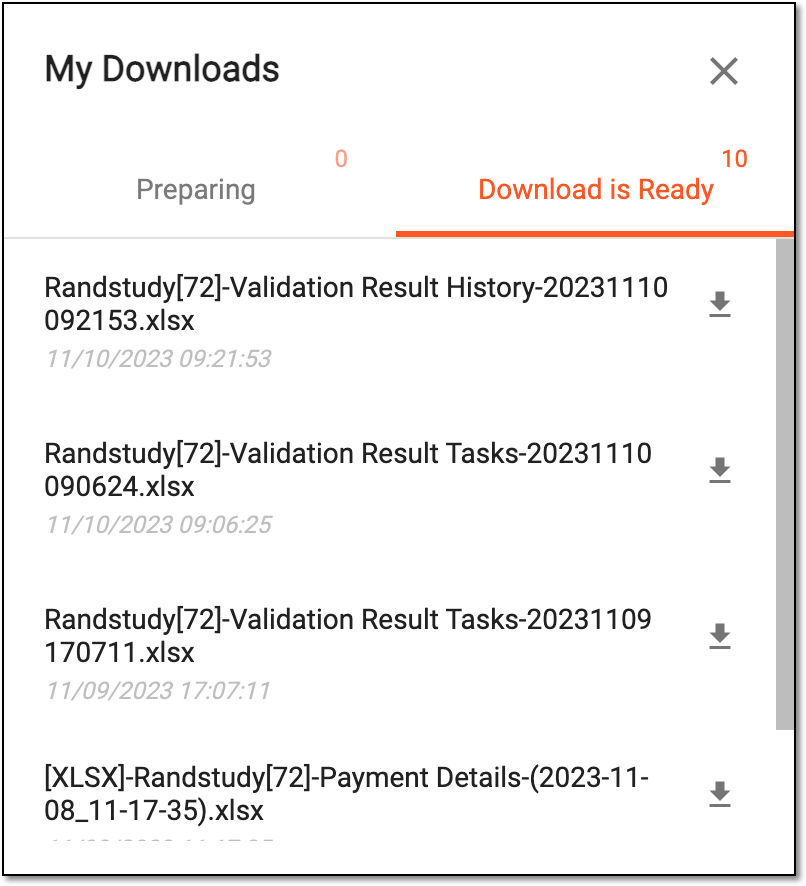 Figure 3. Viewing downloads
-
-
Under the Download is Ready tab, next to the file that you want to download, select
 .
.
Once exported, the validation result history is downloaded to your computer. You can now work with it offline.