Add new depot to CTMS
Depot is a warehouse that is used to store and distribute items (drugs) to another destination (other depots or sites). In CTMS, you can add depots to the system and then assign them to the studies that will use them as a part of the logistics system.
-
In the CTMS application header, select the ENTITY MANAGEMENT tab.
-
On the page that opens, in the left pane, select Depot.
-
On the Depot List page that opens, from the workspace toolbar, select New Item
 .
. -
In the Add dialog that opens, fill in the fields as explained in the following table.
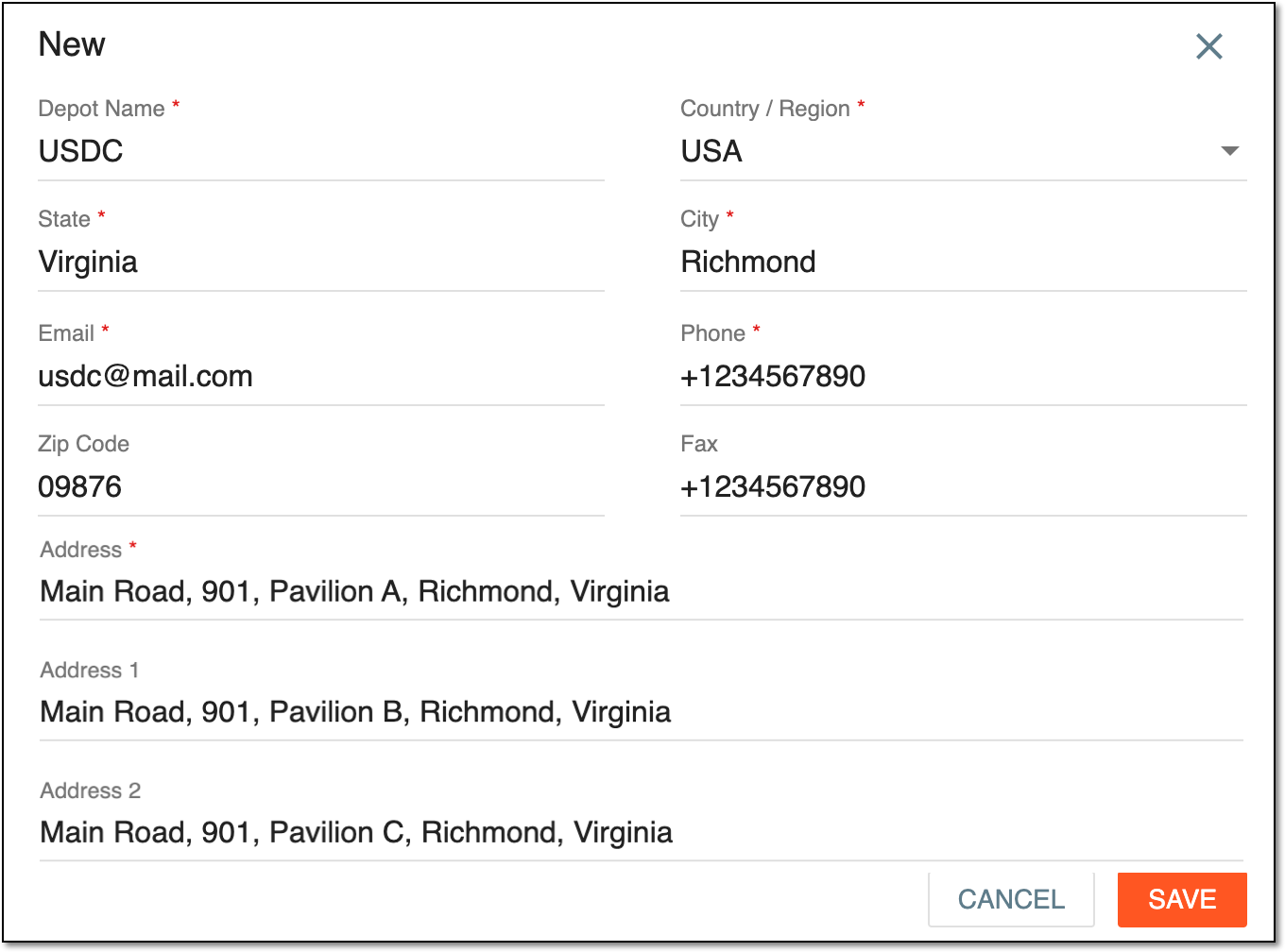 Figure 1. Adding new depot
Tip
In the following table, mandatory elements are marked with an asterisk (*).
Element
Details
Depot Name*
Enter a unique name of your depot.
Country/Region*
Enter the country or region of the depot location.
State*
Enter the state of the depot location.
City*
Enter the city of the depot location.
Email*
Enter the contact email of the depot.
Phone*
Enter the contact phone number of the depot.
Zip Code
Enter the postal (zip) code of your depot to use for shipment and correspondence purposes.
Fax
Enter the depot contact fax number that can be used to send documents or other information to the depot if necessary.
Address*
Enter the address of the depot location.
Address 1
Address 2
Enter the alternative addresses of the depot location, for instance, if the facility has multiple pavilions, and each pavilion has an individual address.
SAVE
Select
 to save the implemented changes.
CANCEL
Select
 to discard the changes without saving.
Upon saving, the depot is added and can be viewed in the Depot List table. Make sure your depot is activated for you to add this depot to your studies.