Edit task alert
In eTMF, a task alert is a notification feature designed to keep users and stakeholders informed about important actions or deadlines related to the operations on files and folders in TMF.Task alerts ensure that all necessary activities are completed on time, helping to maintain the smooth operation of clinical trials.
You can edit any of your previously configured task alerts to adjust them to your current needs.
-
In the eTMF application header, select the TMF tab.
-
In the Study List table that appears, locate the study that contains the task alert you want to edit, and in the Action(s) column next to it, select More
 > Task Alerts.
 .
.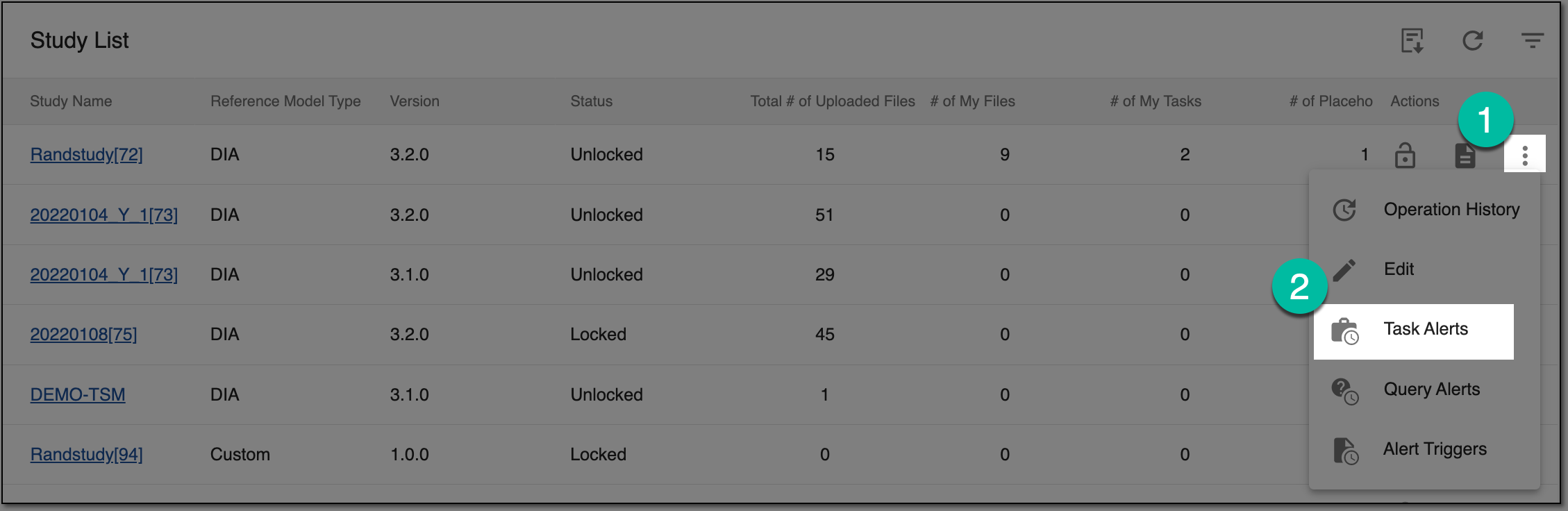 Figure 1. Accessing task alerts
-
On the Task Alerts page that opens, locate the task alert you want to edit, and in the Action(s) column, select More
> Edit  .
. Figure 2. Accessing to edit task alert
-
On the page that opens, modify the fields as needed. These fields are identical to those explained in the table of the Configure task alert section.
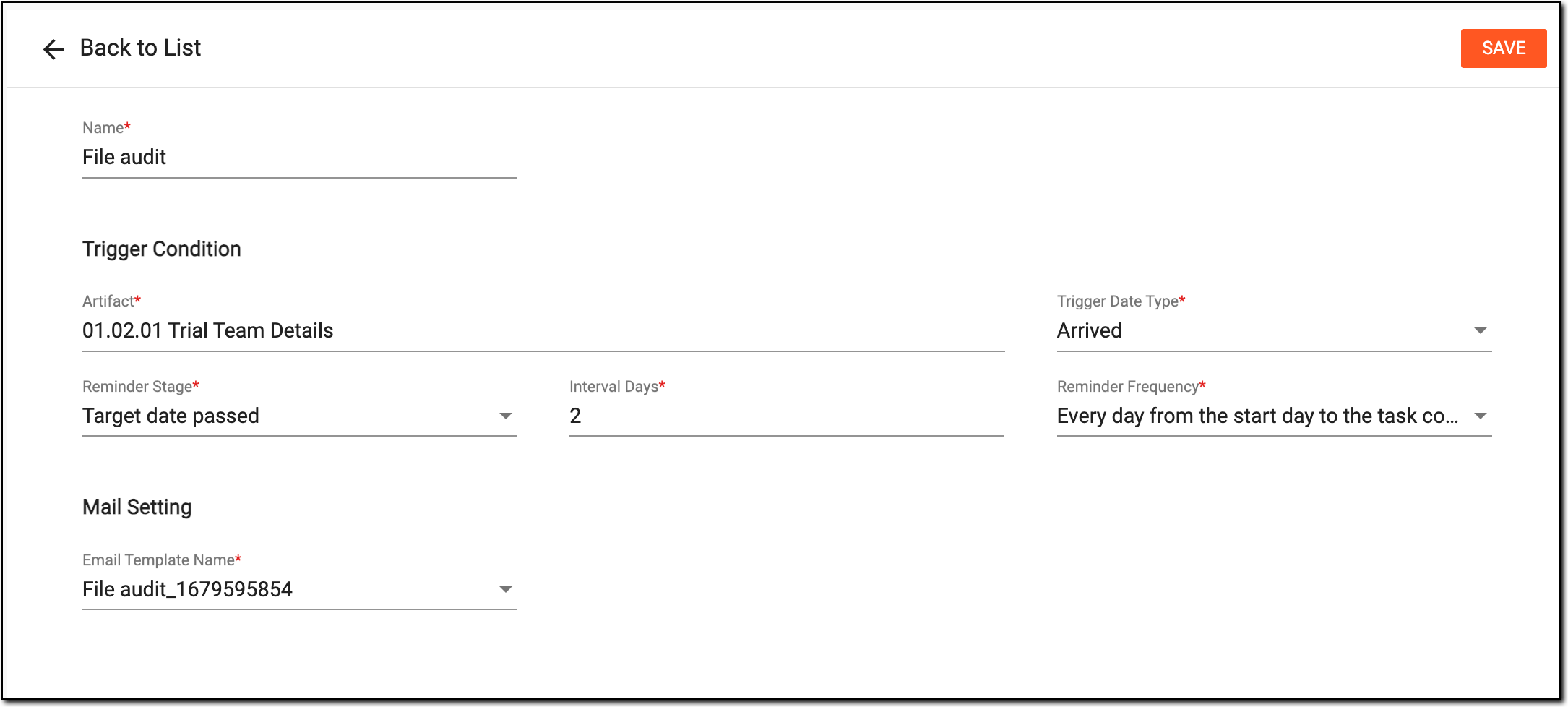 Figure 3. Editing task alert
-
Select
 to save the implemented changes.
Upon saving, the task alert edits are saved, and the recipients now receive the notifications according to the new logic.