Preview task alert email content
In eTMF, a task alert is a notification feature designed to keep users and stakeholders informed about important actions or deadlines related to the operations on files and folders in TMF.Task alerts ensure that all necessary activities are completed on time, helping to maintain the smooth operation of clinical trials.
For the previously configured alerts, you can preview the email content to see if it still fits your business needs.
-
In the eTMF application header, select the TMF tab.
-
In the Study List table that appears, locate the study for which you need to preview the task alert email content, and in the Action(s) column next to it, select More
 > Task Alerts
  .
.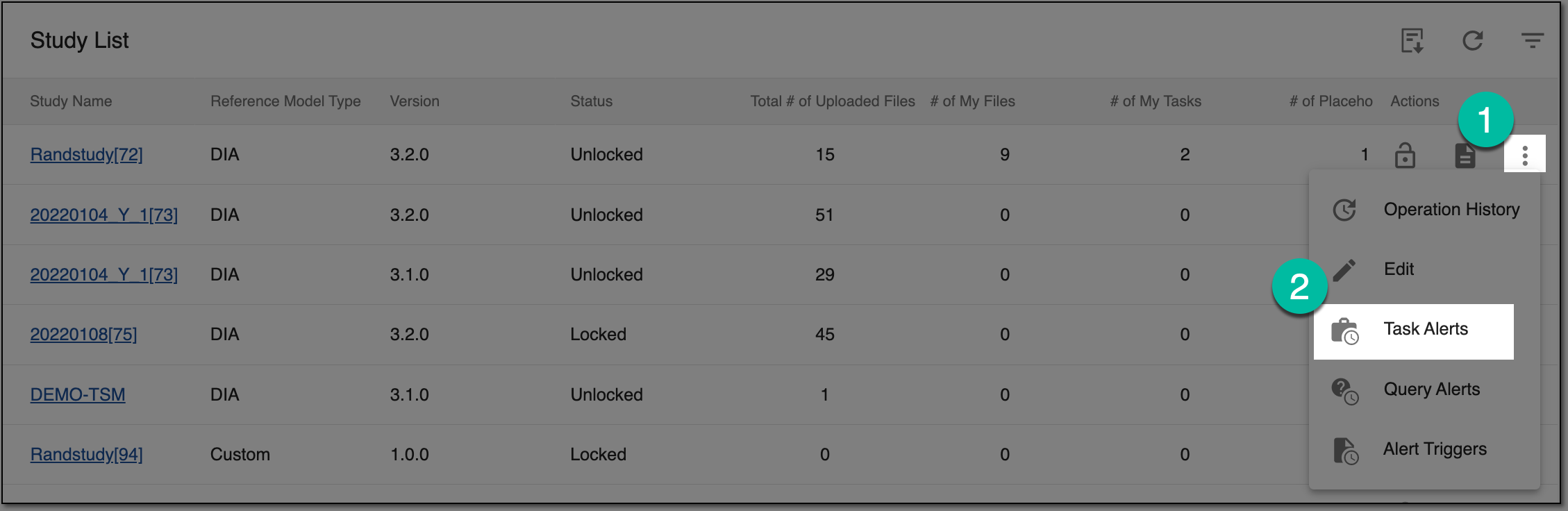 Figure 1. Accessing task alerts
-
On the Task Alerts page that opens, locate the task alert you want to preview and in the Actions column, select Preview
 .
. Figure 2. Selecting to preview task alert email
-
In the Mail dialog that opens, view the task alert email subject and content.
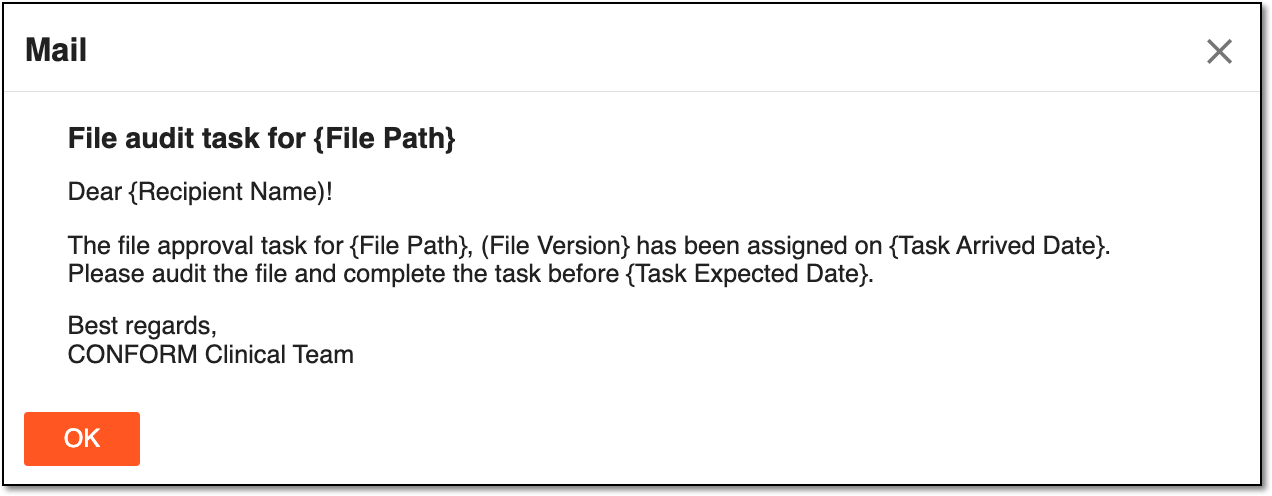 Figure 3. Previewing task alert email content
-
Select
 to close the dialog.
Upon closing the dialog, you return to the Task Alerts page, where you can also edit the task alert if its content is not fitting your needs.