Delete query alert
Queries are created to report any discrepancies, inconsistencies, or missing data found in study files. In eTMF, you can manually create query alerts for users responsible for addressing and fixing such issues.
In eTMF, you can delete a query alert is obsolete or no longer required in the future.
-
In the eTMF application header, select the TMF tab.
-
On the Study List table that appears, locate the study you need to delete. Then, in the Action(s) column next to it, select More
 > Query Alerts
  .
.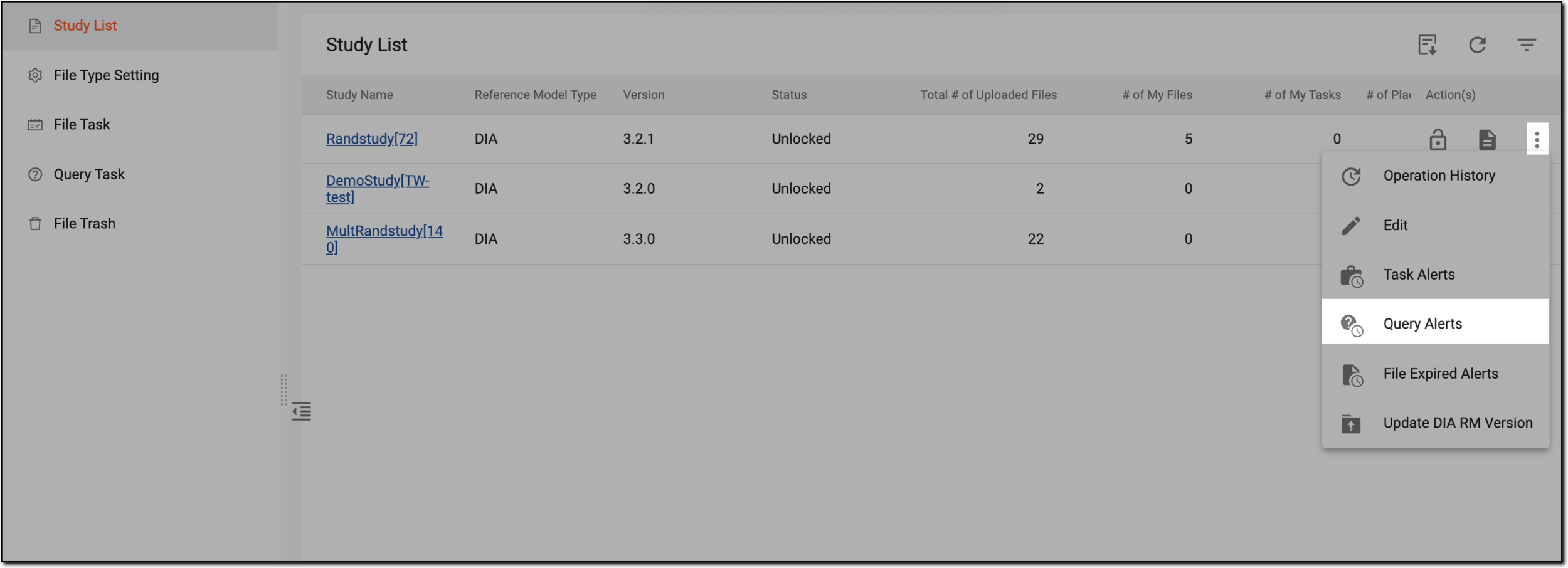 Figure 1. Accessing query alerts list
-
On the Query Alerts page that opens, go to the query alert you want to delete, and in the Action(s) column next to it, select More
> Delete  .
.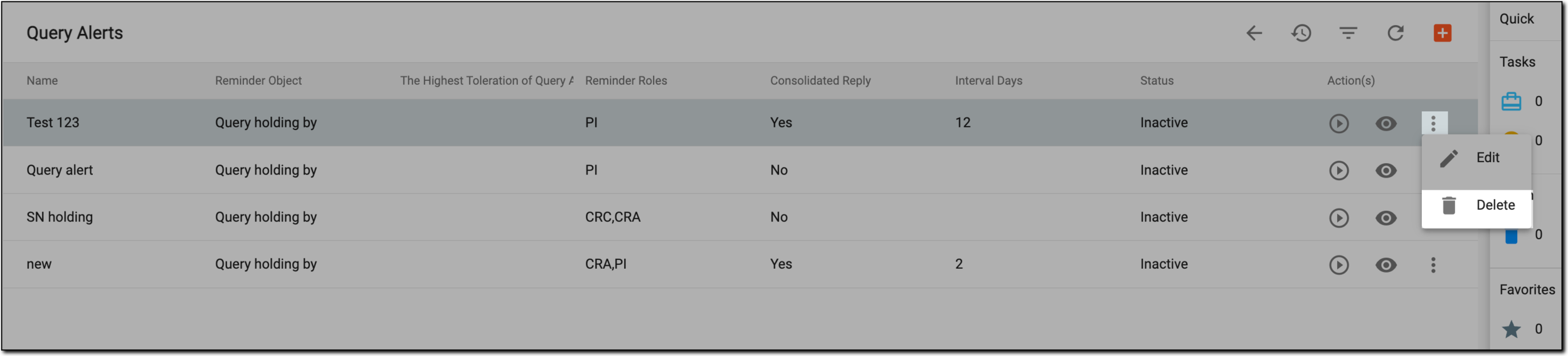 Figure 2. Deleting query alert
-
In the Delete Item dialog that opens, select
 .
.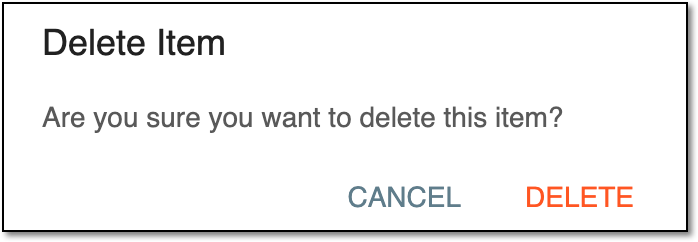 Figure 3. Confirming deletion
Upon deletion, the query alert is removed from the list of queries on the Query Alerts page.