Edit query alert
Queries are created to report any discrepancies, inconsistencies, or missing data found in study files. In eTMF, you can manually create query alerts for users responsible for addressing and fixing such issues.
You can edit previously configured query alerts to meet changing requirements.
-
In the eTMF application header, select the TMF tab.
-
In the Study List table that appears, locate the study that contains the query alert you need to edit. Then, under the Action(s) column, select More
 > Query Alerts
  .
.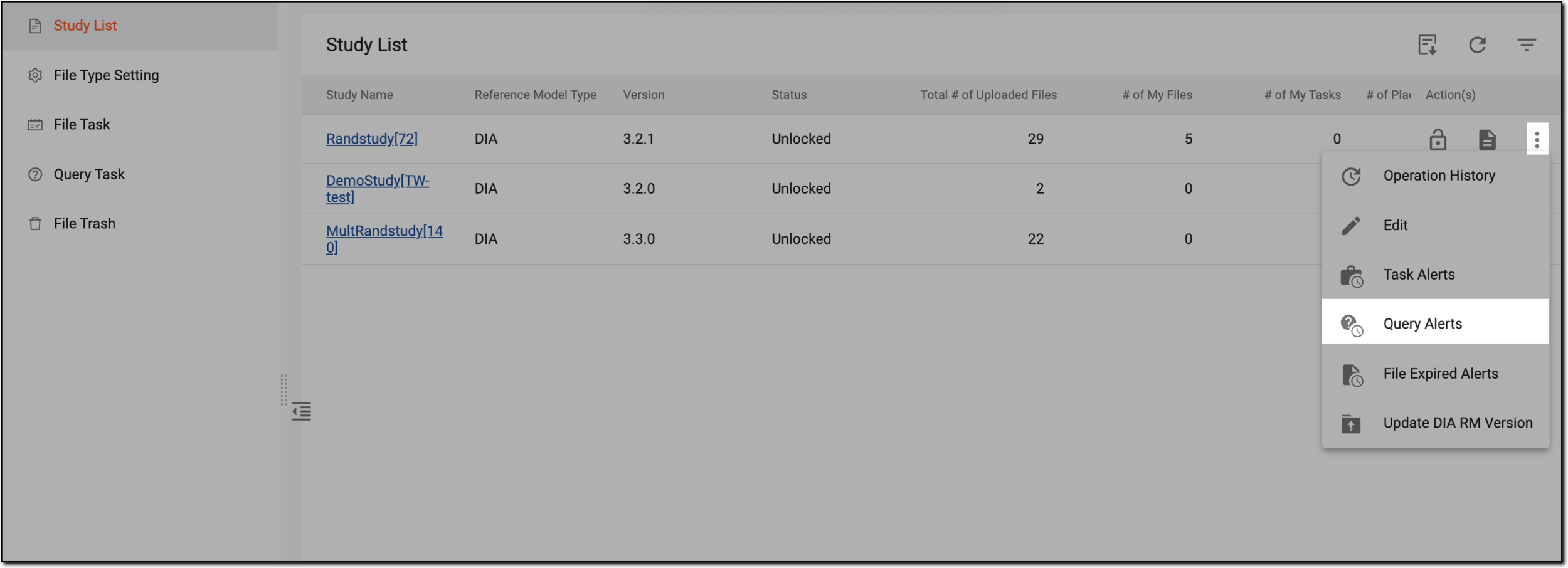 Figure 1. Accessing query alerts list
-
On the Query Alerts page that appears, location the query alert that you want to review, and in the Actions(s) column, select More
> Edit  .
.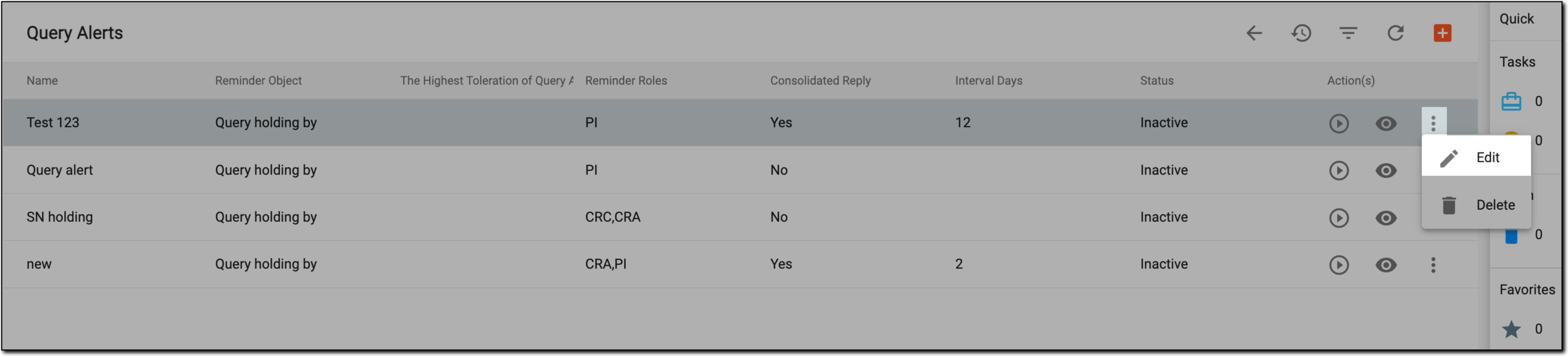 Figure 2. Query alerts list
-
On the page that appears, perform the changes as explained in the table of the Add query alert section.
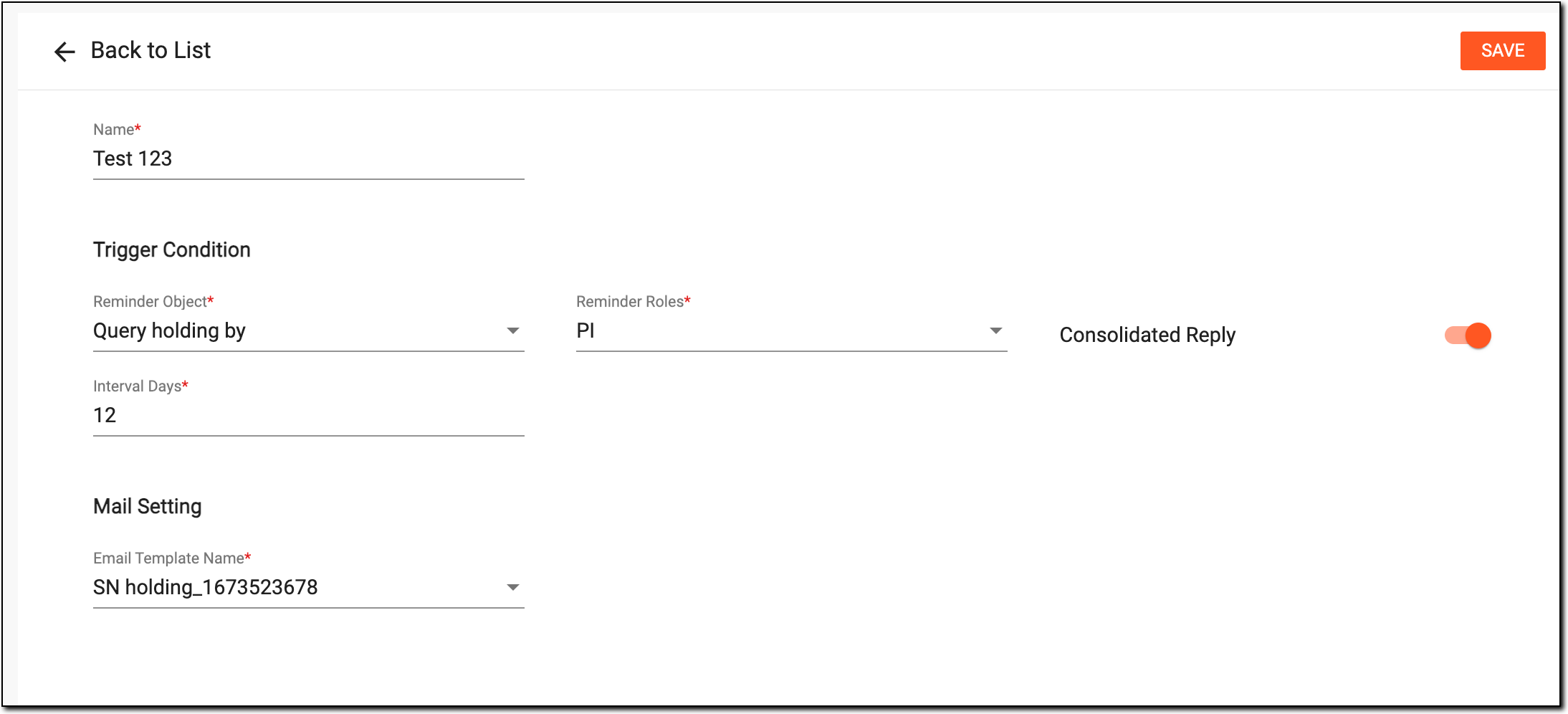 Figure 3. Editing query alert
-
Select
 .
.
Upon saving, the query alert edits are saved.