Manage depot information
A depot is a warehouse to which the drug manufacturer supplies drugs (items) to further distribute them between sites. The depots are created and configured via the CTMS app, whereas in IWRS, you can only view the depot information, such as contact details, level, and if it is a return depot (a recipient of items that sites need to return for some reason).
The only action available to you on the Depot Information page is to mark the depot as a return. All the other fields are read-only.
-
In the IWRS application header, select the DEPOT tab.
-
On the Depot List page that opens, in the table, go to the depot for which you need to view the details and select it.
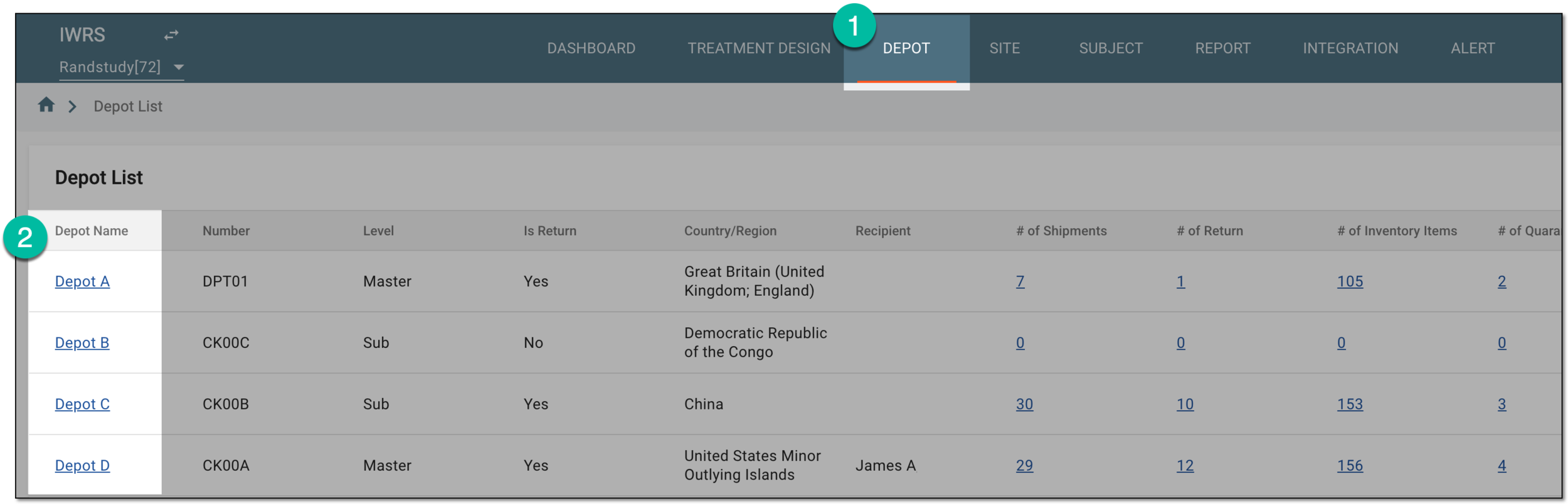 Figure 1. Selecting depot to open its details
-
On the Depot Information page that opens, you can view and manage the basic information about the depot as explained in the following table.
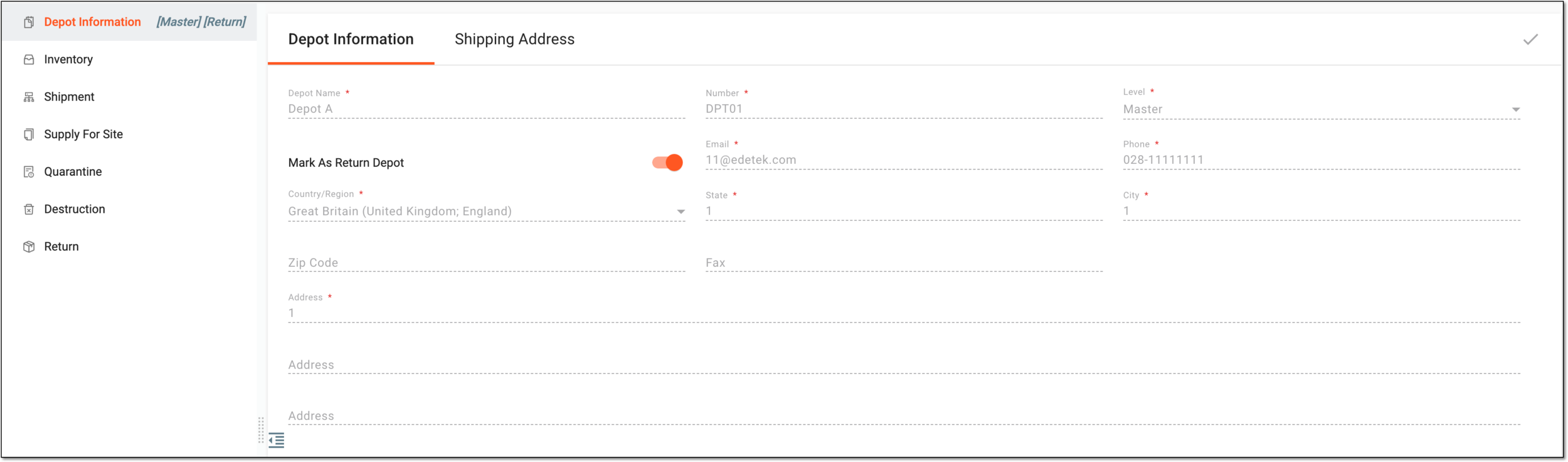 Figure 2. Viewing depot information
Element
Details
Depot Name
Represents a unique name of your depot.
If the depot is master-level or it has been marked as return, the respective tags are displayed next to the Depot Information subtab name. Figure 3. Master and return indicators
Number
Represents the depot number.
Level
Represents the relevant depot level—Master or Sub.
The depot level has no system logic but with it, you can see which depot is the main one in your logistic chain, and which is the subsidiary.Mark As Return Depot
Turn the toggle on to mark the current depot as a recipient of items (drugs) that sites need to return for some reason (leftover, expired, or else). The sites can only send items back to the depots that have been marked as a return.
If turned off, the depot is not considered as a return, and sites cannot send items back to this depot.
Email
Represents the contact email of the depot.
Phone
Represents the contact phone number of the depot.
Country/region
Represents the country or region of the depot location.
State
Represents the state of the depot location.
City
Represents the city of the depot location.
Zip Code
Represents the zip code of the depot to use for shipment and correspondence purposes.
Fax
Represents the fax number of the depot.
Address
There are three fields representing the address of the depot location. The first one represents the main address of the depot facility, and the other two are used to give the alternative address of the depot location.
SAVE
Select
 to save the implemented changes, namely, the return status of a depot.
Tip
You can use the toolbar navigation to switch to another depot details without returning to the Depot List page.
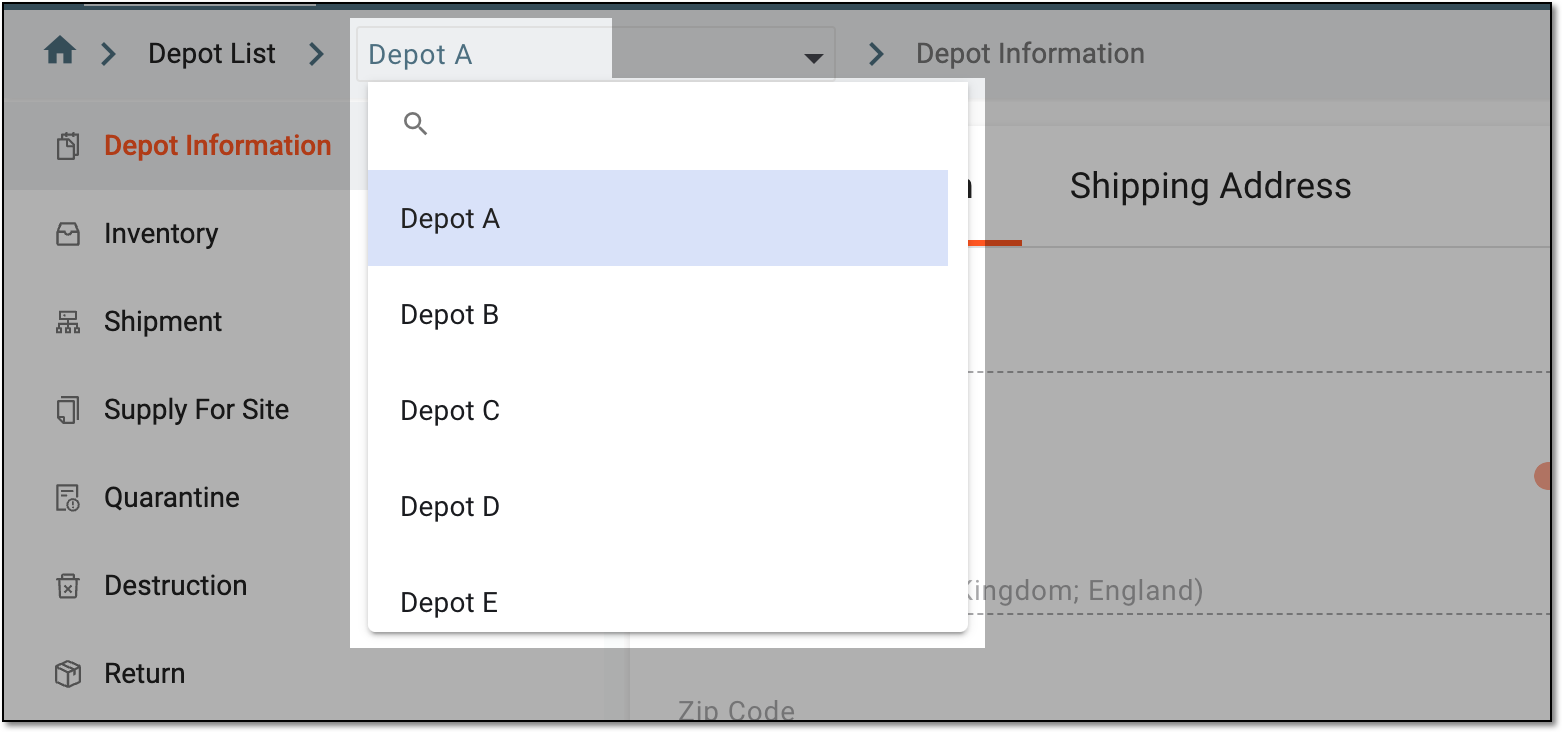 Figure 4. Navigating between depots from toolbar
Upon saving, you have updated the depot information, namely, if the depot is a return or not.