View item information
In IWRS, you can view the details of each item (product unit) in the depot inventory. This might be helpful to check the number of days left before the drug expiration so that you can manage it properly, the number of unnumbered items (such as tablets) within the packaging, and other useful details.
-
In the IWRS application header, select the DEPOT tab.
-
On the Depot List page that opens, in the table, go to the depot in whose inventory you want to view item information.
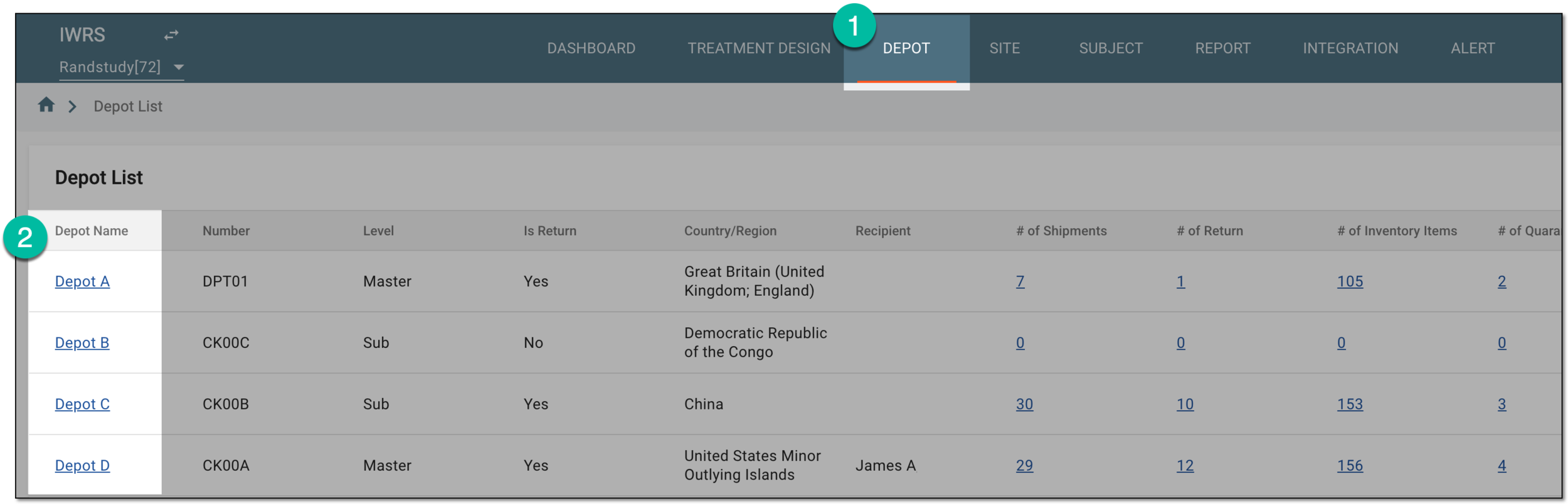 Figure 1. Selecting depot to open its details
-
On the Depot Information page that opens, in the left pane, select the Inventory subtab.
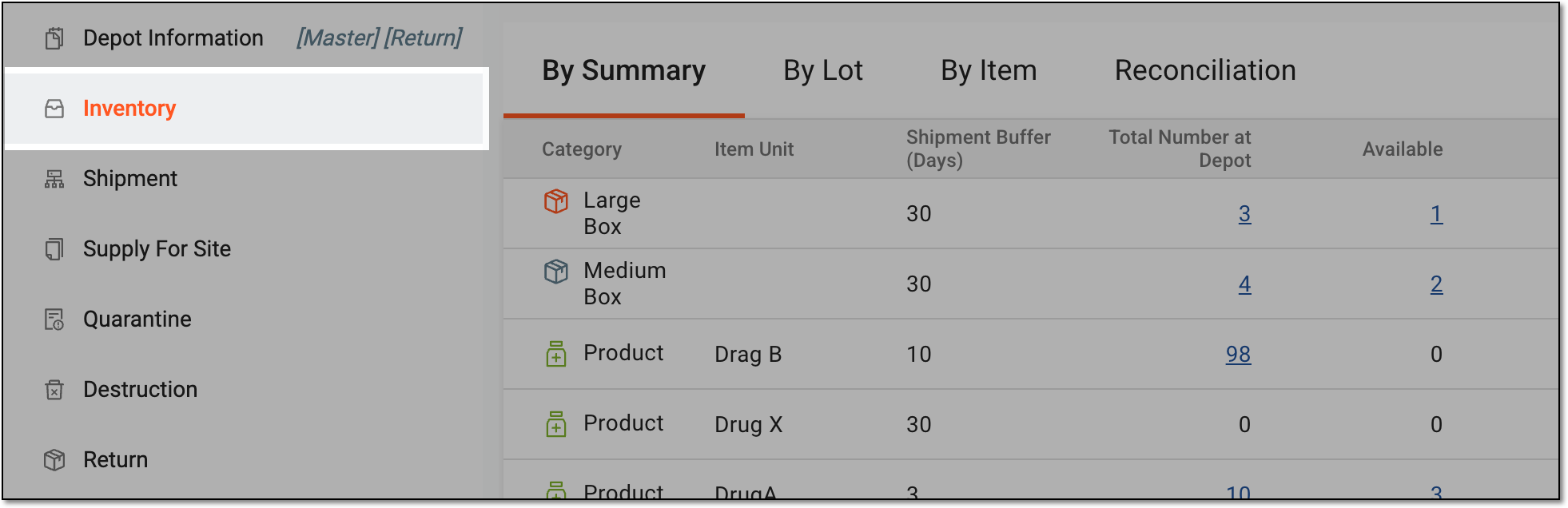 Figure 2. Accessing depot inventory
-
Select the By Item tab and in the list of items, locate the item for which you want to view information and next to it, select Info
 .
.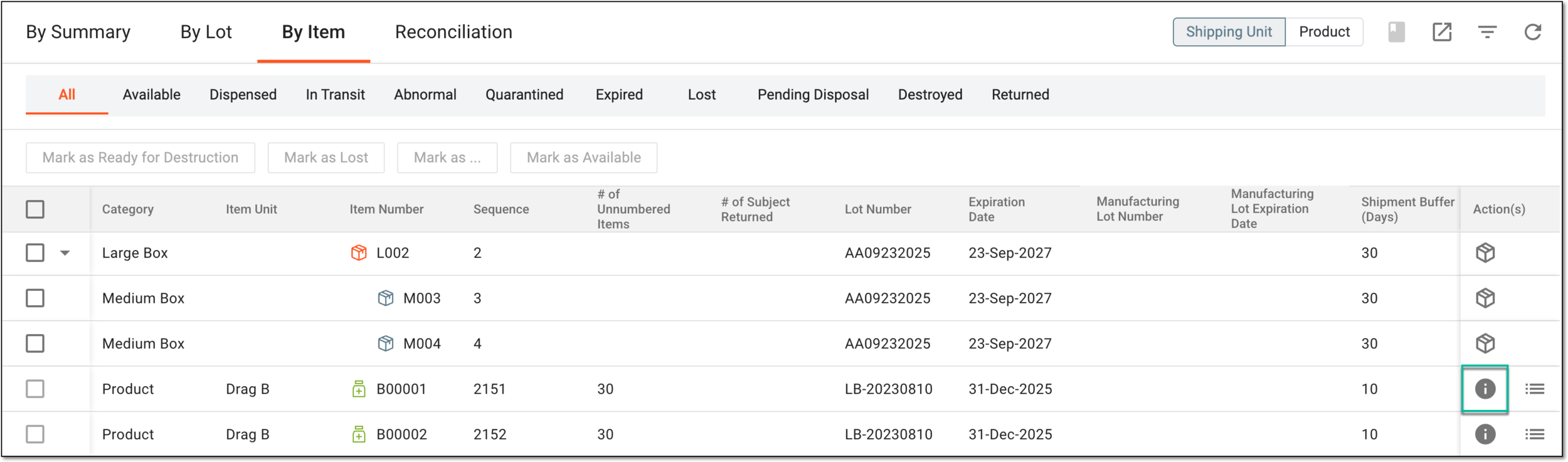 Figure 3. Selecting option to access item information
Important
The item information functionality is unavailable for container units.
-
In the Details dialog that opens, you can view all the information you need.
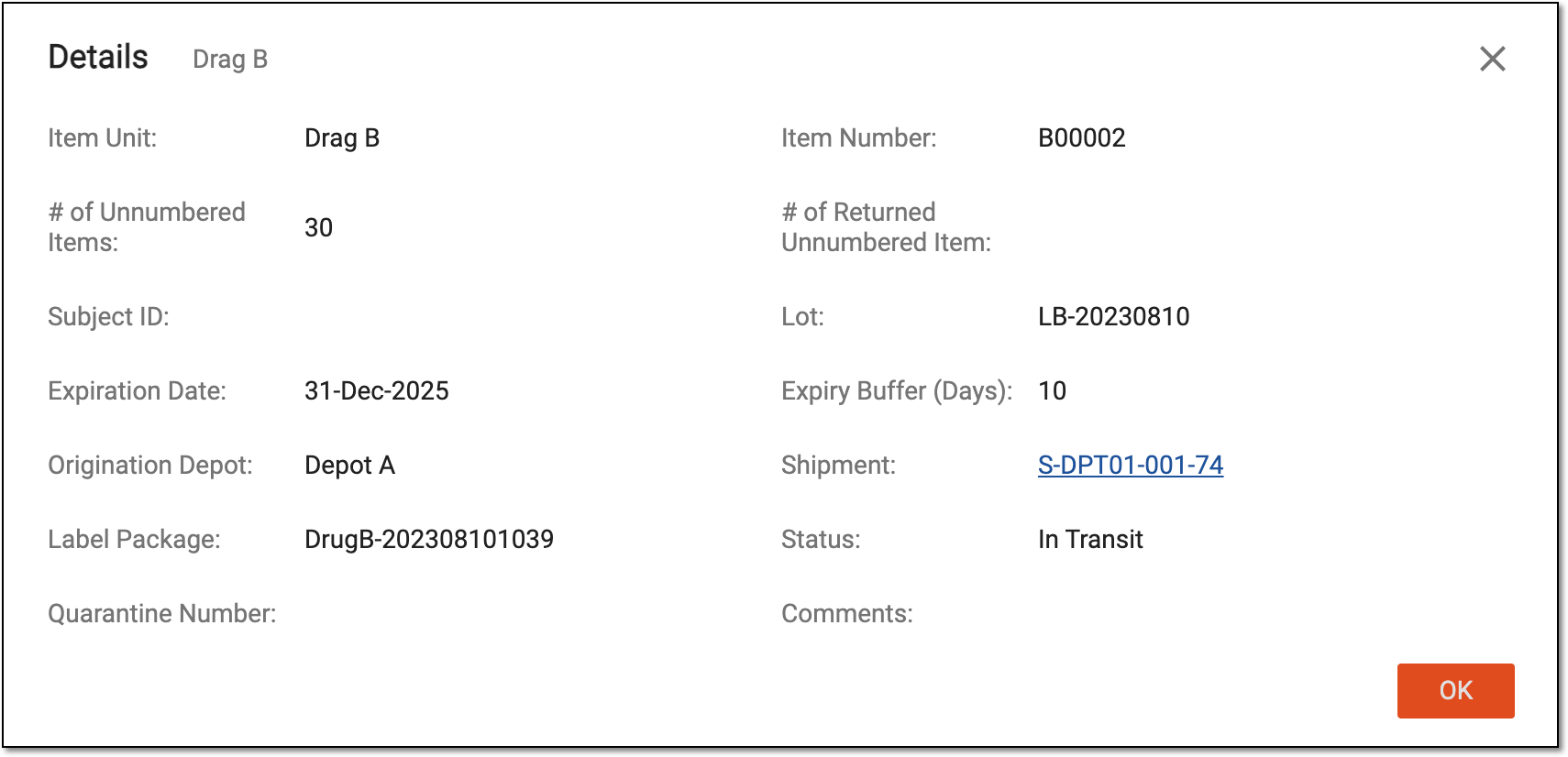 Figure 4. Viewing item information
-
Select
 or
or  to close the dialog.
You have viewed the item information. If you need the historical data on your item, go to item audit data.