Edit workflow
In CTMS, you can edit the existing workflows. This may be required if you want to add or remove a node from the workflow, adapt the workflow to match the updated study protocol requirements, or due to some other reason.
-
In the CTMS application header, select the LIBRARY tab.
-
On the page that opens, from the left pane, select the Workflow Setting subtab (if not opened by default).
 Figure 1. Accessing workflow setting
-
From the Workflow List table, locate the workflow that you want to edit. Then select its name or from the Action(s) column next to it, select Edit
 .
.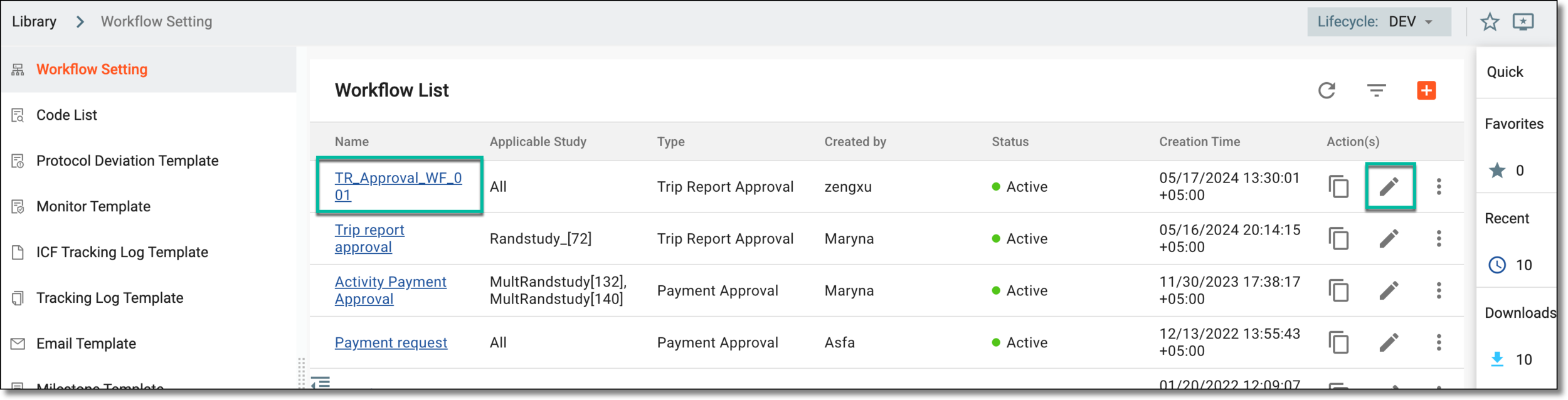 Figure 2. Accessing options to edit workflow
-
In the workflow designer that appears, edit the workflow by using any of the following actions as required—update the name, add or remove nodes, change the node linkage, or update the node settings—as explained in the following sections.
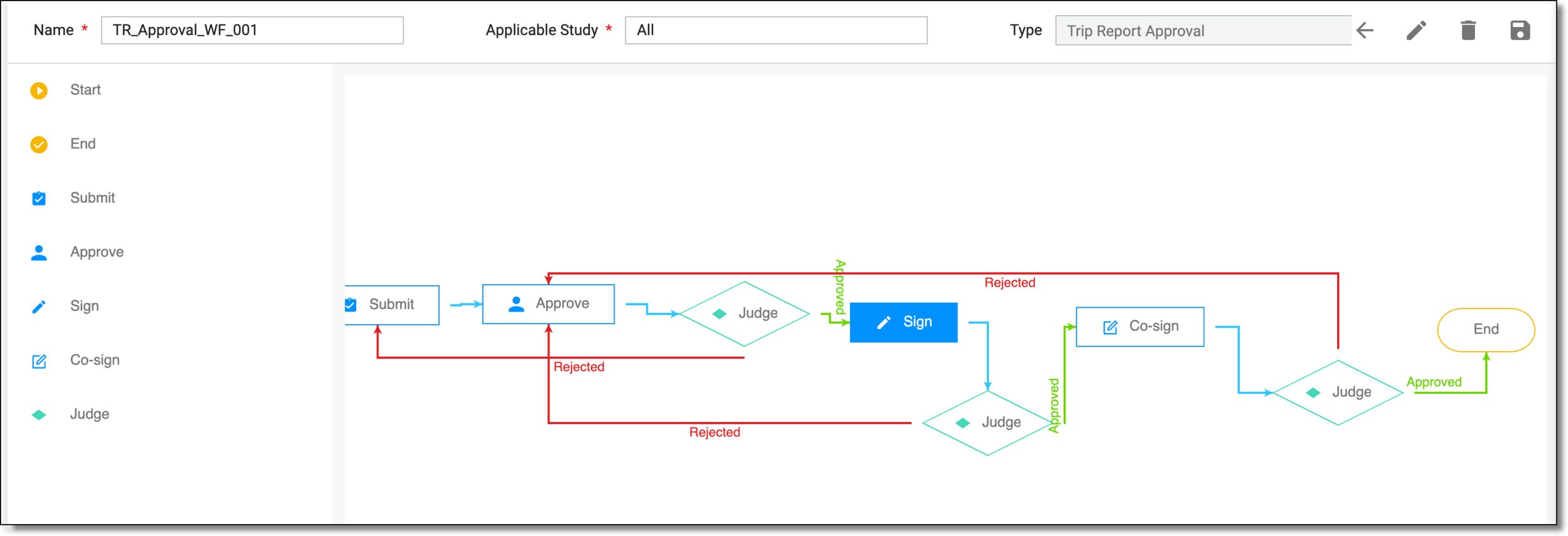 Figure 3. Editing workflow
-
Once you have edited the workflow, from the workspace toolbar of the workflow designer, select Save
 .
.
After the changes are saved, the workflow is edited, and the respective CTMS process now corresponds to the updated workflow tasks.
A schema, each step of which represents a stage of a specific entity lifecycle in the system.
A workflow can be considered an instrument to help control various actions on system entities for the sake of accountability, as it limits the actions that can be performed on the entity associated with a workflow. This provides an additional tier of scrutiny, and the approval/rejection mechanism reduces the risk of unintended impact on sensitive resources and important information.
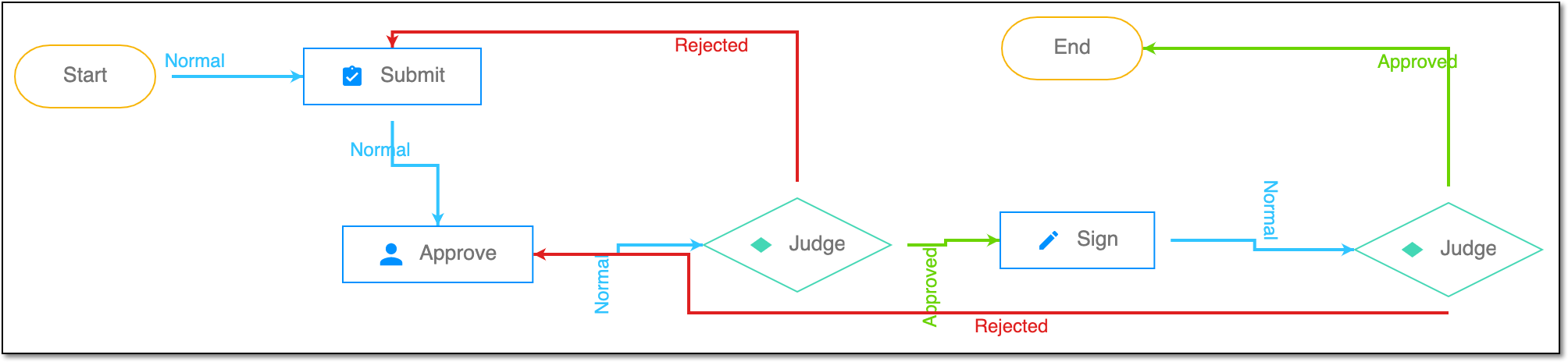 |
For instance, in eTMF, the workflow dictates the procedure of file and folder management from the moment of upload to the approval stage; in CTMS, the workflow controls the process of creation, completion, and approval of a trip report; in EDC, the workflow covers the process of source document handling.