Activate/Inactivate item unit in supply plan
In IWRS, you can select a supply plan, according to which the site's shipment and dispensation occur. The supply plan covers multiple product unit that have to be stocked at the site to cover the subject treatment needs. Sometimes, you might want to halt some product shipping to a site, although you know that later you would need to resume it. Thus, instead of deleting that product from the supply plan, you can temporarily inactivate it.
Inactivating one of the products pauses the autosupply, meaning that the system stops triggering shipments for it. To restore the autosupply, simply activate the product in the supply plan.
-
In the IWRS application header, select the SITE tab.
-
On the Site List page that opens, in the table, select the site code of your interest.
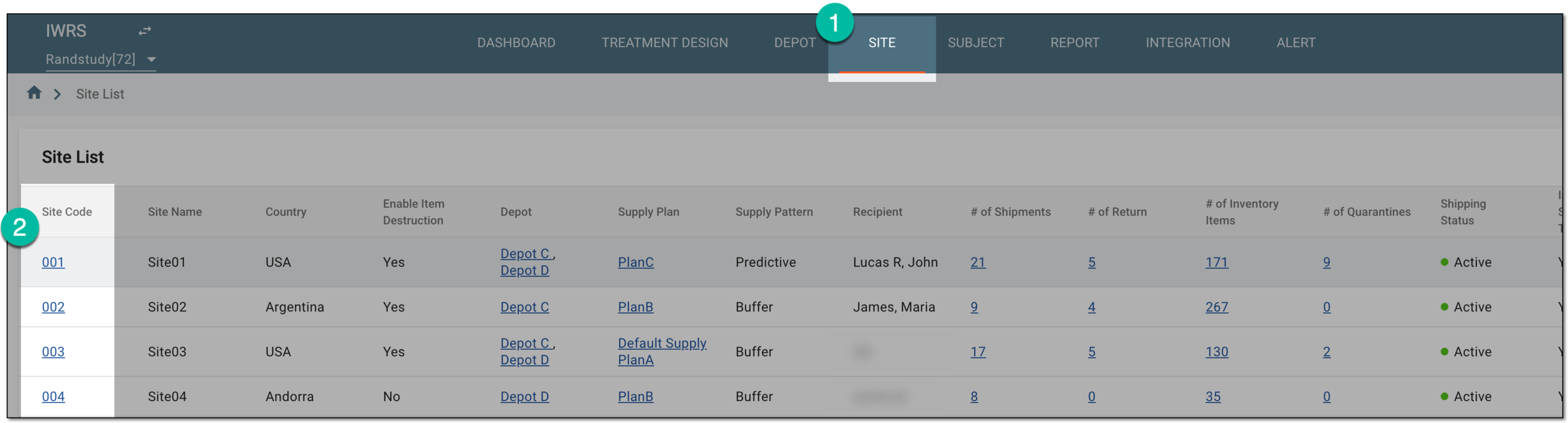 Figure 1. Selecting site to open its details
-
On the page that opens, in the left pane, select the Supply Plan subtab.
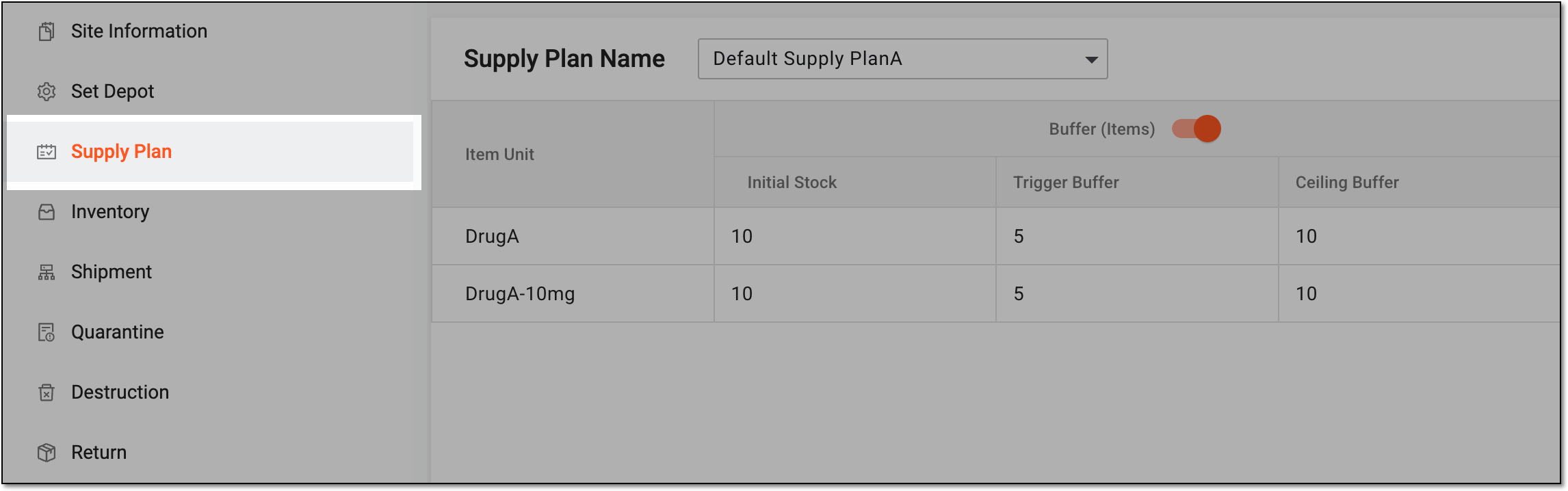 Figure 2. Accessing site supply plan
-
On the Supply Plan page that opens, next to the needed product, select one of the following options:
-
Activate
 : select to activate the previously inactivated item unit and restore its autosupply to the site.
 -
Inactivate
 : select to inactivate the item unit and pause its autosupply to the site.
 Figure 3. Activating/Inactivating item unit in supply plan
-
Upon selection, the item unit is activated or inactivated for the supply plan. The inactive units are not accounted for when the site autotriggers the supply shipments until activated again.