View subject lab normal range report
In a clinical trial, normal ranges of laboratory data are set individually in each specific situation, subject, group of subjects, or else. In EDC, you can keep track of all normal ranges per subject in the study using the Subject Lab Normal Range report. Here, you can see upon which lab normal range the subject data at each visit is measured and whether it has changed.
-
In the application header, select the REPORTS tab.
-
On the page that opens, in the left pane, select the CRF Status subtab to expand the list of available reports and select Subject Lab Normal Range.
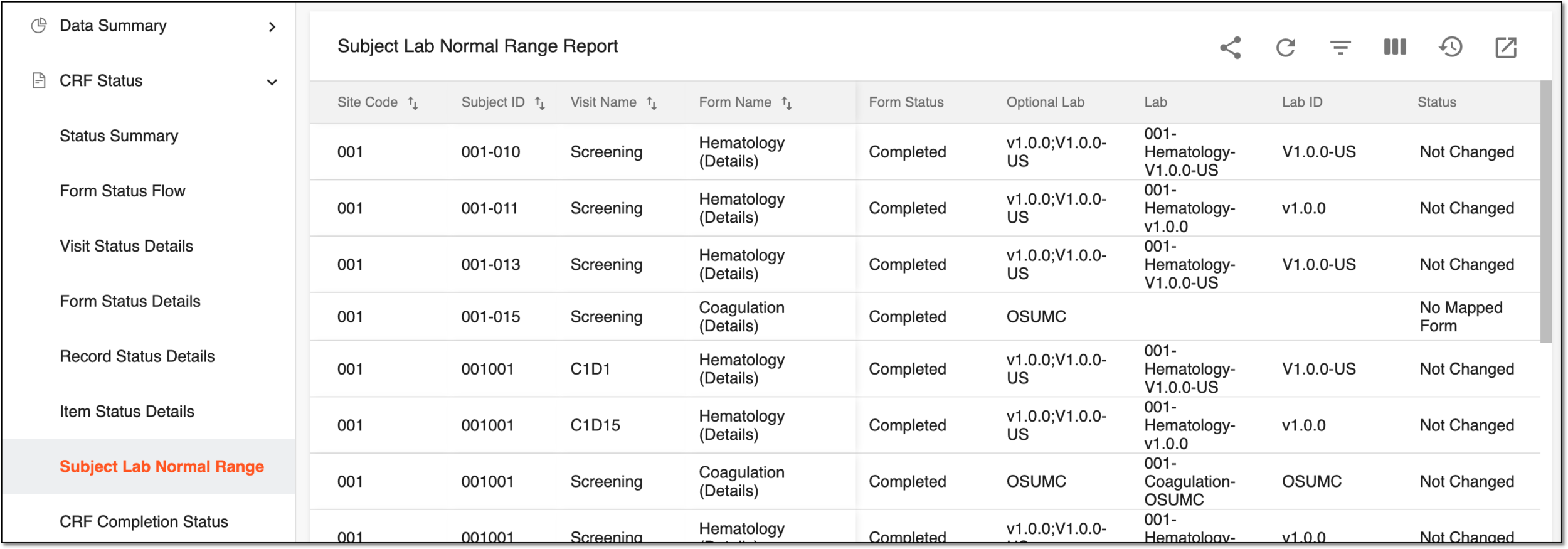 Figure 1. Viewing subject lab normal ranges
Tip
You can also associate the optional lab version with only one to the completed subject form. To do that, on the workspace toolbar, select Auto-assign Lab
 , and in the confirmation dialog that opens, select
  .
.
Once the report details are studied, you can leave the page or perform other suggested manipulations.