Activate/Inactivate tag
In the IWRS system, only the active tags can be added to items via the Depot inventory by item and Site inventory by item functionality. If for some reason you need to hide your tag from being used in the IWRS system but not delete it permanently, the inactivation is the best option for that. The inactive tags are only visible and can be accessed under the TREATMENT DESIGN tab > Tag subtab.
To activate or inactivate a tag
-
In the IWRS application header, select the TREATMENT DESIGN tab.
-
In the left pane, select the Tag subtab.
-
In the Tag List table, next to the needed tag, select Activate
 or Inactivate
  .
.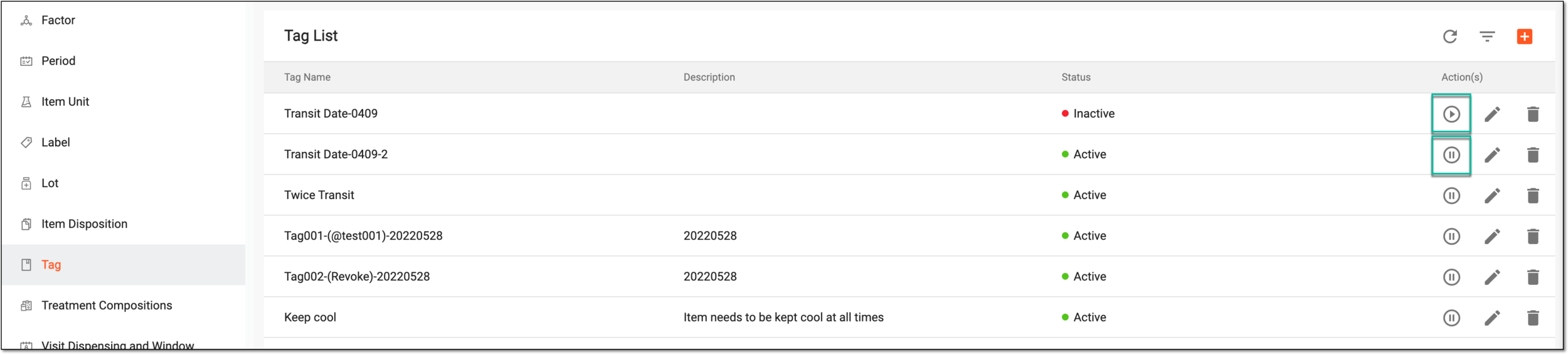 Figure 1. Activating/Inactivating tag
Depending on the chosen action, the tag is activated or inactivated. You can also permanently delete unused tags.