Edit factor
In a clinical trial, a factor is a condition that influences subject randomization and drug dispensation. The factors can be age, gender, health condition, and so on. During the trial conduct, your factors may change according to evolving needs and protocol requirements.
In IWRS, at any time, you can make updates and edits to your previously added factors. For example, you may want to change the treatment factor range, update the descriptive information on your factor, add more or change existing factor values, and so on.
Important
If the factor is used as the cohort inclusion criteria or in any subject dispensing plan in IWRS, updating this factor's values affects the existing settings for the cohort or dispensing plan using it.
For instance, if a cohort is intended for allocation of subjects by age from 18 to 25 and you change this factor value to 18-35, the cohort allocation algorithm is updated automatically.
-
In the IWRS application header, select the TREATMENT DESIGN tab.
-
In the left pane, select the Factor subtab.
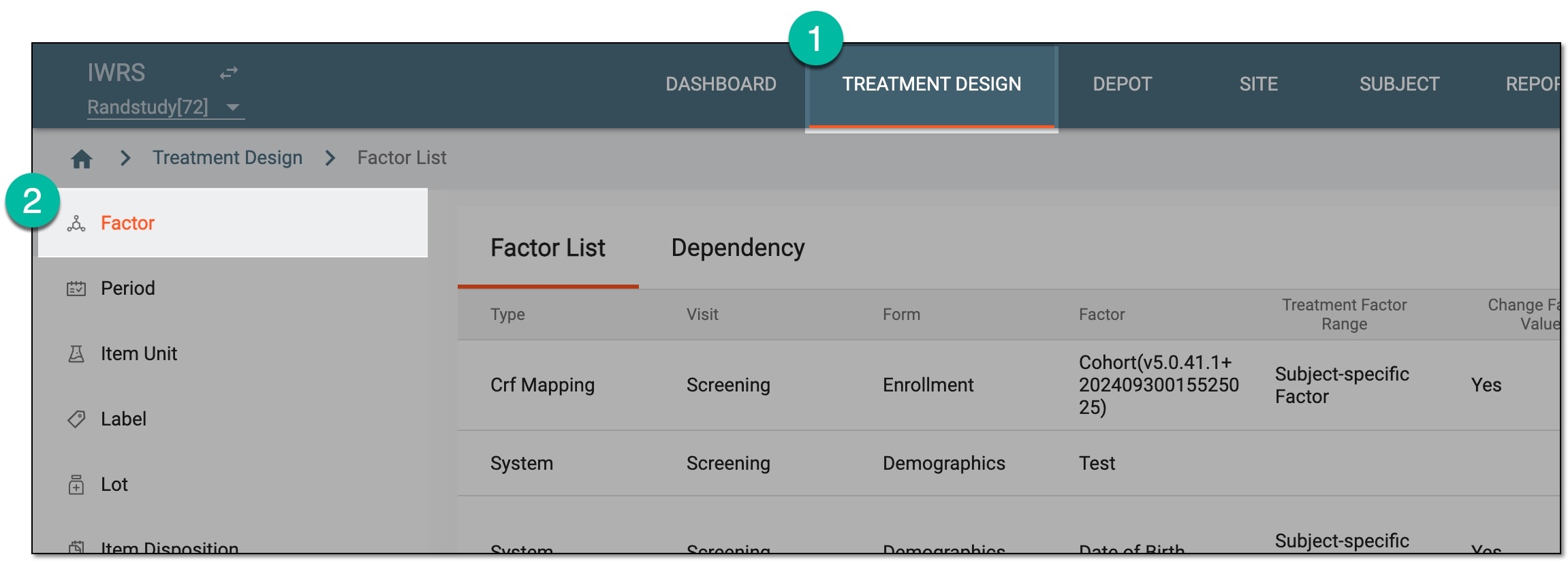 Figure 1. Accessing factor list
-
In the Factor List table that appears, go to the factor that you want to update and select Edit
 next to it.
 Figure 2. Selecting to edit factor
-
In the Edit dialog that appears, update the factor details based on its type as follows:
-
Manual: for this factor type, all fields can be updated. These fields are identical to the ones explained in the table of the Add manual factor section.
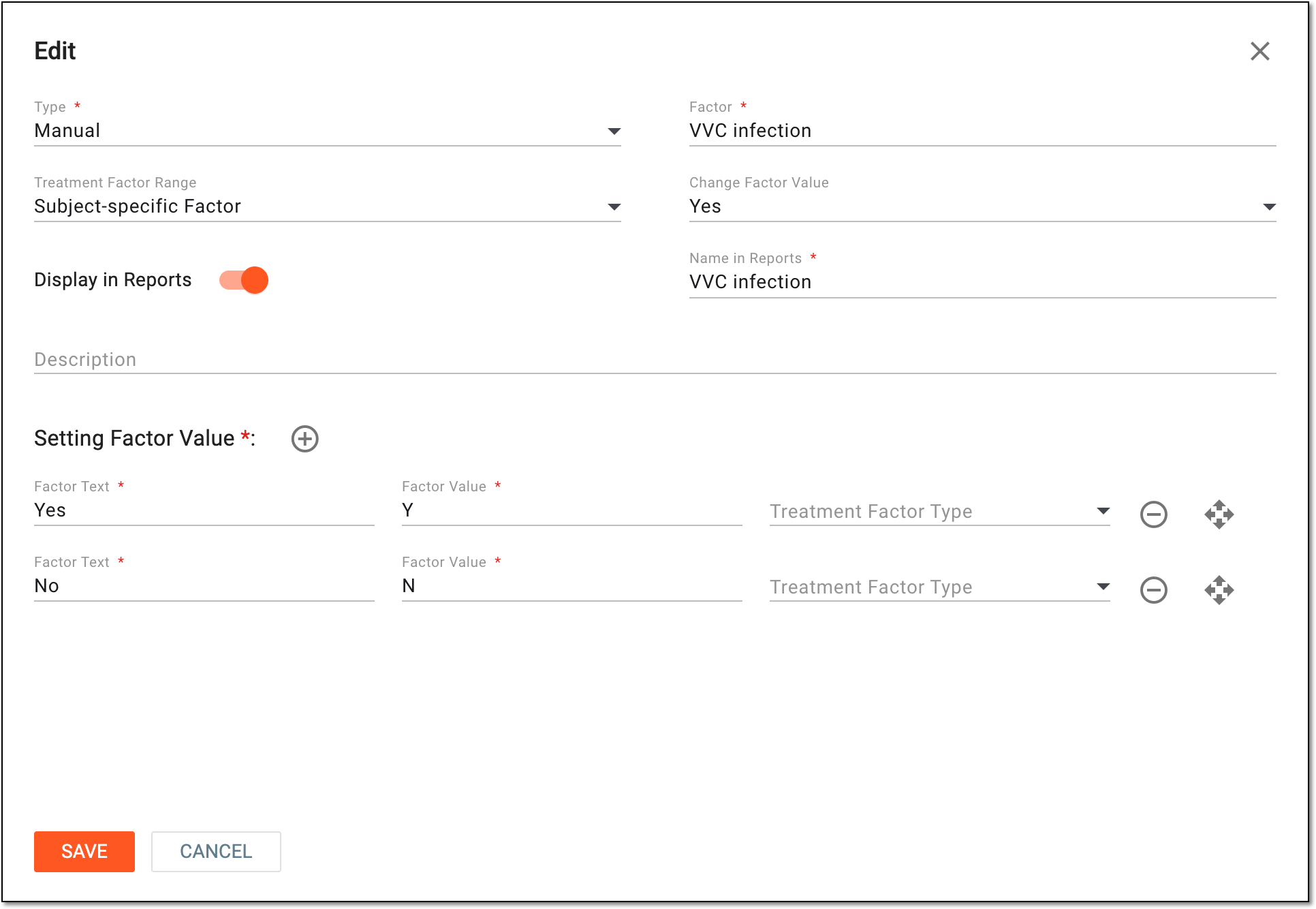 Figure 3. Editing manual factor
-
System: for this factor type, only the Display in Reports, and Name in Reports fields can be updated. These fields are identical to the ones explained in the table of the Add system factor section.
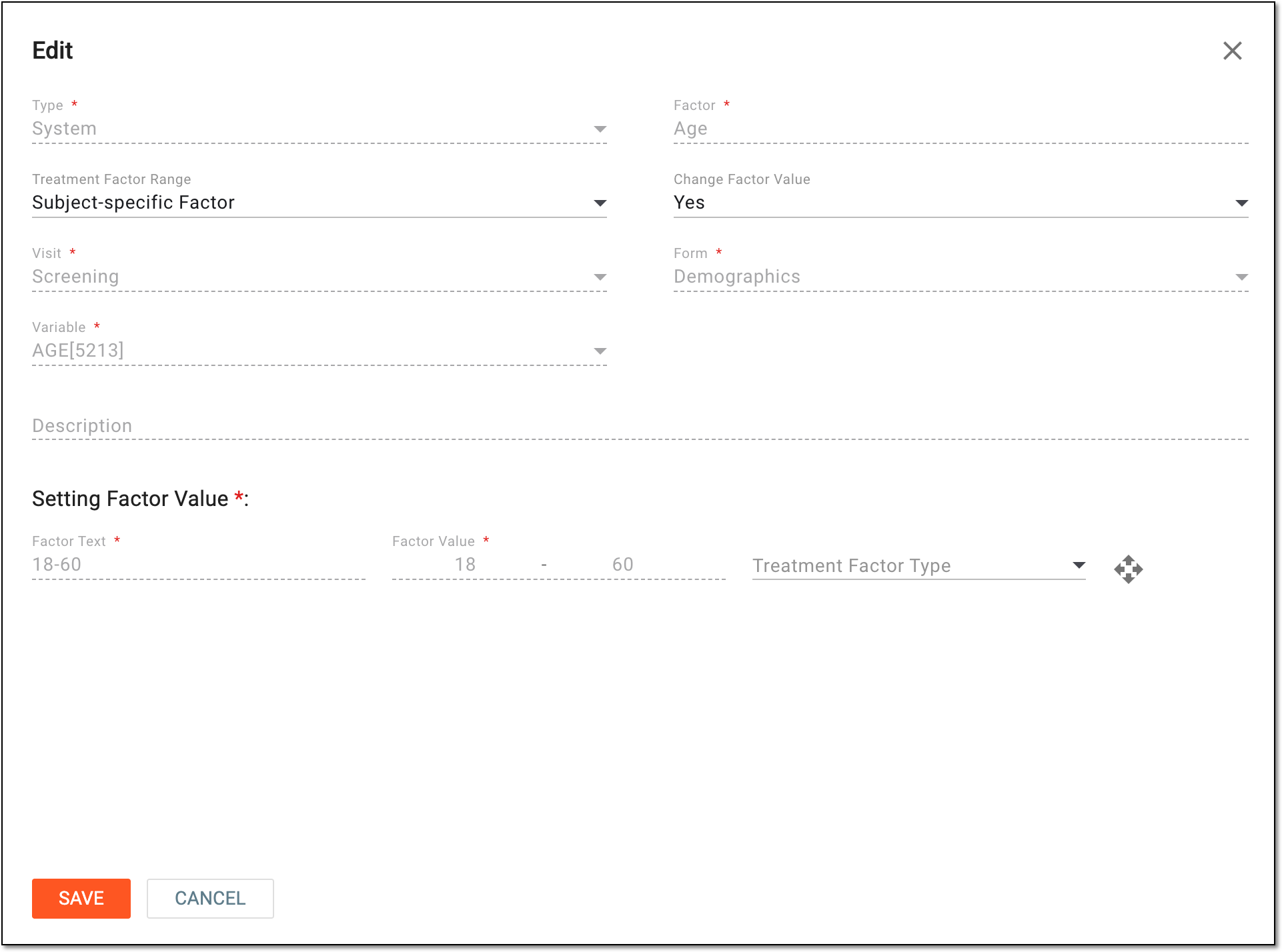 Figure 4. Editing system factor
-
Read Only: for this factor type, all fields can be updated. These fields are identical to the ones explained in the table of the Add read-only factor section.
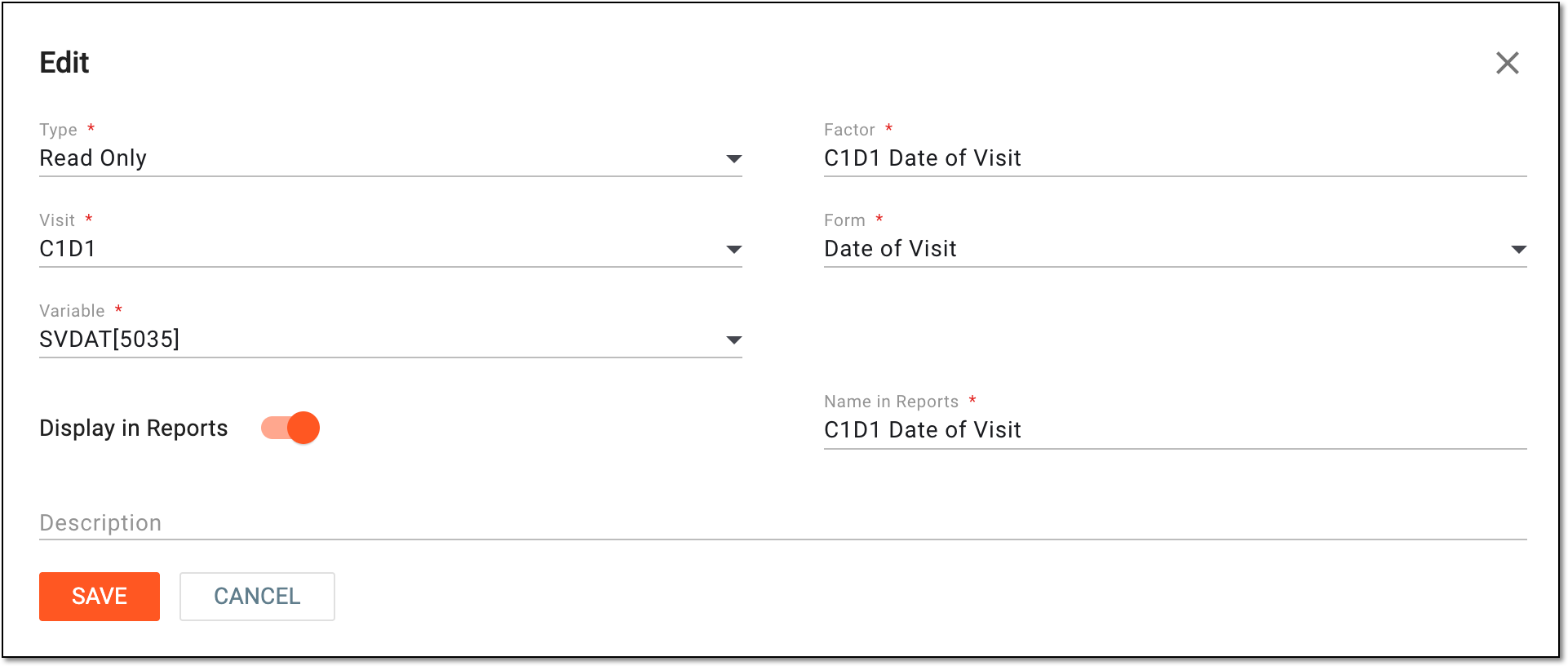 Figure 5. Editing read-only factor
-
CRF Mapping: for this factor type, the fields are derived from EDC; thus, only the following fields can be edited in IWRS: Treatment Factor Range, Change Factor Value, Treatment Factor Type, Display in Reports, and Name in Reports. These fields are similar to the ones explained in the table of the Add manual factor section.
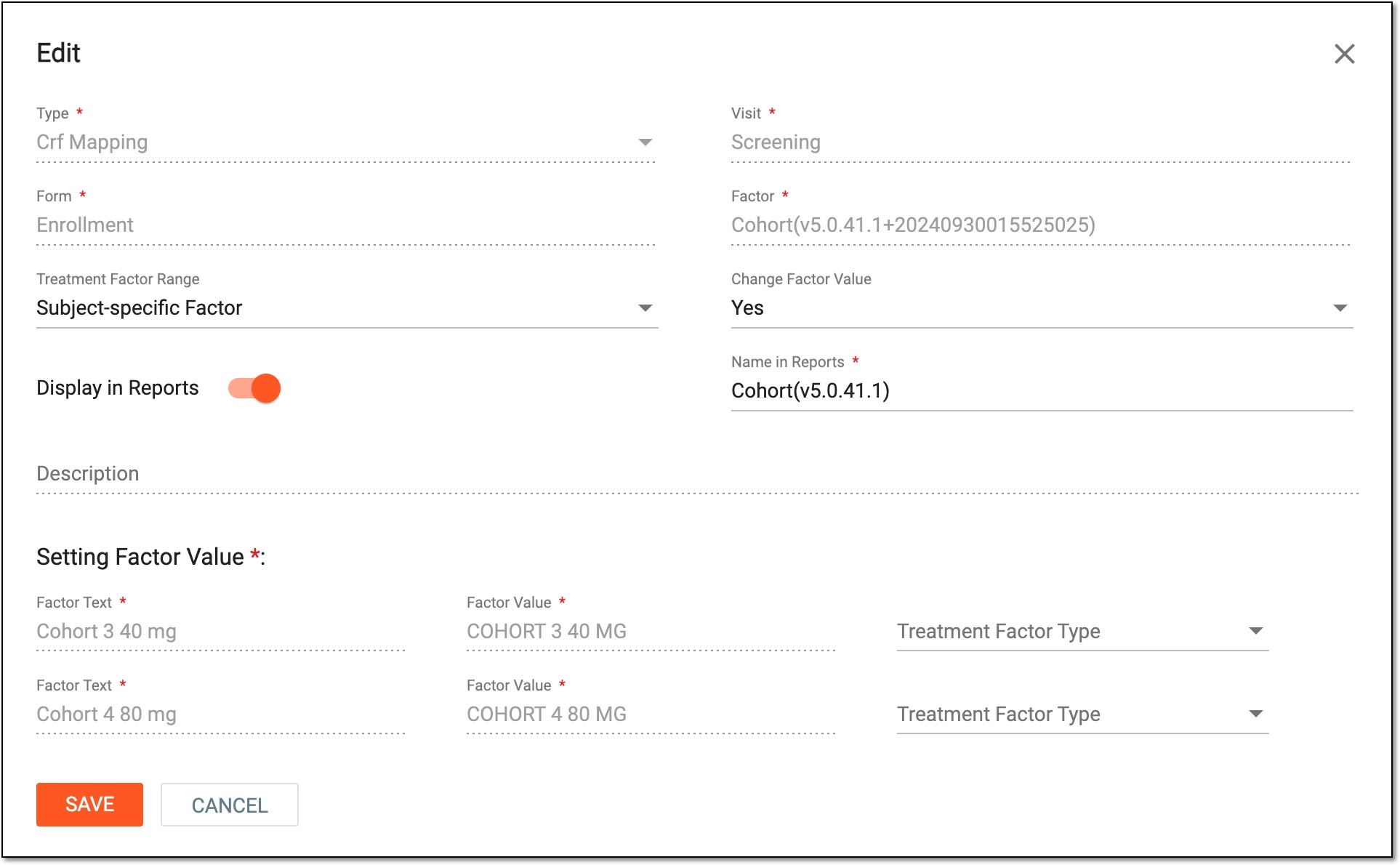 Figure 6. Editing factor of CRF Mapping type
-
Once all the changes are saved, your factor has now been updated.