Reverse subject phase change
While managing subject phases in EDC, you might need to reverse some actions, such as when the subject phase is changed prematurely or by mistake.
Important
From the master study, you cannot reverse the action of moving the subject to the substudy phase. Open the EDC application from the substudy to access the subject and reverse their phase change, thus, moving them back from substudy to master study. In the substudy, the subject status changes to Inactive, and in the master study, the status becomes Active.
The Reverse functionality is also handy if you have previously discontinued certain CRFs associated with a specific subject, their individual pages, or the entire subject, you may reverse this action in case the discontinued CRFs or subject must rejoin the study.
-
In the EDC application header, select the DATA ENTRY tab.
-
On the site list page that opens, select the tile representing the site with which you want to work.
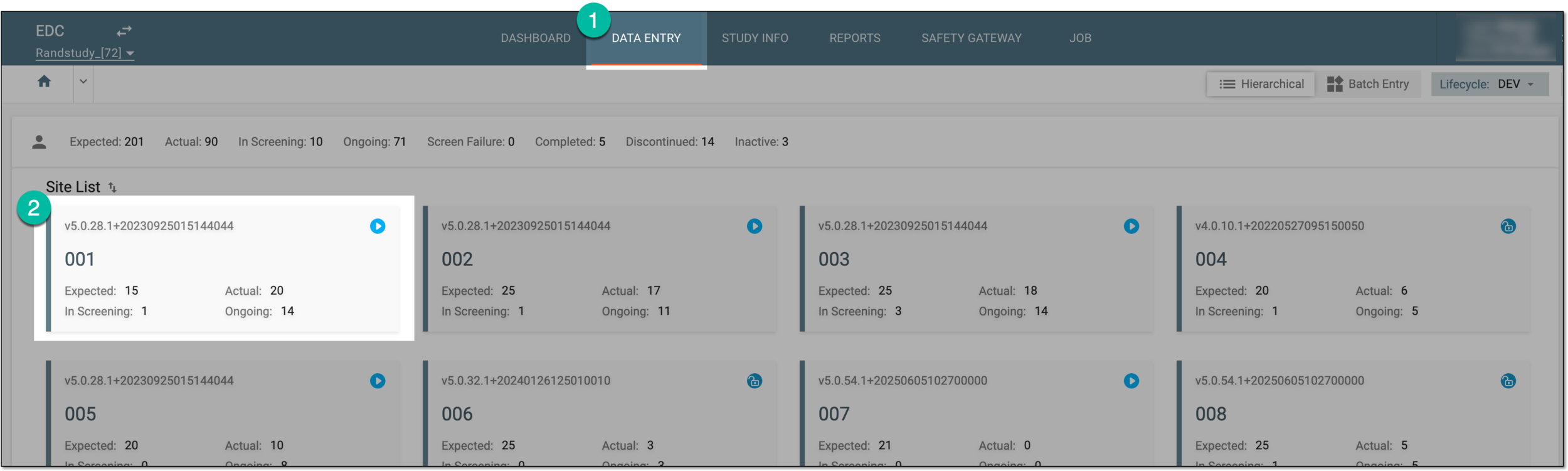 Figure 1. Accessing site
-
In the Subject List table that opens, locate the needed subject and next to them, from the Action column, select More
 > Reverse
  .
.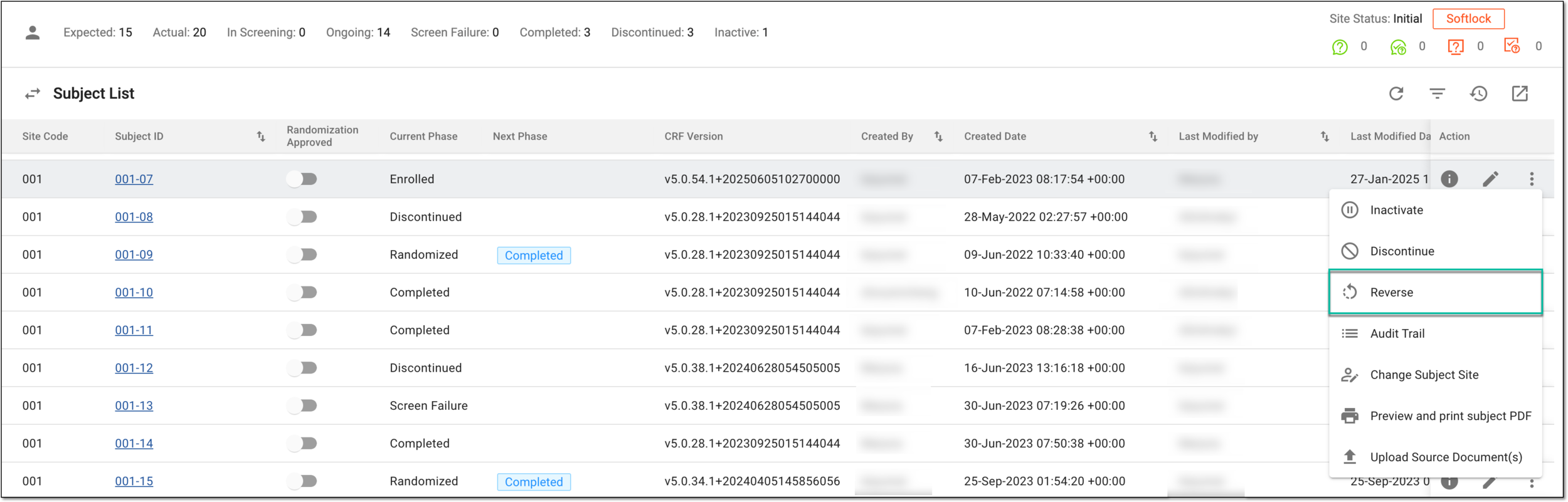 Figure 2. Selecting option to reverse subject phase change
-
In the Reverse Reason dialog that opens, enter the reason for reversing the discontinuation and select
 .
.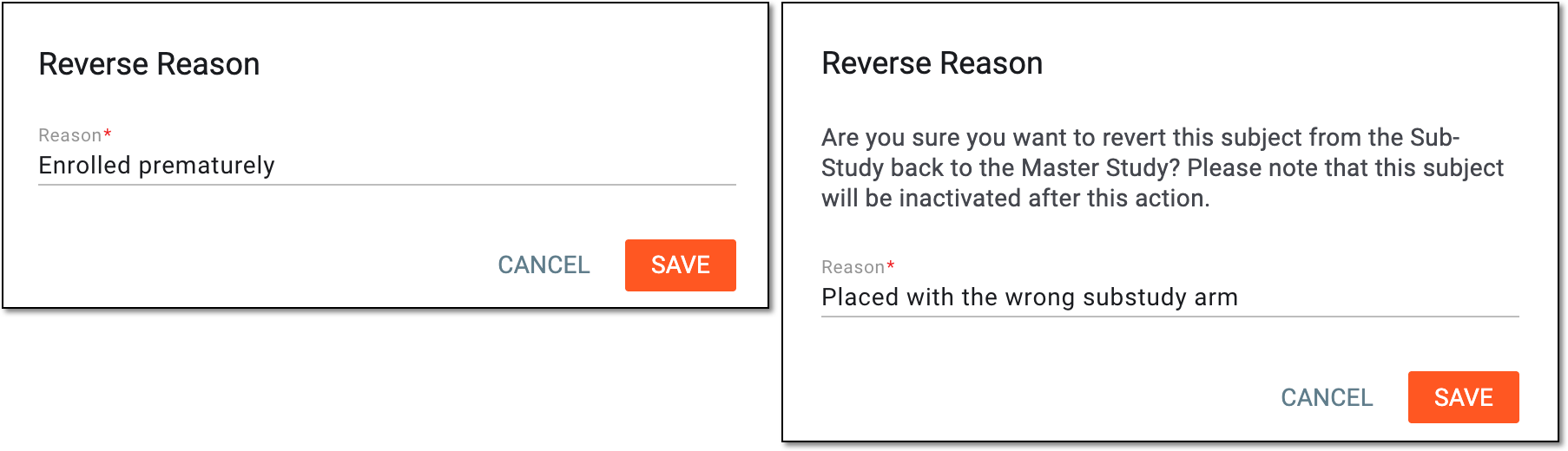 Figure 3. Examples of confirming phase reversal with reason
Once saved, the subject phase change is reversed and the subject returns to their previous phase. If upon the phase change reverse the subject is returned to the master study, in the substudy, their status becomes Disabled by User, and in the master study, they obtain their previous phase and can be managed as needed.
The action is recorded by the system, and the history of such actions can be reviewed via the Audit Trail functionality.
A specific phase that a subject has to complete in the course of a clinical trial to move further to the next phase. For instance, Screening, Enrolled, Randomized, and others.
 |
In eClinical, subject phases are designed individually for each study via the SD application, although they are referenced in others, like IWRS or EDC.
An overarching clinical trial protocol designed to achieve clinical trial objectives under a unified framework. This approach simplifies clinical development by introducing multiple substudies to operate under the same regulatory and operational entity.
An individual component of a master study protocol with its specific objectives, such as evaluating a product, dose, or subject category. Substudy inherits the core structure and governance from the master one but has its own endpoints.
A specialized document in a clinical trial designed to collect the subject data.
See also eCRF.