Change subject phase
The subject phase is a specific phase that each study subject needs to complete in the course of a clinical trial to move further to the next phase, such as, Screening, Enrolled, Randomized, and others.
Each phase of the subject is designed to answer the question of whether it is reasonable to move them forward in a clinical trial or whether they should remain in the current phase to gather more information or perform needed study-related activities. That is, you cannot enroll a subject in a study and start collecting clinical data until the subject passes the screening tests. Thus, once a certain phase is already completed, you can move the subject further along manually.
Important
The subject phases available in EDC are designed and maintained in SD.
According to the study design prepared via SD, the subject phase can be changed automatically by the system once the CRF data meet the configured conditions, such as when all the required forms are completed for a given subject visit, the system automatically changes the subject's phase to the phase specified according to the study design.
When changing subject phases, there can be one or multiple following phases to which you can select to move the subject. Multiple phases are available when there is a need to decide on the further subject's path in the trial.
For instance, the subject can be moved from the Screening phase to either Enrolled—if the subject passes the screening tests and is entitled for enrollment—or Screen Failure—if the subject is not suitable to proceed in the study.
Another use of multiple phases is when you are handling the master study and have the option to transfer subjects to the substudy or leave them in the master one.
For instance, the subject that belongs to the master study can be moved from the Registered phase to either the Prescreening phase of the same master study and continue some follow-up tests, or you can move them directly to the Substudy Screening phase that belongs to the substudy and thus, transfer this subject to the substudy for further proceedings.
-
In the EDC application header, select the DATA ENTRY tab.
-
On the site list page that opens, select the tile representing the site with which you want to work.
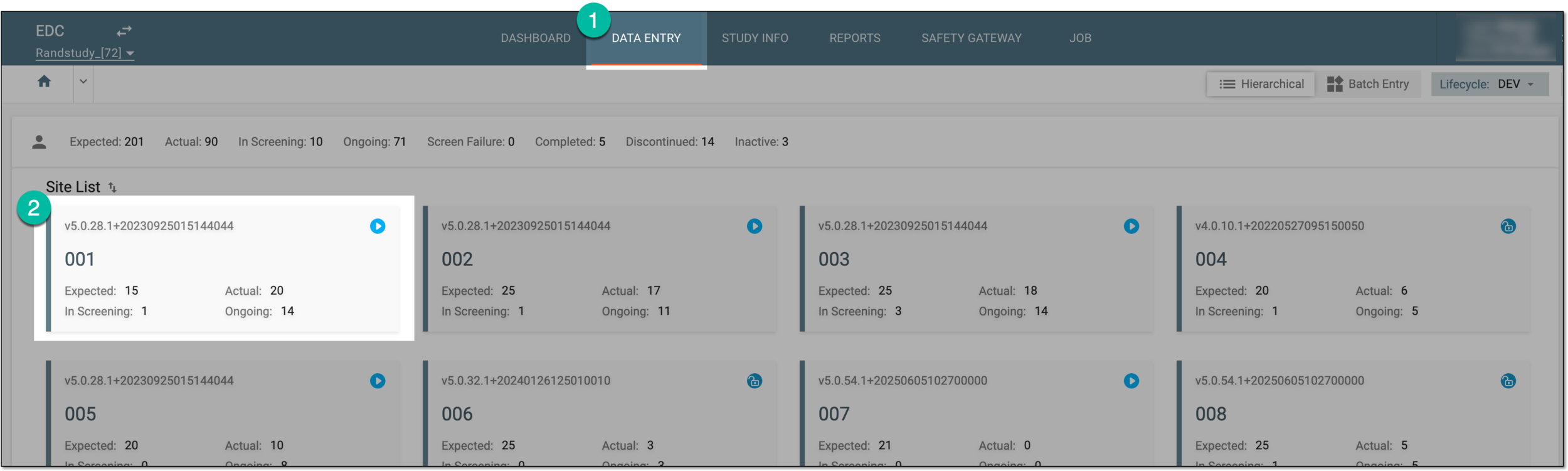 Figure 1. Accessing site
-
In the Subject List table that opens, locate the needed subject and next to them, from the Next Phase column, select the phase to which your subject must be moved.
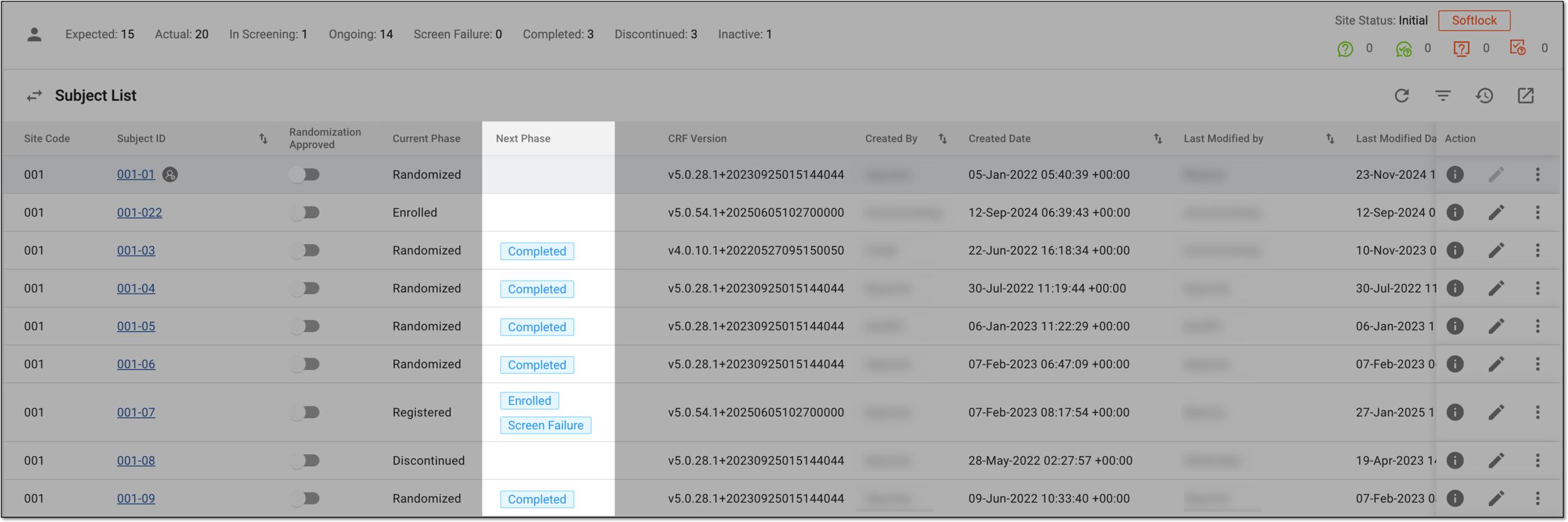 Figure 2. Changing subject phase
Tip
If needed, each column of the the Subject List table is described in detail in the Subject list section.
-
In the confirmation dialog that opens, confirm your subject phase change by selecting
 .
.Important
The message of the dialog and available actions vary depending on the phase to which you change your subject—the target phase—such as:
-
The field to enter the date of phase change is present only if the respective configuration is set for the target phase.
-
The substudy list is present for selection when moving subject from the master study to the target substudy phase.
-
The confirmation dialog has no additional steps or actions if no specific configurations are set for the target phase.
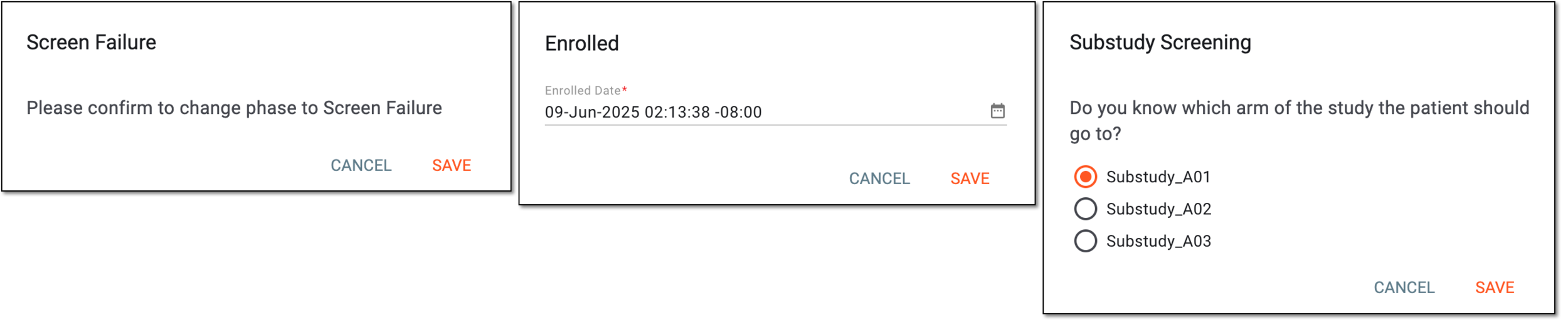 Figure 3. Examples of confirming phase change
-
Once saved, the subject phase is changed. If the target phase belonged to the substudy, the subject disappears from the site's subject list of the master study and appears in the respective site of the substudy; open the EDC application from the substudy to access this subject.
The phase change action is recorded by the system, and the history of such actions can be reviewed via the Audit Trail functionality.