Set phase change date request
In the configuration of subject phase availability, you have the option to define the phases that must require the entry of the change phase date. This feature ensures accurate tracking of subject progression and phase transitions, providing detailed accountability for subject status changes.
For example, you set the change date recording as obligatory for the Enrolled subject phase. When a clinical research coordinator (CRC), principal investigator (PI), or another study team member updates the status of the subject to Enrolled, they are prompted by the system to enter the date of subject enrollment.
-
In the EDC application header, select the STUDY INFO tab.
-
On the page that opens, in the left pane, select Subject > Subject Phase.
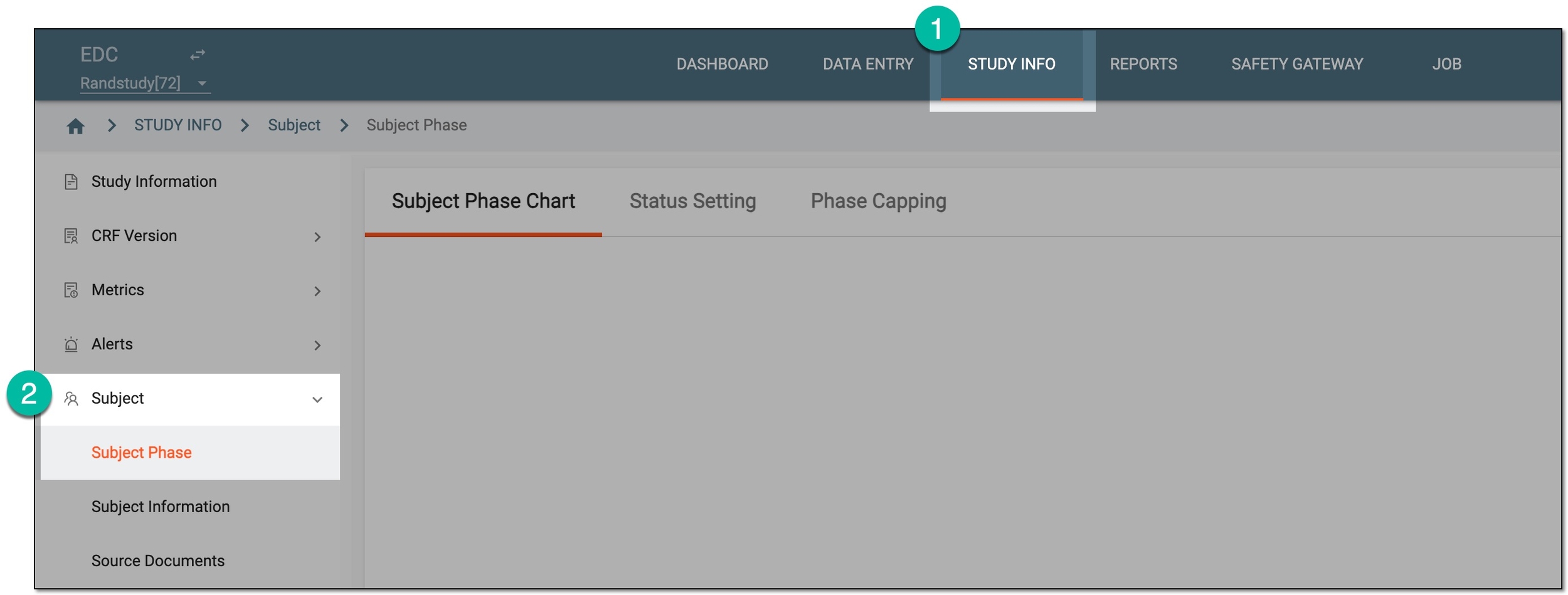 Figure 1. Accessing subject phase management
-
On the Subject Phase Chart page that opens, select Setting
 and then
Set Change Phase Date.
and then
Set Change Phase Date.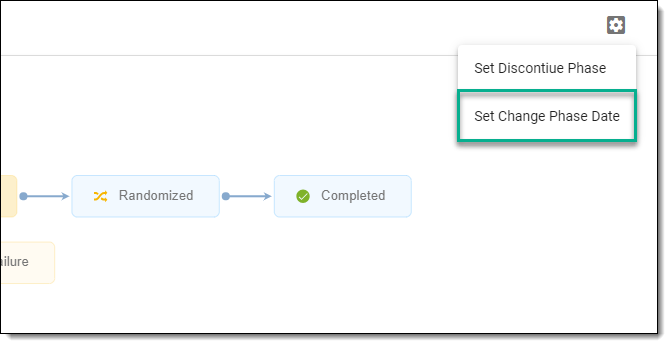 Figure 2. Selecting option to set change phase date
-
In the Set Phase Support Edit Phase Date dialog that appears, select checkboxes next to the needed subject phases.
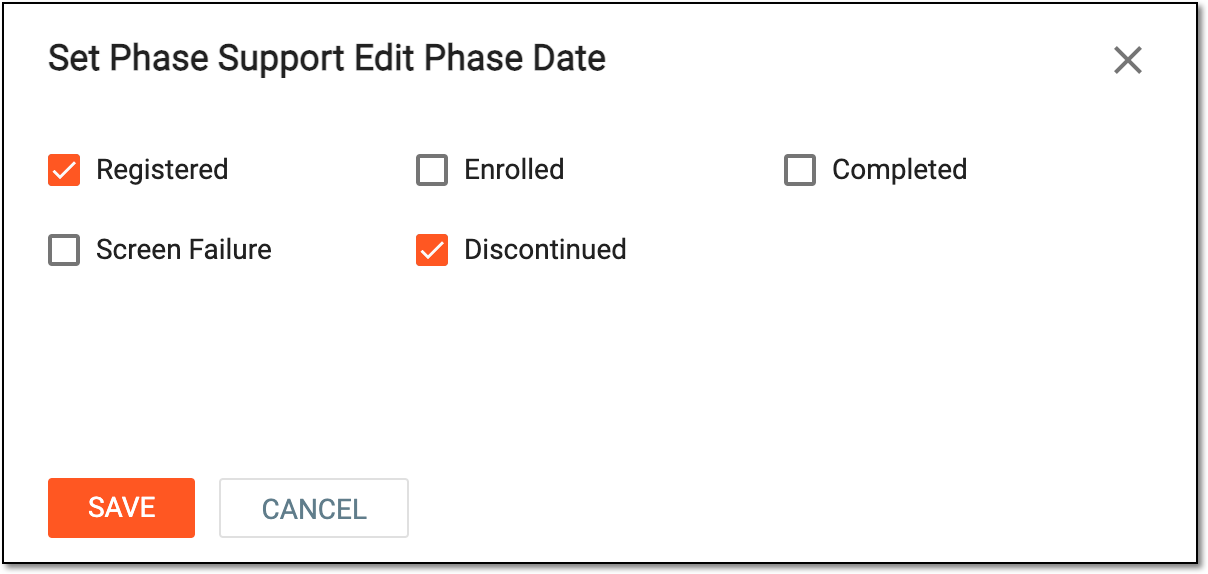 Figure 3. Setting change date for subject phases
-
Select
 to save the implemented changes.
Once saved, the change date indication becomes required for selected subject phases.
A specific phase that a subject has to complete in the course of a clinical trial to move further to the next phase. For instance, Screening, Enrolled, Randomized, and others.
 |
In eClinical, subject phases are designed individually for each study via the SD application, although they are referenced in others, like IWRS or EDC.
A person responsible for the successful planning, execution, and management of clinical trials. The CRC’s scope of work might include study preparation, site setup, patient recruitment, regulatory compliance control, data collection, and more.
In the eClinical system, the Clinical Research Coordinator (CRC) user role is granted to a person who works on a site with subjects and is responsible for entering data to EDC, ensuring the data is entered correctly according to all requirements, and answering queries from data managers on any questionable data pieces.
A person responsible for overseeing and conducting the research study at a specific investigational site or multiple sites, depending on the study's design. The role of a PI is multifaceted and involves various responsibilities, such as study oversight, protocol adherence, participant recruitment and informed consent implementation, regulatory compliance, and so on.
In the eClinical system, the Principal Investigator (PI) role that is assigned to a person who oversees the data entering and signs off subjects—gives authorized confirmation that all the entered data is valid and follows the industry standards. The responsibilities of PI can vary depending on study requirements.