Set subject discontinuation phase
In the configuration of subject phase availability, you have the option to designate specific phases where subjects may be discontinued from the study. By defining these potential exit points, this feature introduces a layer of flexibility, accommodating the reality that subjects may need to end their participation at some stages.
-
In the EDC application header, select the STUDY INFO tab.
-
On the page that opens, in the left pane, select Subject > Subject Phase.
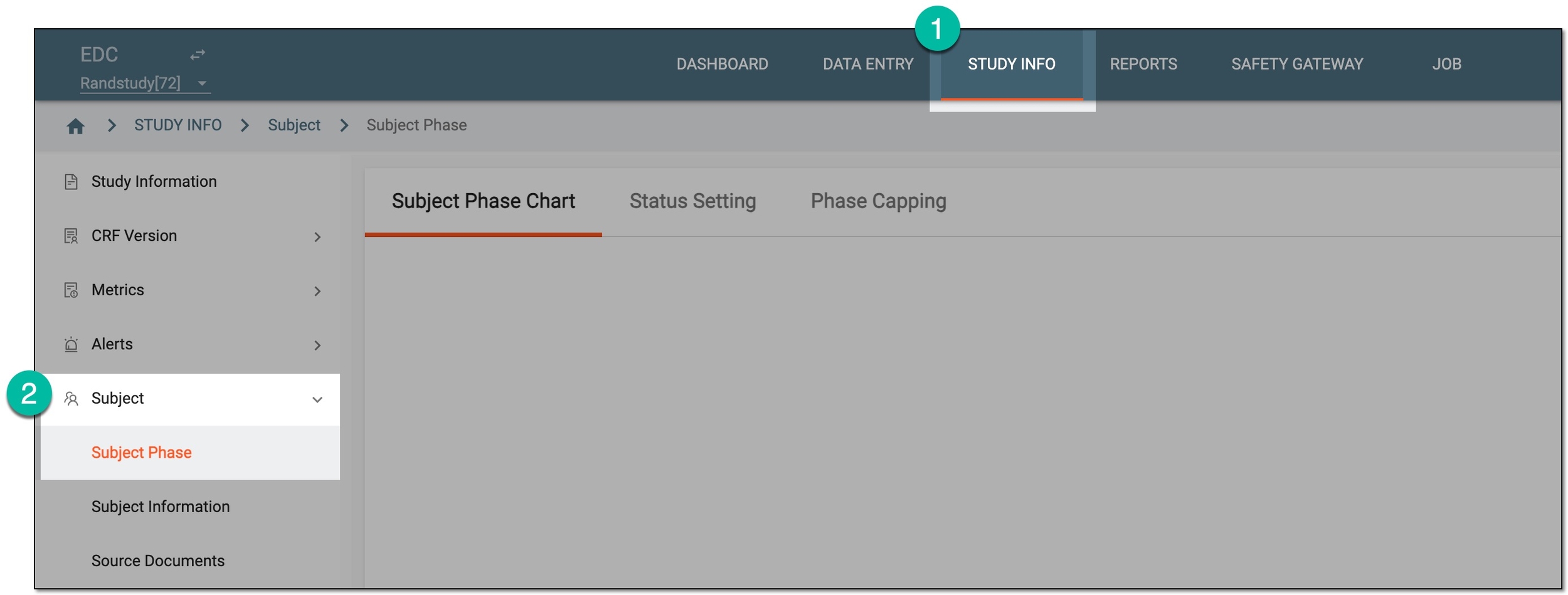 Figure 1. Accessing subject phase management
-
On the Subject Phase Chart page that opens, select Setting
 and then
Set Discontinue Phase.
and then
Set Discontinue Phase.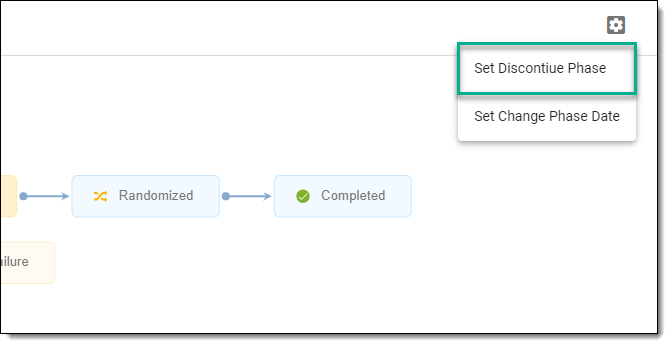 Figure 2. Selecting option to set discontinuation phase
-
In the Set Phase Support Discontinue Subject dialog that appears, select checkboxes next to the phases you want to make available for the subject discontinuation.
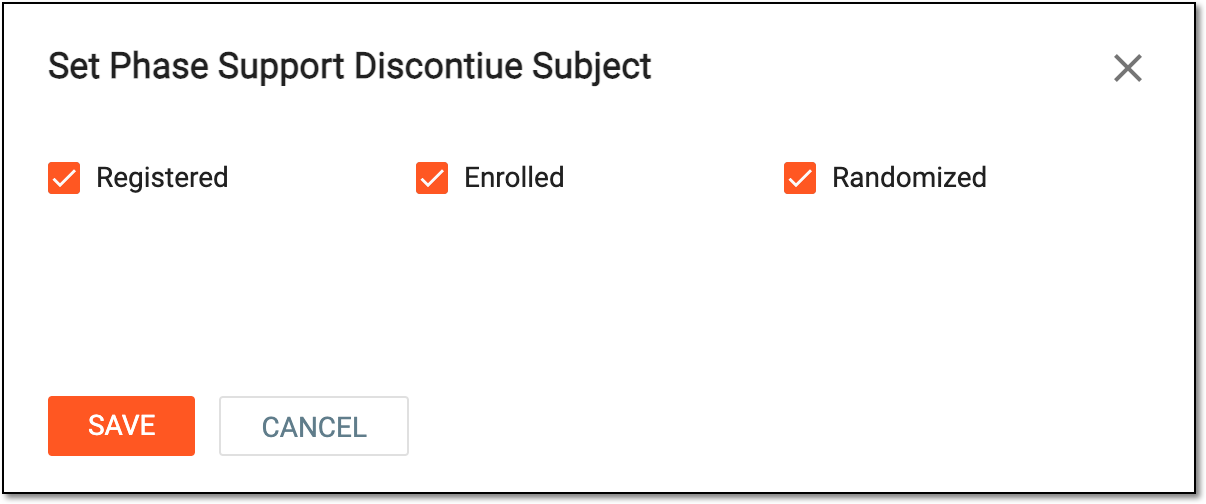 Figure 3. Setting discontinuation phases
-
Select
 to save the implemented changes.
Once saved, the selected phases are set for possible subject discontinuation.
A specific phase that a subject has to complete in the course of a clinical trial to move further to the next phase. For instance, Screening, Enrolled, Randomized, and others.
 |
In eClinical, subject phases are designed individually for each study via the SD application, although they are referenced in others, like IWRS or EDC.