View subject phase-related visits
Every subject phase in the study represents a certain stage of treatment that can either have several related subject visits or no visits at all, depending on the phase specifics. In EDC, you can view a list of visits related to each subject phase.
-
In the EDC application header, select the STUDY INFO tab.
-
On the page that opens, in the left pane, select Subject > Subject Phase.
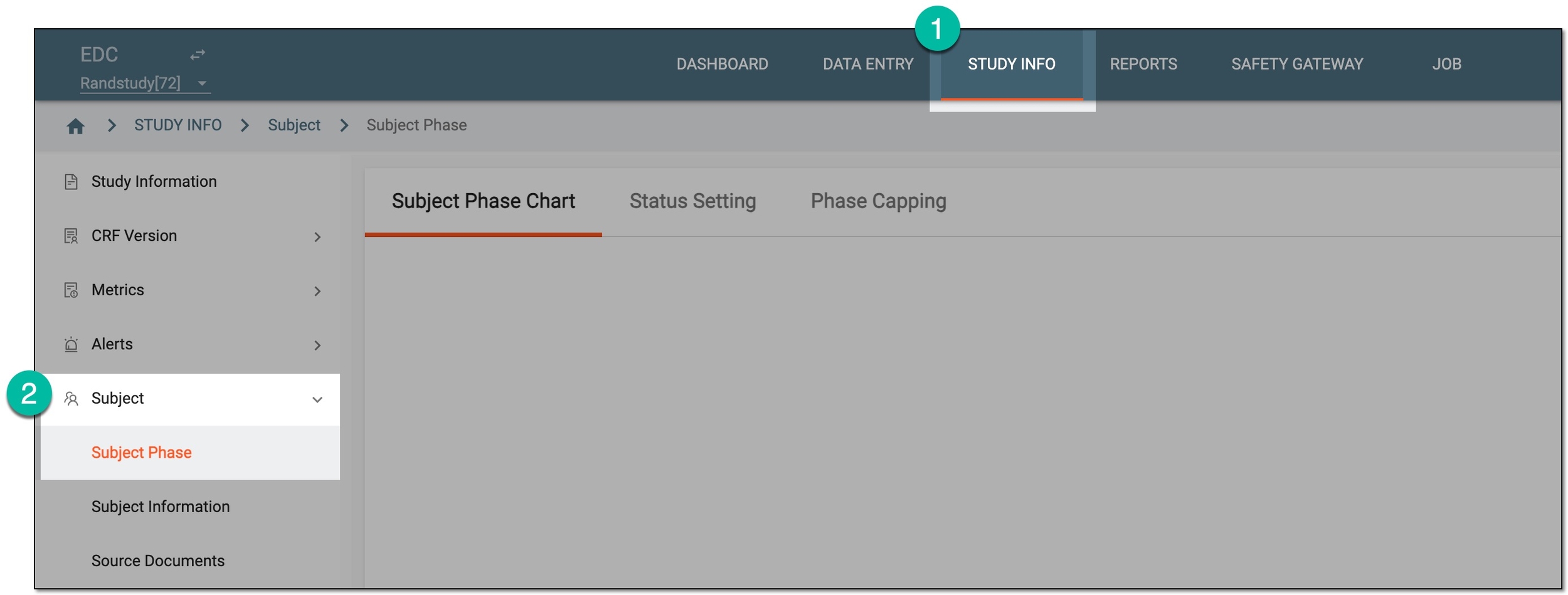 Figure 1. Accessing subject phase management
-
On the Subject Phase Chart page that opens, on the subject phase flow chart, double-click the tile of your interest.
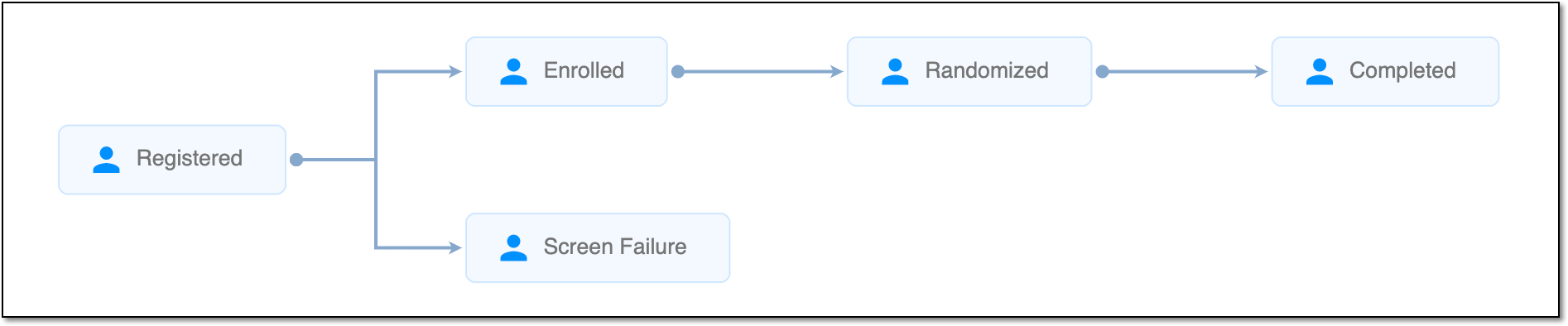 Figure 2. Subject phase flow chart
Tip
For quick access to Related Visit, right-click the needed phase in the chart.
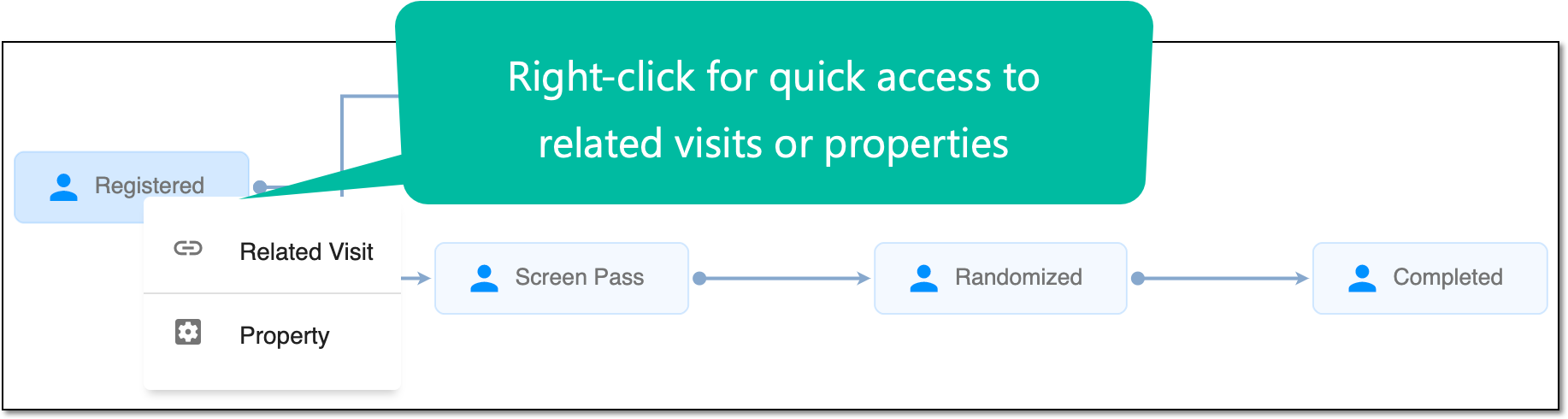 Figure 3. Accessing Related Visit and Property functionality
-
In the dialog that opens, select the Property Define subtab.
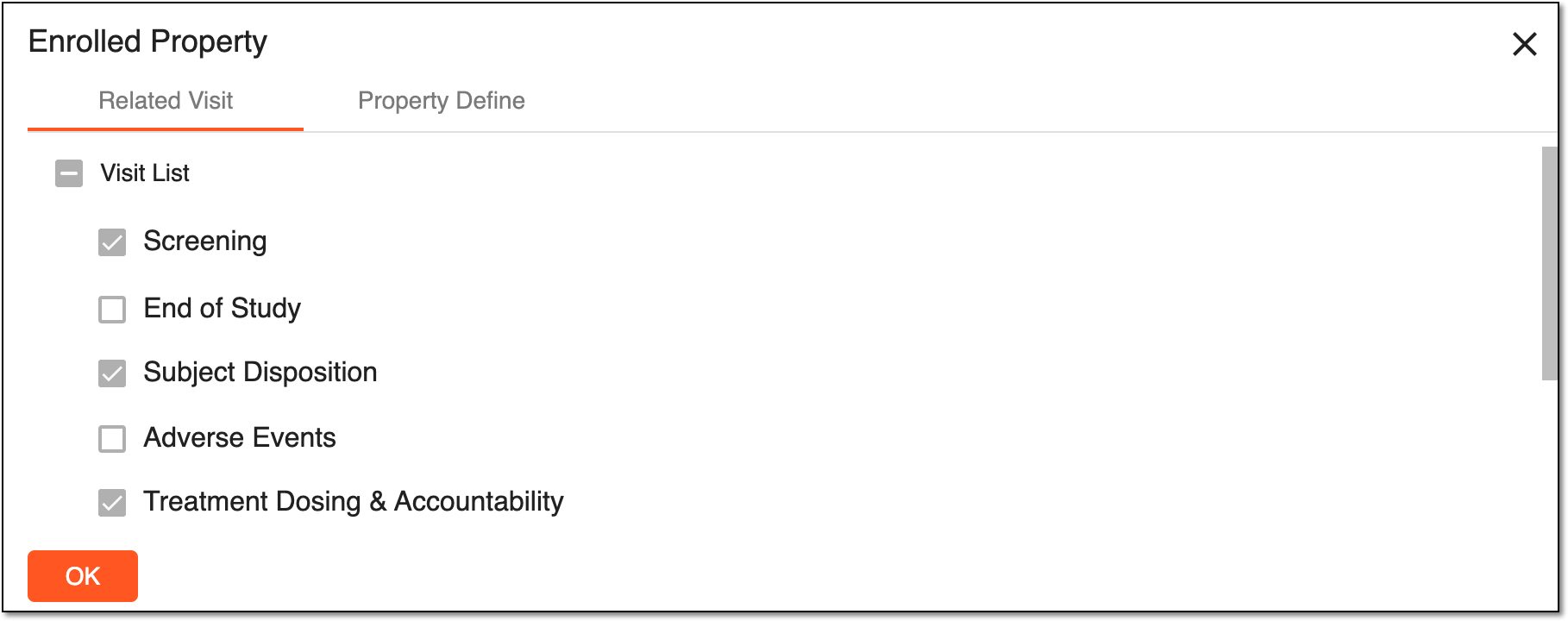 Figure 4. Subject phase-related visits
Important
These configurations are performed in the Study Designer application and are read-only in IWRS.
-
Select
 or
or  to close the dialog.
Once the dialog is closed, you return to the Subject Phase page.
A specific phase that a subject has to complete in the course of a clinical trial to move further to the next phase. For instance, Screening, Enrolled, Randomized, and others.
 |
In eClinical, subject phases are designed individually for each study via the SD application, although they are referenced in others, like IWRS or EDC.