View subject details
On the Subject List page, you can view comprehensive information about each subject registered at a certain site. For example, you can analyze when the subject is created, at which site the subject is registered, when the subject is enrolled, and so on.
-
In the EDC application header, select the DATA ENTRY tab.
-
On the site list page that opens, select the tile representing the site with which you want to work.
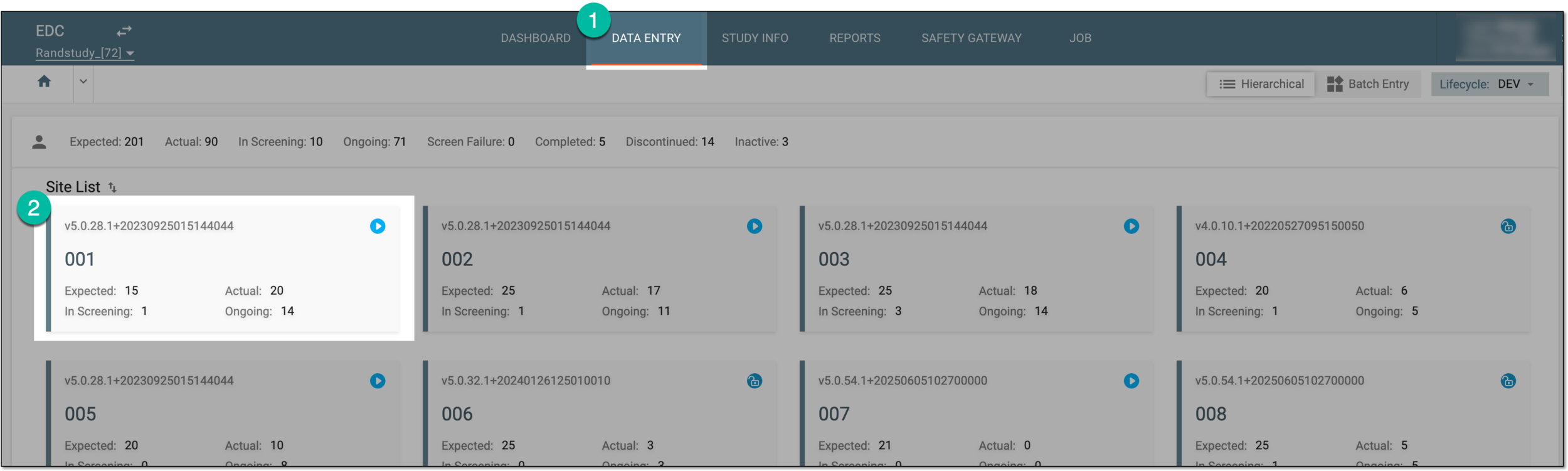 Figure 1. Accessing site
-
In the table, next to the needed subject, select Info
 .
. -
In the dialog that opens, view the subject details as explained in the following table.
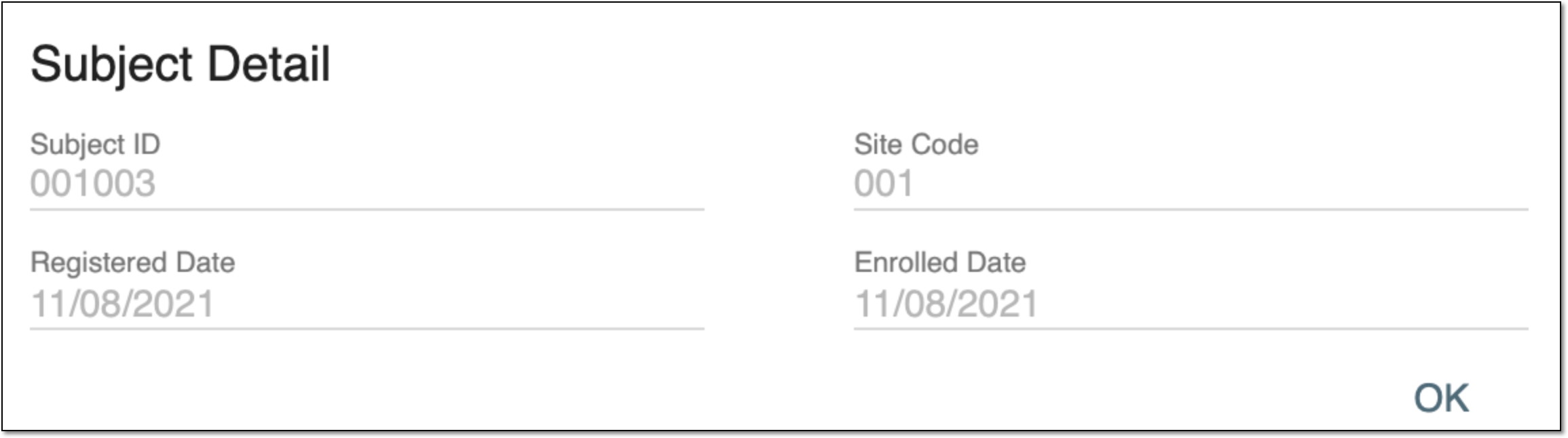 Figure 2. Subject details
Important
There are three fields you can always see in this dialog: Subject ID, Site Code, and Registered Date. The other fields may vary. It depends on the phases the subject has already passed.
Element
Details
[Unique ID Label]
A read-only unique identification number of the subject whose clinical data is expected to be collected.
The field name depends on the unique ID label configuration of your study in IWRS.Site Code
A read-only unique identification number of the site where clinical data is expected to be collected for a particular subject.
Registered Date
A read-only date when the subject is created in EDC.
Enrolled Date
A read-only date when the subject has been formally engaged in the study.
OK
Select the option to close the dialog.
Once OK is selected, the dialog is closed and you return to the Subject List table.