Delete autoexecution task
The autoexecution tasks added to CTMS to trigger for a certain event—monitoring visit creation or KRI email notification—can be deleted from the system if they are no longer relevant to your study.
Important
You can only delete an inactive autoexecution task.
-
Access the study management page in one of the following ways:
-
In the CTMS application header, select the DASHBOARD tab and then select the study dashboard of your interest.
 Figure 1. Accessing study management from dashboard
-
In the CTMS application header, select the STUDY MANAGEMENT tab. Then from the Study Data List table, select the study name of your interest.
 Figure 2. Accessing study management from study data list
-
-
From the left pane of the study page that opens, select RBM > Auto-execution Engine.
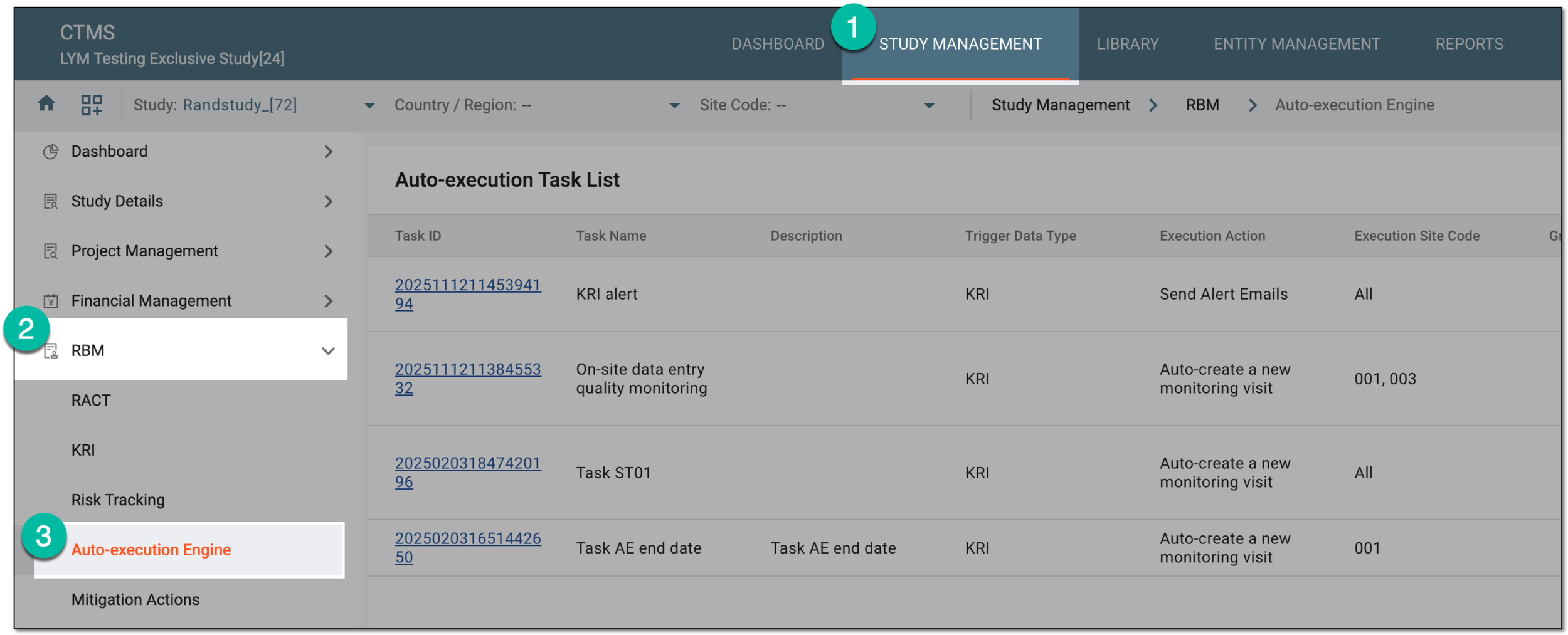 Figure 3. Accessing autoexecution engine
-
In the Auto-execution Task List table that appears, next to the needed autoexecution task, select More
 > Delete
  .
. Figure 4. Deleting autoexecution task
-
In the Reason dialog that appears, provide the details to justify your action. Then select
 .
.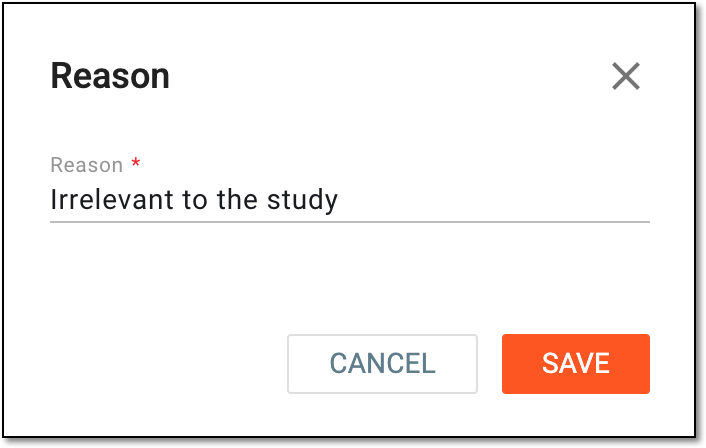 Figure 5. Providing reason for task deletion
Once confirmed, the autoexecution task is deleted.