Product unit list
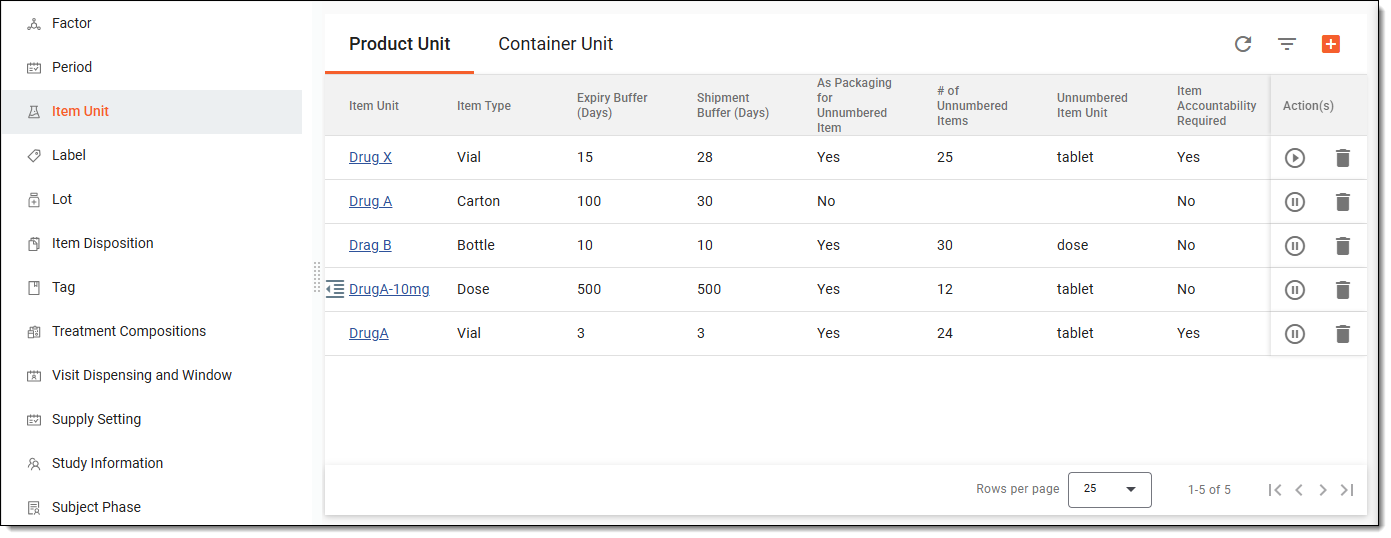
All the product units previously created in the IWRS application are displayed under the TREATMENT DESIGN tab > Item Unit subtab.
The product units have the various attributes explained in the following table.
|
Column |
Details |
|---|---|
|
Item Unit |
Represents the name of the product unit. |
|
Item Type |
Represents the product type. This can be either Bottle, Vial, Carton, Device, or any other custom type. |
|
Expiry Buffer (days) |
Represents the buffer days before the product expires. If a product expires in N days, which is less than the expiry buffer days, the system does not use the product for dispensing and shipping. |
|
Shipment Buffer (days) |
Represents the number of days to be established as a threshold between the shipment of the drug and its expiration date. This helps avoid situations where the item expires before even being delivered to its destination. For example, if a drug expires in 25 days and the shipment buffer is 30 days, the system will not use the item for shipping. |
|
As Packaging For Unnumbered Item |
Determines whether the product is a package unit of several unnumbered subproducts or not. Only Yes and No values are possible. For instance, the value is Yes if it is a bottle (product) with an amount of tablets (subproducts) within. |
|
# of Unnumbered Items |
Represents the user-defined number of unnumbered subproduct contained in the product of the unit. For instance, it shows 20 for the bottle with 20 tablets within. |
|
Unnumbered Item Unit |
Represents the user-defined name of the unnumbered subproduct unit, for instance, Tablet. |
|
Item Accountability Required |
Represents whether individual tracking and the reconciliation of each product is unit is mandatory throughout its lifecycle—from shipment to dispensation or destruction. Only Yes and No values are possible. |
|
Subject Return Required |
Determines whether the subject needs to return the product of the package unit and the remaining unnumbered subproduct or not. Only Yes and No values are possible. |
|
Status |
Determines whether the product unit is active or not. If the product unit is active, you can further use it in the system (for instance, you can use it to add drug labels). If the product unit is inactive, you cannot use it in the system, respectively. |
The following actions can be applied to the product units you see in the product unit list:
-
Activate/Inactivate an product unit: to make a product unit active/inactive so that it can be used/cannot be used in the system, respectively.
-
Edit a product unit: to make updates and edits to your product units.
-
Delete a product unit: to delete product units you no longer need.