Activate/Inactivate product unit
When you create a product unit, make sure it is in the Active state in order for the product unit to be further used in the IWRS system (for instance, to add labels to the drug). In case the created product unit is inactive, you cannot use its data anywhere across IWRS.
You can activate or inactivate an existing product unit at any time.
-
In the IWRS application header, select the TREATMENT DESIGN tab.
-
In the left pane, select the Item Unit subtab.
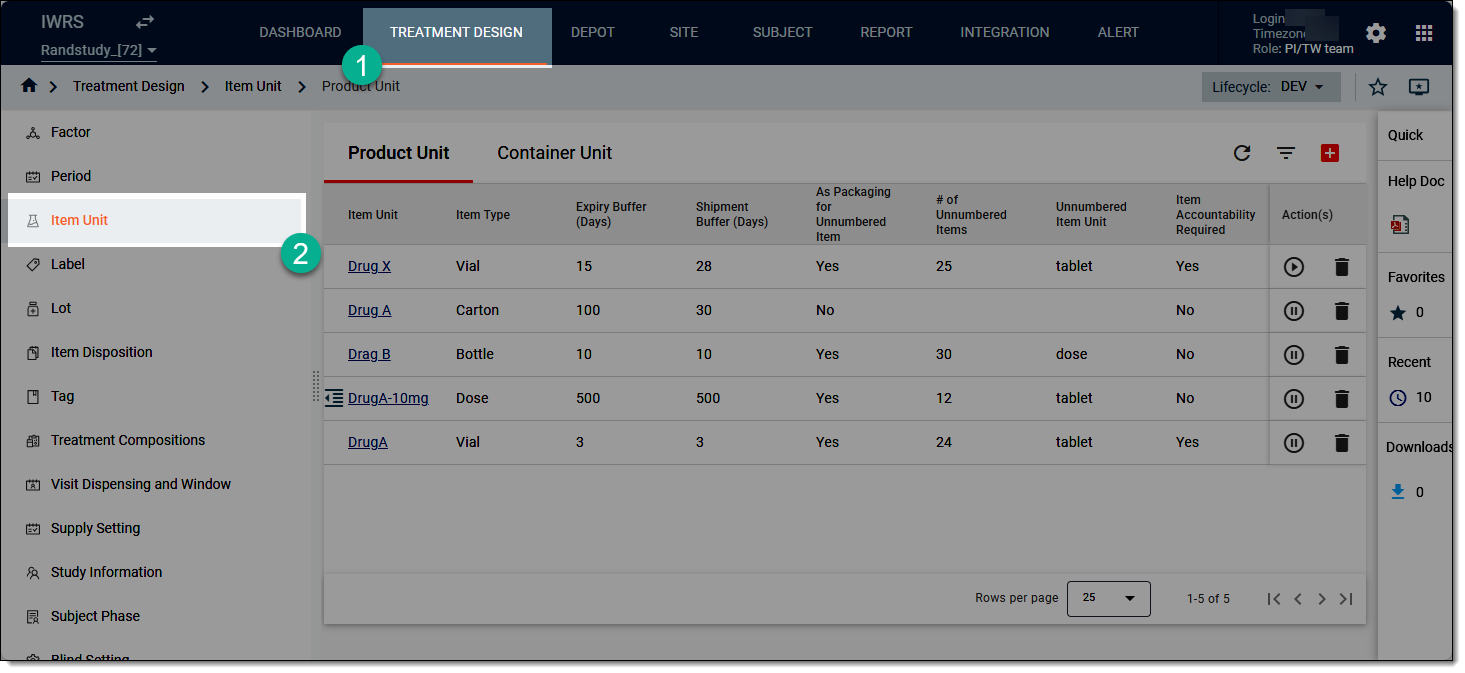 Figure 1. Accessing product unit list
-
In the Product Unit tab that opens, locate the item unit you need to activate or inactivate.
-
Next to the needed product unit, from the Action(s) column, select Activate
 an inactive one or Inactivate
  the active one.
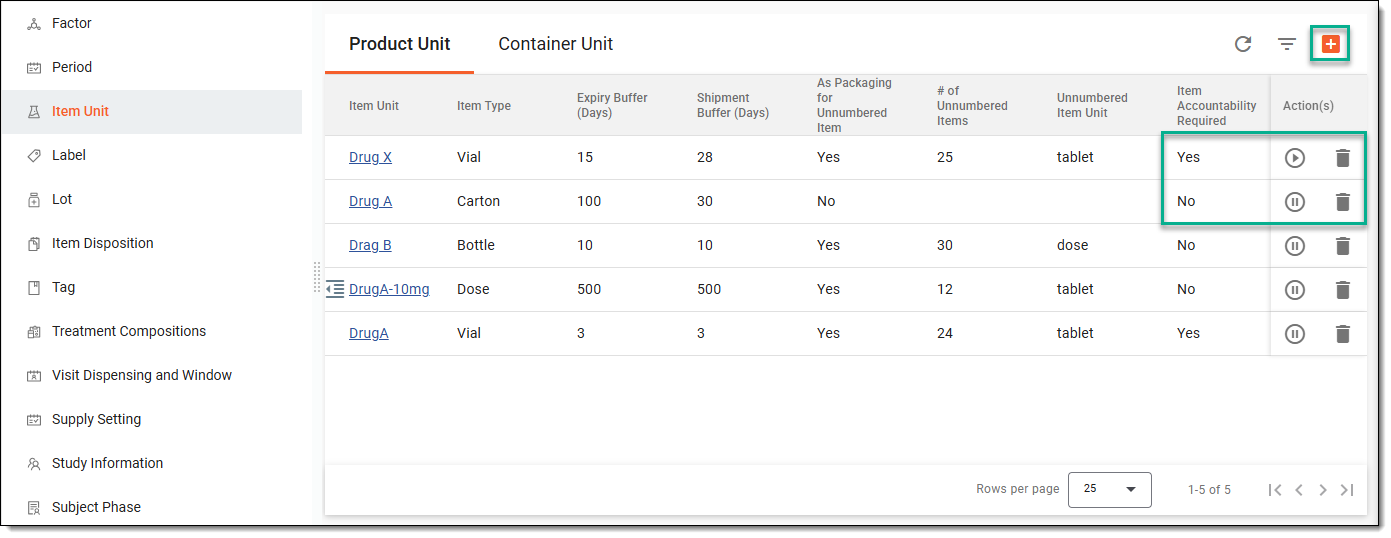 Figure 2. Activating or inactivating product unit
Once the needed action is selected, the product unit becomes active or inactive.