Save advance filter settings
In PV, the Advance Search feature provides you with a set of filters that you can combine to perform sophisticated search for the needed instances—in the list of ICSRs or E2B R3 imported files—much quicker. For ICSR management, the advanced filters can also serve to check for ICSR duplicates in the system.
Important
The detailed description of the available filter sets you can find in the Search for ICSRs and Search for E2B R3 files sections.
-
In the PV application header, based on your objective, do the following:
-
Select the ICSR tab to access the ICSR list.
 Figure 1. Accessing ICSR list
-
Select the INTAKE tab and then, from the left pane, select E2B R3 Import. On the resulting page, select the Manual Upload or Gateway Received tab based on the origin of the files of your interest.
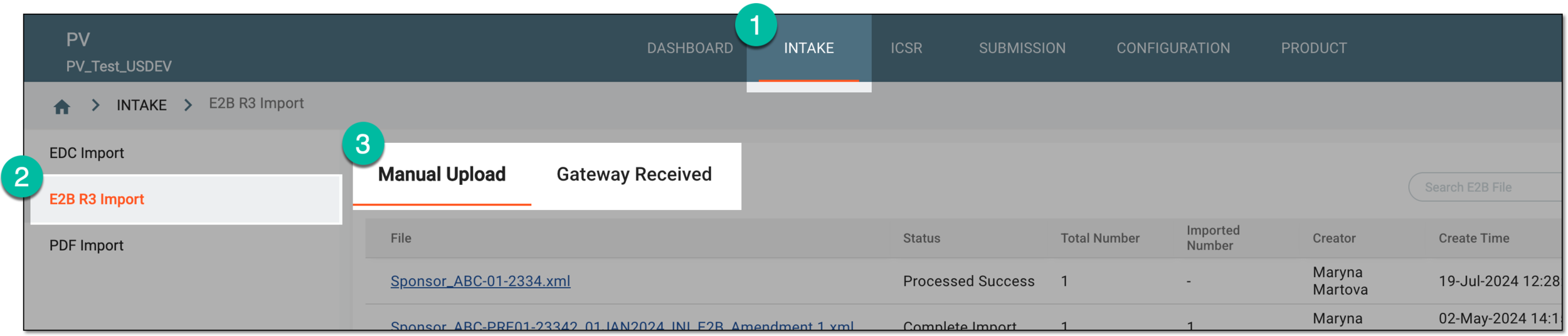 Figure 2. Accessing E2B R3 import files
-
-
On the page that opens, from the workspace toolbar, select Search
 .
. Figure 3. Example of accessing advanced search
-
On the Advance Search page that opens, apply the filters of your interest as follows:
-
The available filters of the ICSR advanced search are explained in the respective table of the Search for ICSRs section.
-
The available filters of the E2B R3 file advanced search are explained in the respective table of the Search for E2B R3 files section.
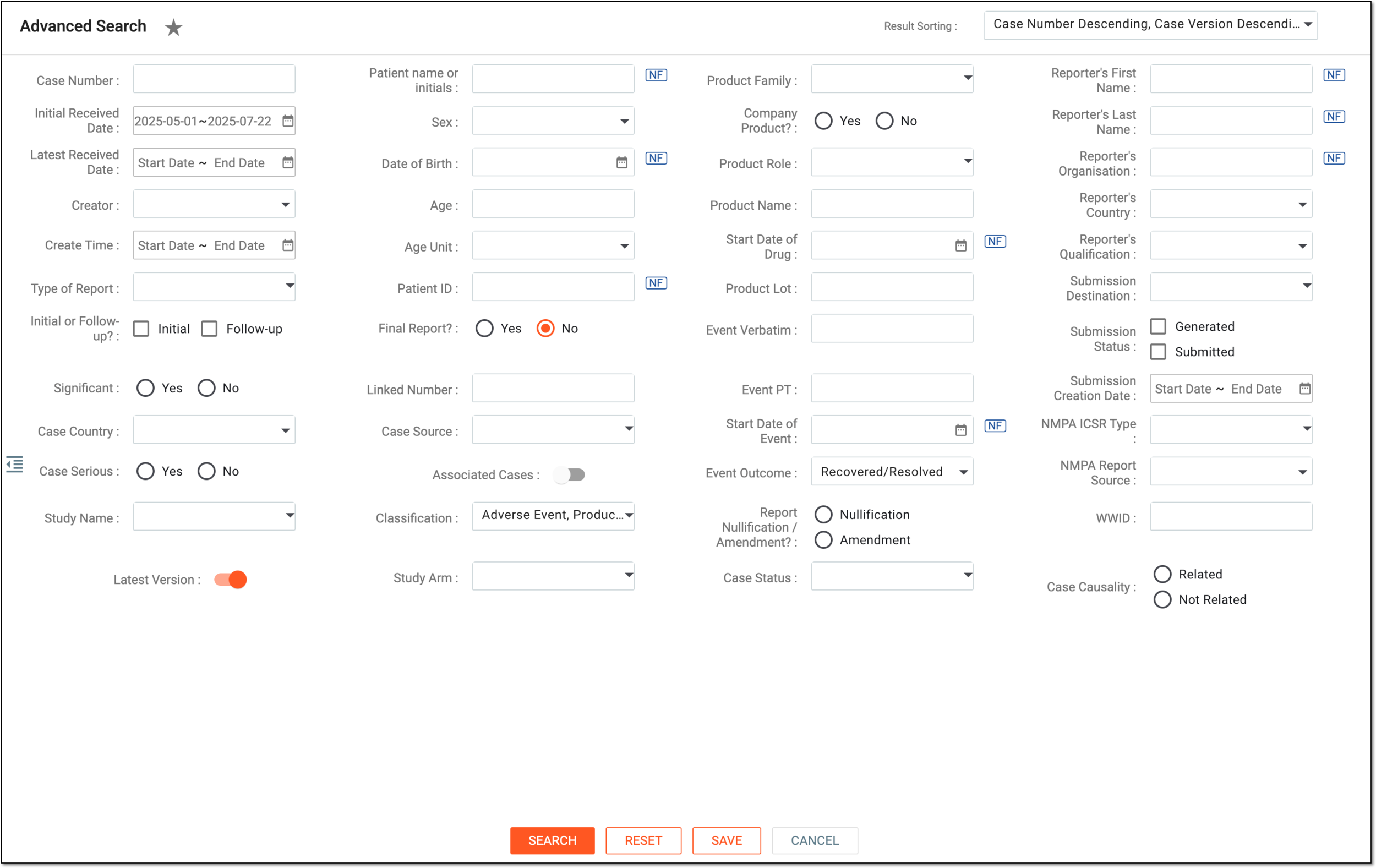 Figure 4. Example of applying advanced search filters
-
-
Select
 to save the filter set and in the dialog that opens, fill in the fields as explained in the following table.
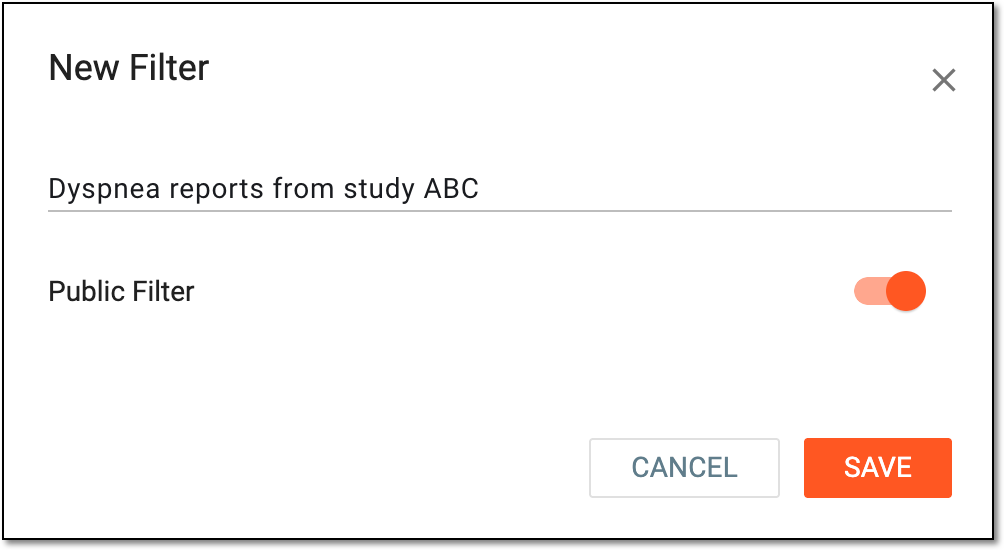 Figure 5. Example of saving new advanced filter set
Tip
In the following table, mandatory elements are marked with an asterisk (*).
Element
Details
Filter Name*
Enter the descriptive name to depict the filters within, especially if you share this filter set and need other users to understand what it represents and how it can be used.
Public Filter
Set as follows:
-
Turn the toggle on to make the saved filter set available for other PV users.
-
Turn the toggle off to make the saved filter set available only for you.
SAVE
Select
 to save the implemented filter set.
CANCEL
Select
 to discard the changes and return to the Advance Search page.
 -
Upon saving, the set of filters is saved and can be used for efficient ICSR search.