Create milestone
In the CTMS library, you can create milestones that represent key events in a clinical study’s lifecycle, such as subject enrollment, site openings, critical study visits, and much more.
-
In the CTMS application header, select the LIBRARY tab.
-
On the page that opens, from the left pane, select Milestone Template.
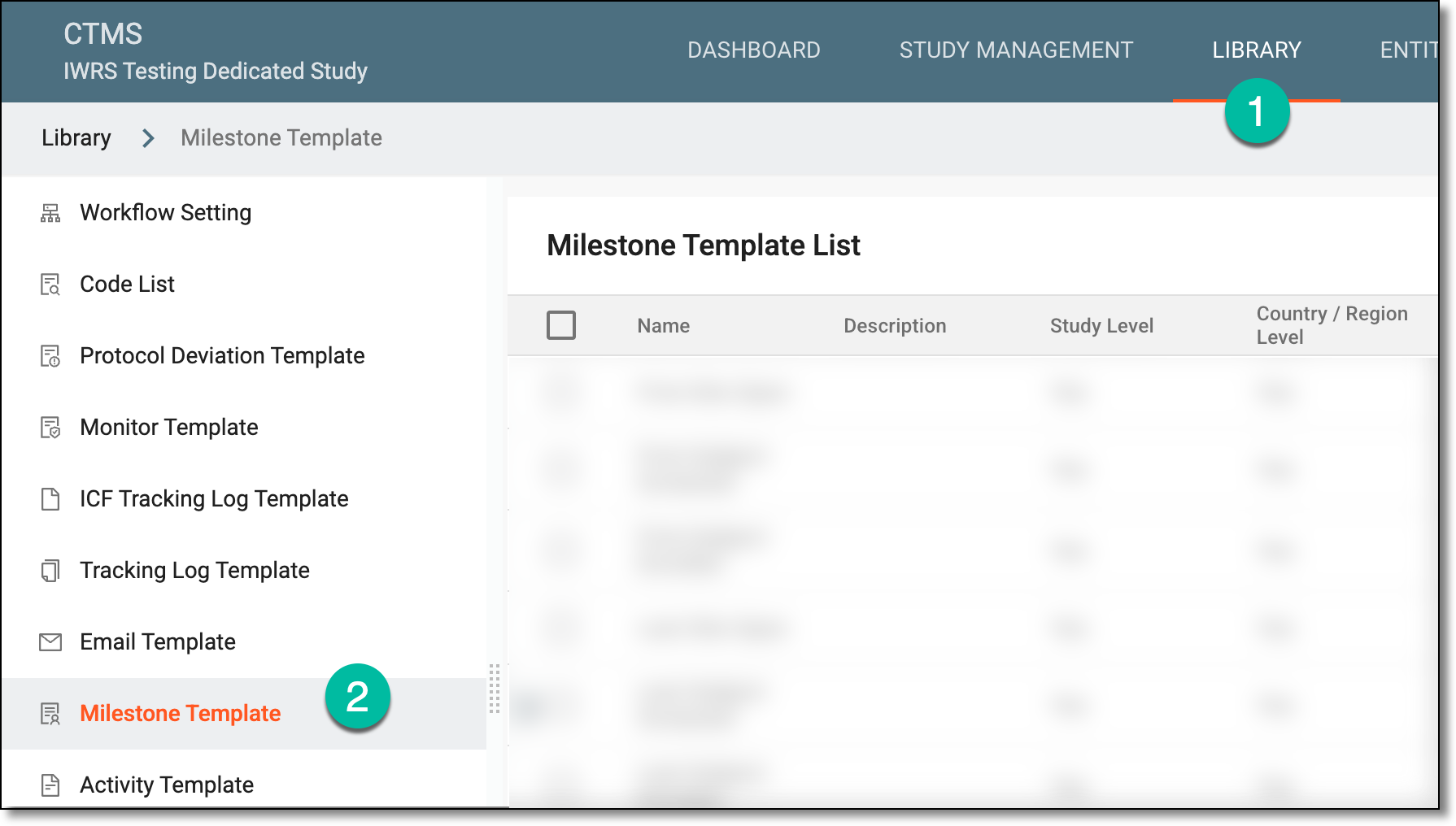 Figure 1. Accessing milestone template subtab
-
On the Milestone Template List page that opens, from the workspace toolbar, select New Item
 .
.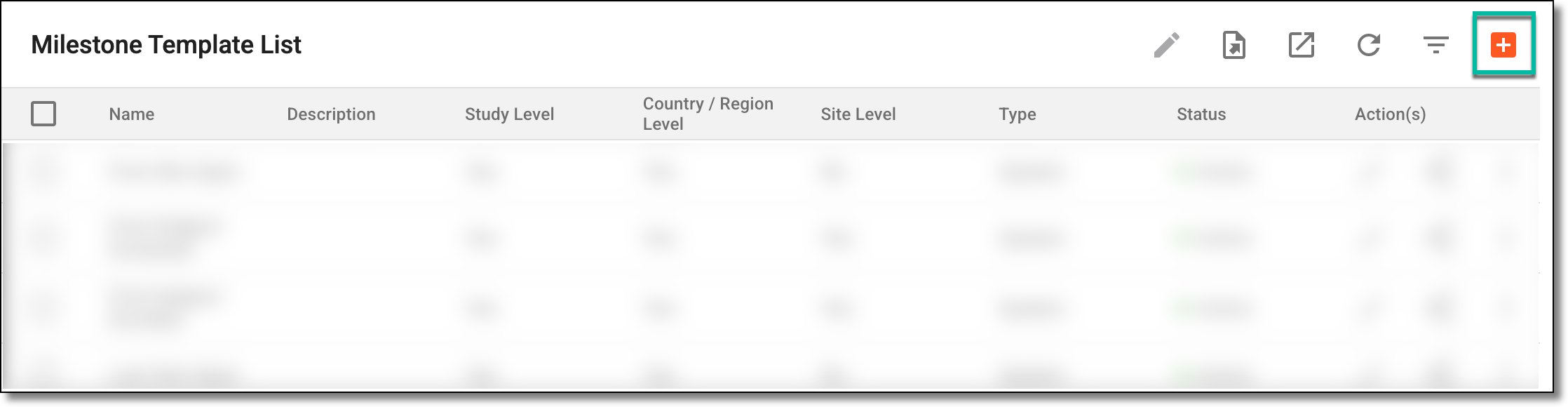 Figure 2. Selecting to create new milestone
-
In the Add Milestone dialog that opens, enter the milestone details as explained in the following table.
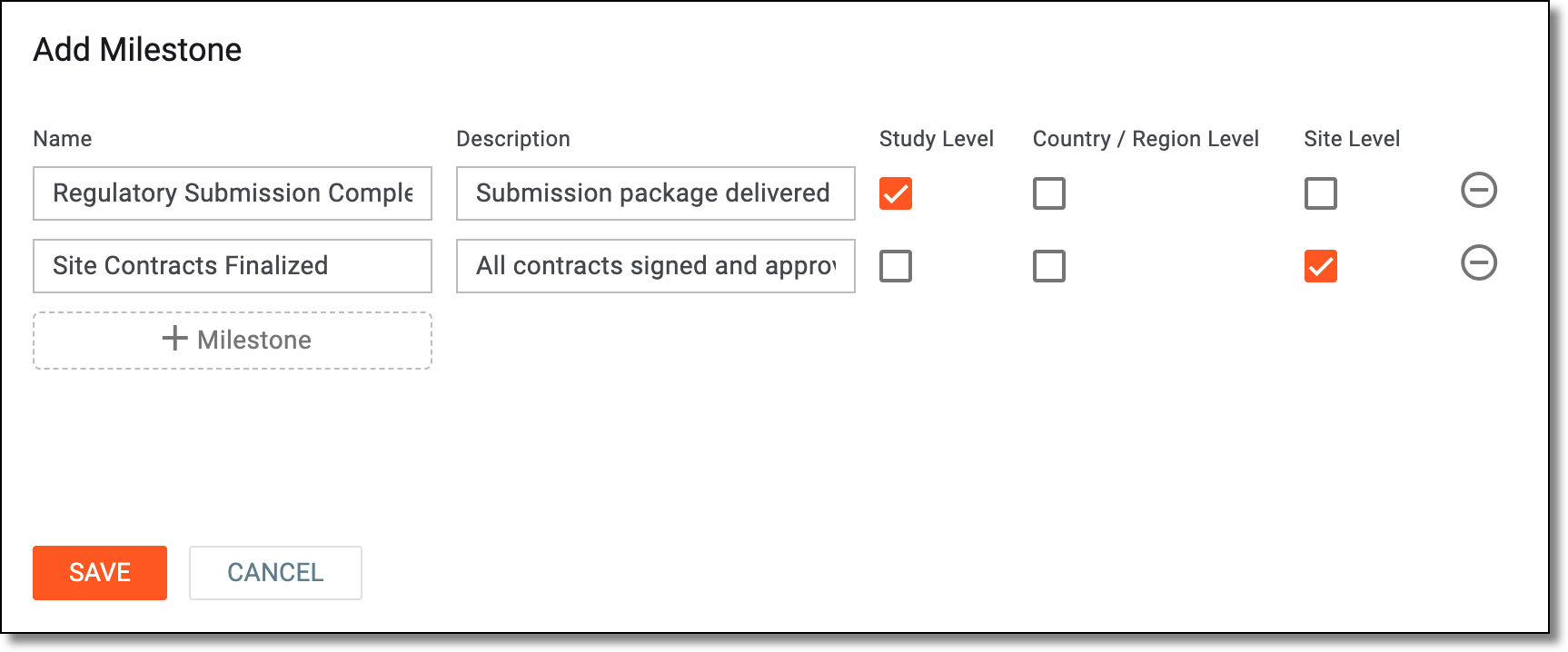 Figure 3. Creating new milestones
Element
Details
Name
Enter a unique name for the milestone.
Description
Enter the milestone's description providing additional details or clarification to the system users.
Study Level
Select the checkbox if you want to add the milestone to your current study in which you are working.
Country/Region Level
Select the checkbox to add the milestone to all the countries and regions where the study is held and which are referenced in the system.
Site Level
Select the checkbox to add the milestone to all the sites of the study.
Add milestone
Select
 to add an additional row where you can define a new milestone. This way, you can define multiple milestones and then add them all at
once.
to add an additional row where you can define a new milestone. This way, you can define multiple milestones and then add them all at
once.Remove
Select
 to remove a milestone you have accidentally added.
SAVE
Select
 to implement the changes and add the milestones.
CANCEL
Select
 to dismiss your changes without saving.
Once saved, the new milestone is added. You can now proceed to add it to your studies or associate it with the study activities.